1. Go to Payroll > Team Payroll > select any payroll, whether draft or complete > select Download Bank file.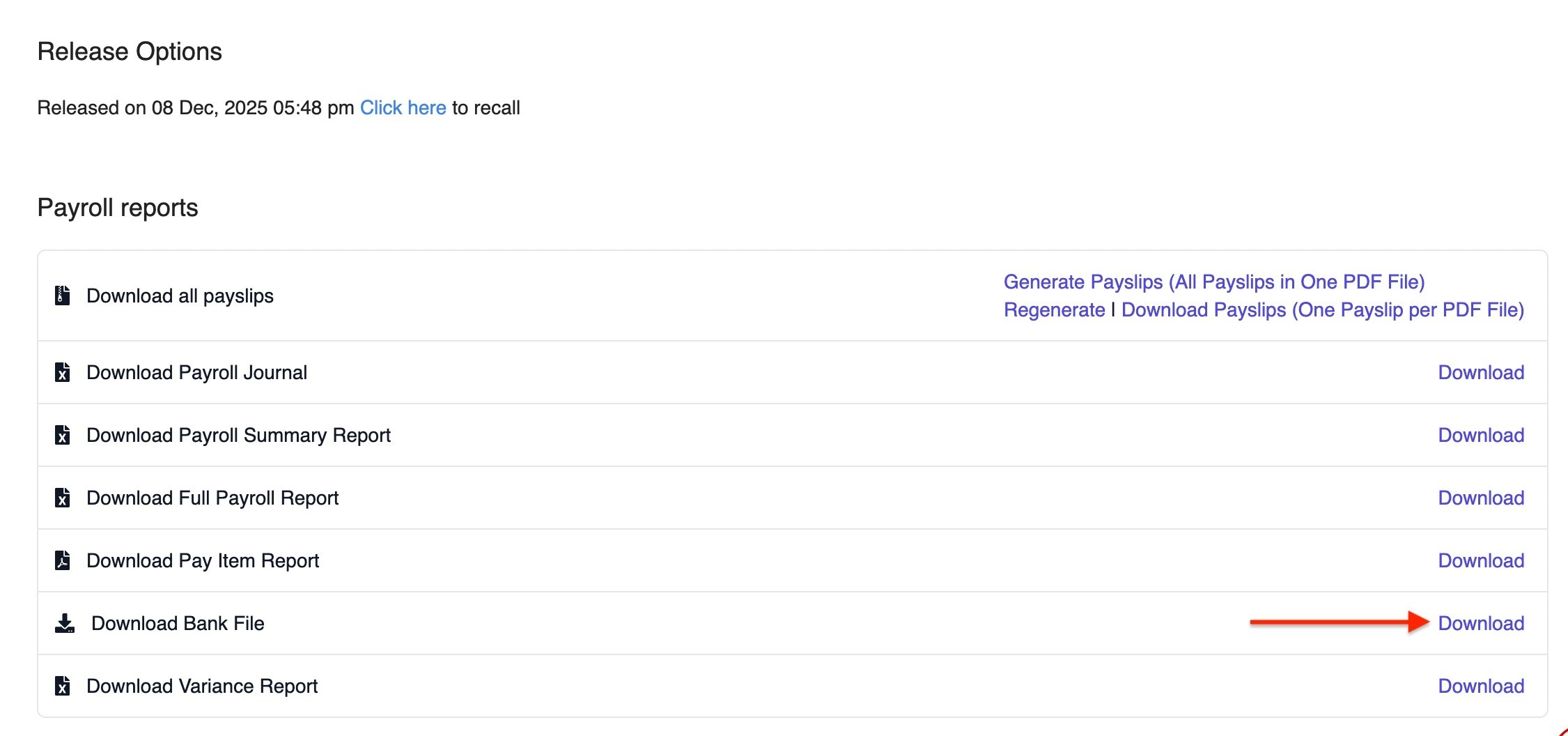
2. A pop-up will appear. Fill in the required details:
- Bank: ALLIANCE BANK MALAYSIA BHD
- File Type: Select the file you need to generate:
- BizSmart TXT GIRO File
- BizSmart XLS GIRO File
- SOCSO File
- EIS File
- EPF File
- MTD File
- BizSmart TXT GIRO File
- Account Holder Name: Your company name
- Account Number: Usually a 10-digit bank account number
- Value Date: The date the bank should process the salary payment
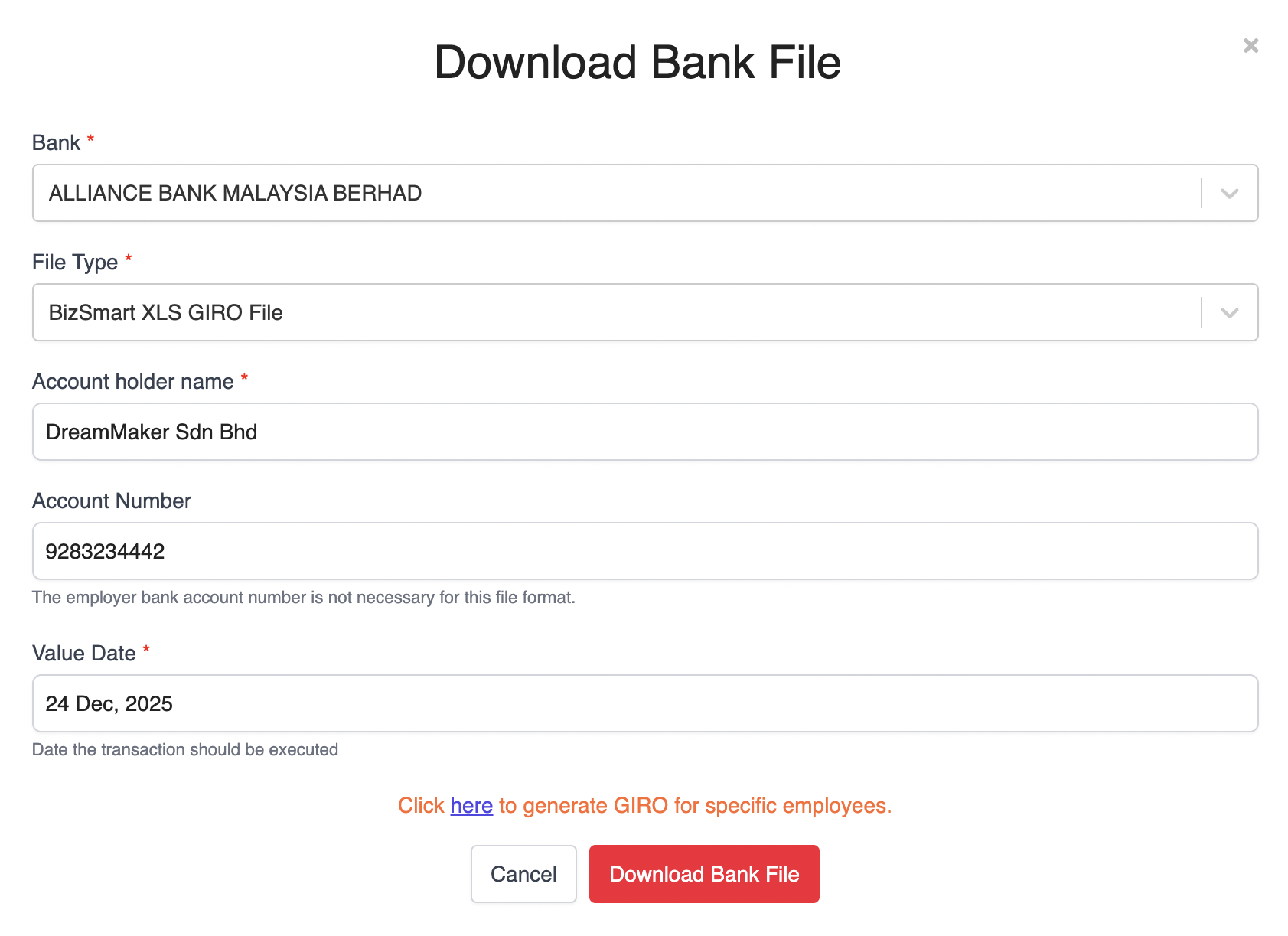
3. Once all details are filled in, click Download Bank File.
Submitting the GIRO File to Alliance Bank
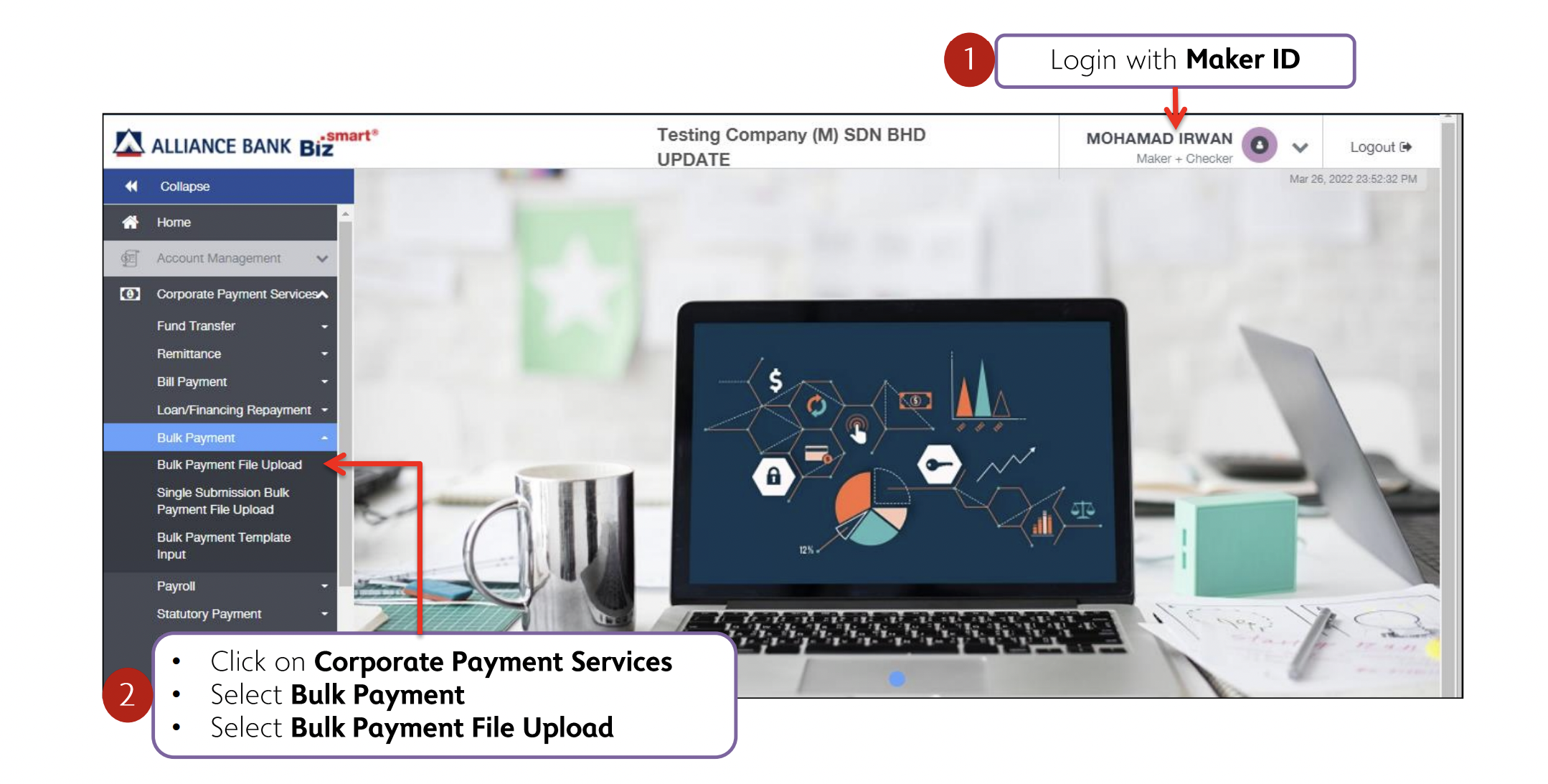
1. Navigate to Corporate Payment Services > Bulk Payment > Bulk Payment File Upload.
2. Enter all the required details. Make sure the file name matches the File Batch Reference Number.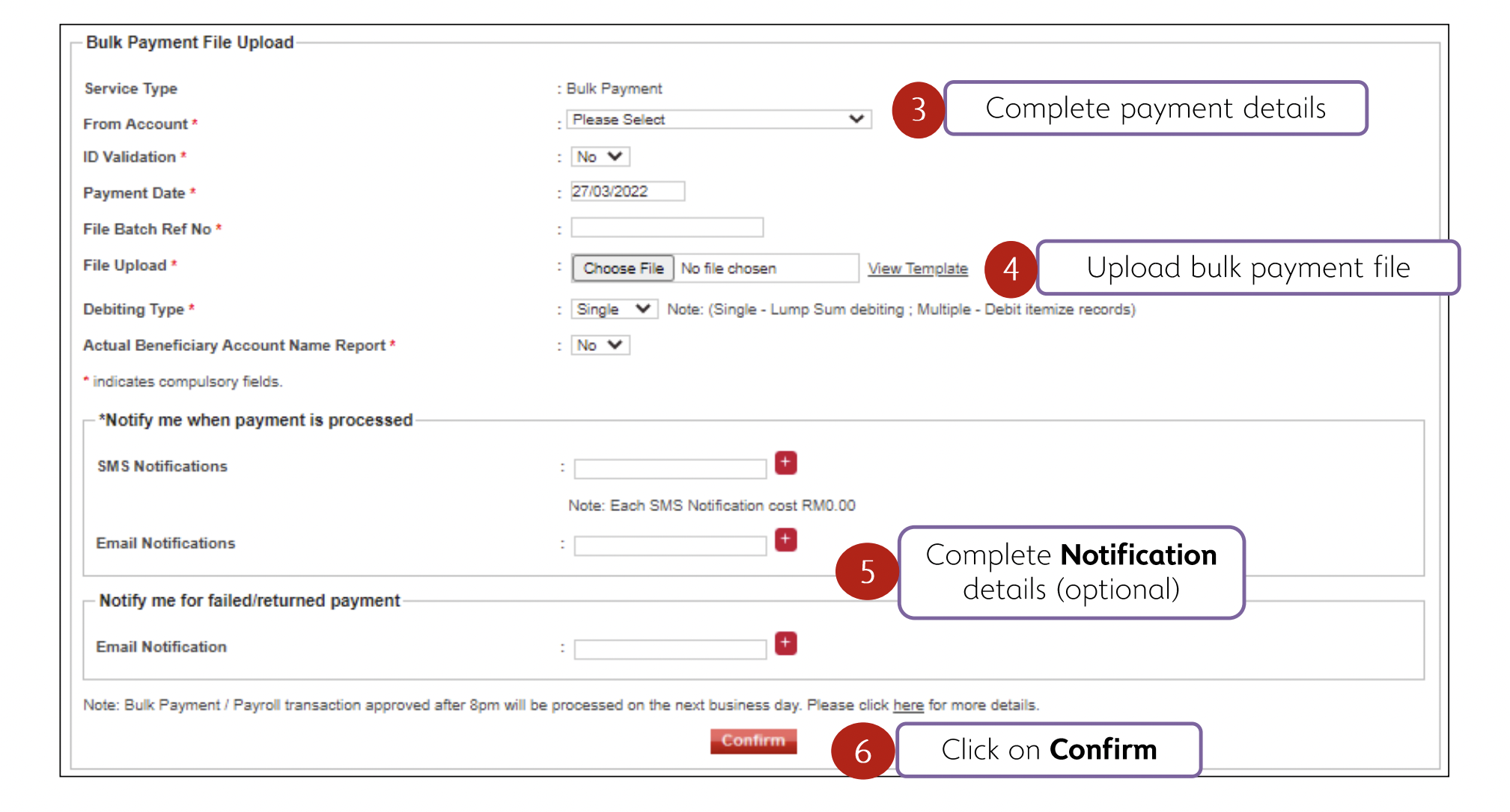
3. When everything is completed, click Confirm to proceed.
For more information on salary and statutory payments, you may refer to the guides below:
Was this article helpful?
That’s Great!
Thank you for your feedback
Sorry! We couldn't be helpful
Thank you for your feedback
Feedback sent
We appreciate your effort and will try to fix the article