To ensure correct EPF deductions for your employees, follow these steps to set up their contributions in HReasily Pro.
1. Go to My Employees, select the employee, and navigate to the Payroll tab.
2. Under Salary Contribution, click Edit.
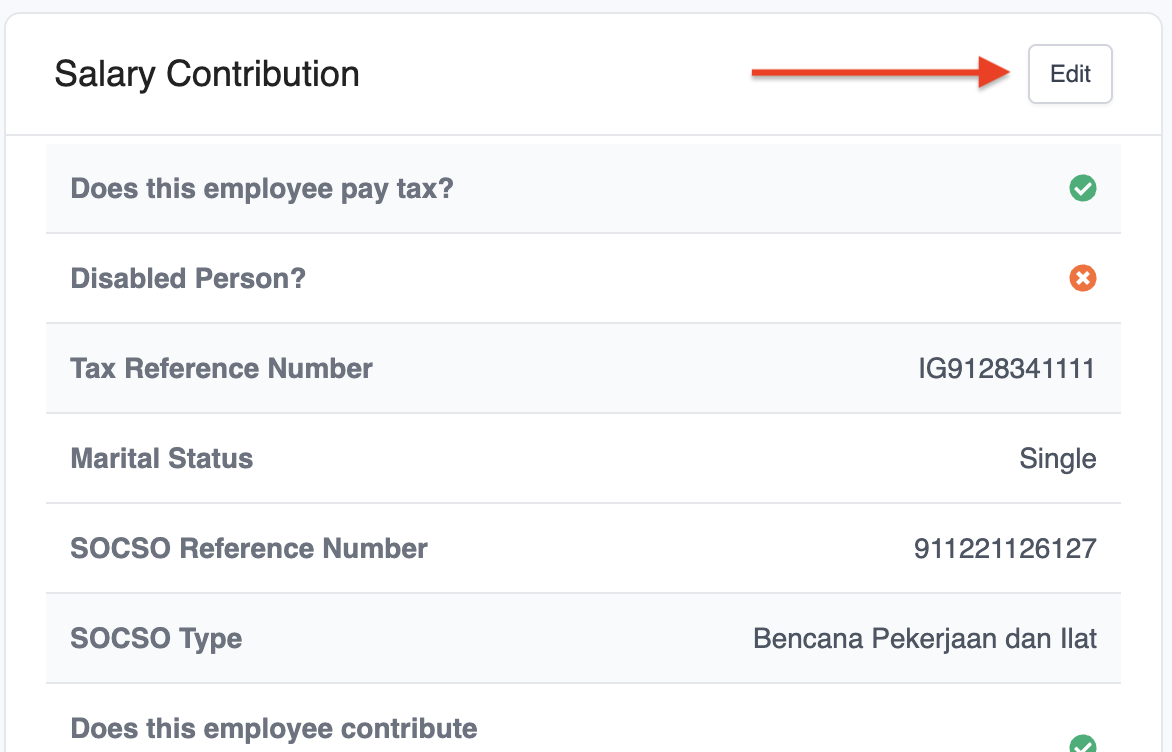
3. In the pop-up window, scroll to EPF Details, tick Does this employee contribute to EPF, and enter the EPF Reference Number. The system will automatically calculate the EPF rate based on the employee's age.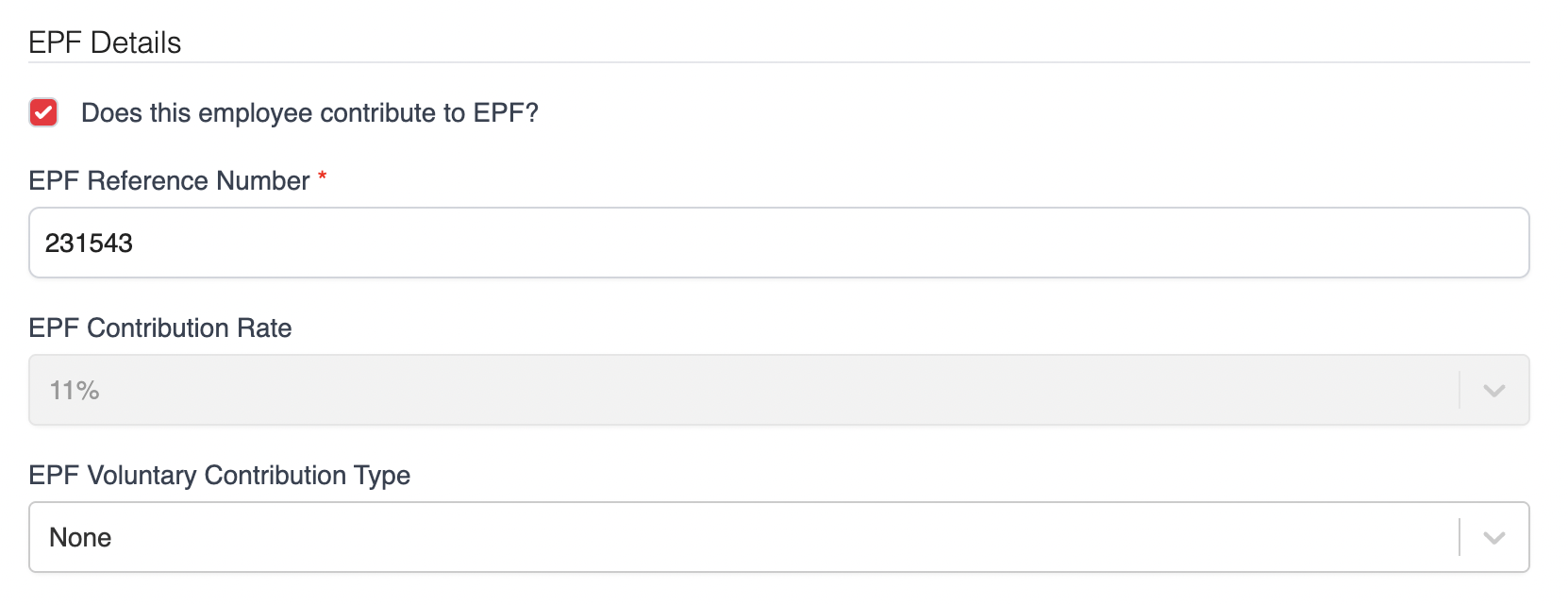
4. Click Save to apply the changes.
Note:
The EPF contribution is based on the Third Schedule, EPF Act 1991.
For foreign employees, EPF contributions will be calculated at 2%, effective October 2025.
Was this article helpful?
That’s Great!
Thank you for your feedback
Sorry! We couldn't be helpful
Thank you for your feedback
Feedback sent
We appreciate your effort and will try to fix the article