1. Go to My Employees, select the employee, and navigate to the Payroll tab.
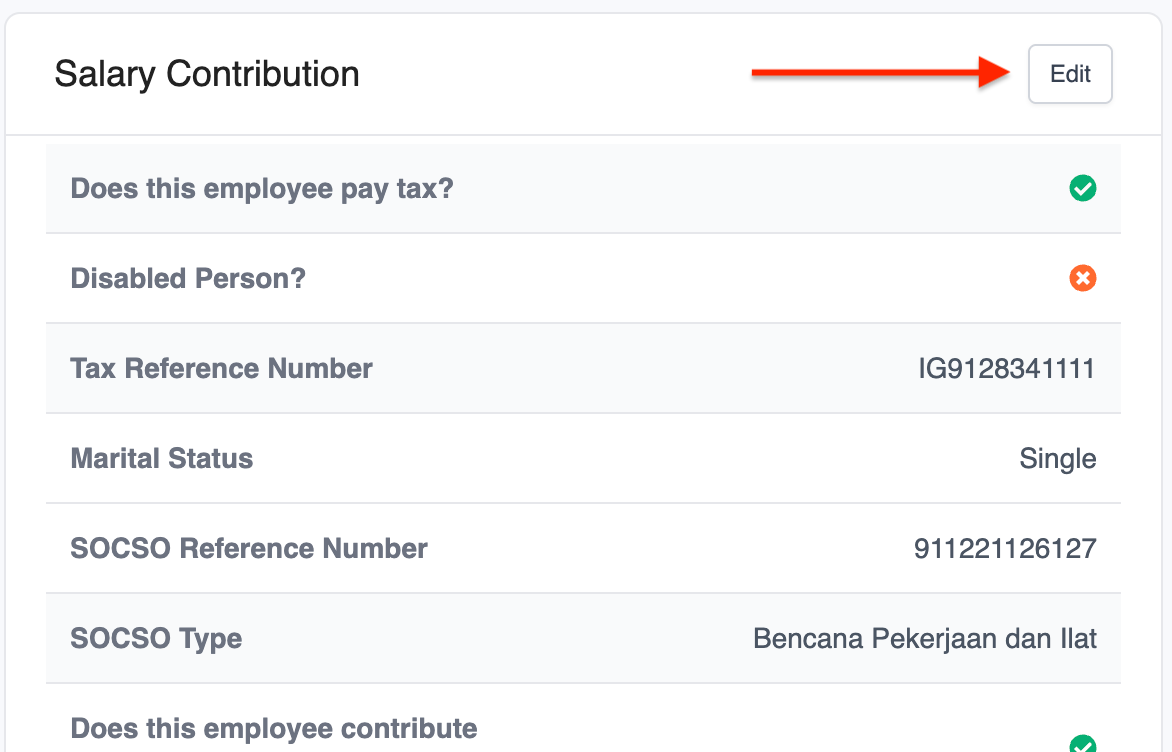
2. Under Salary Contribution, click Edit.
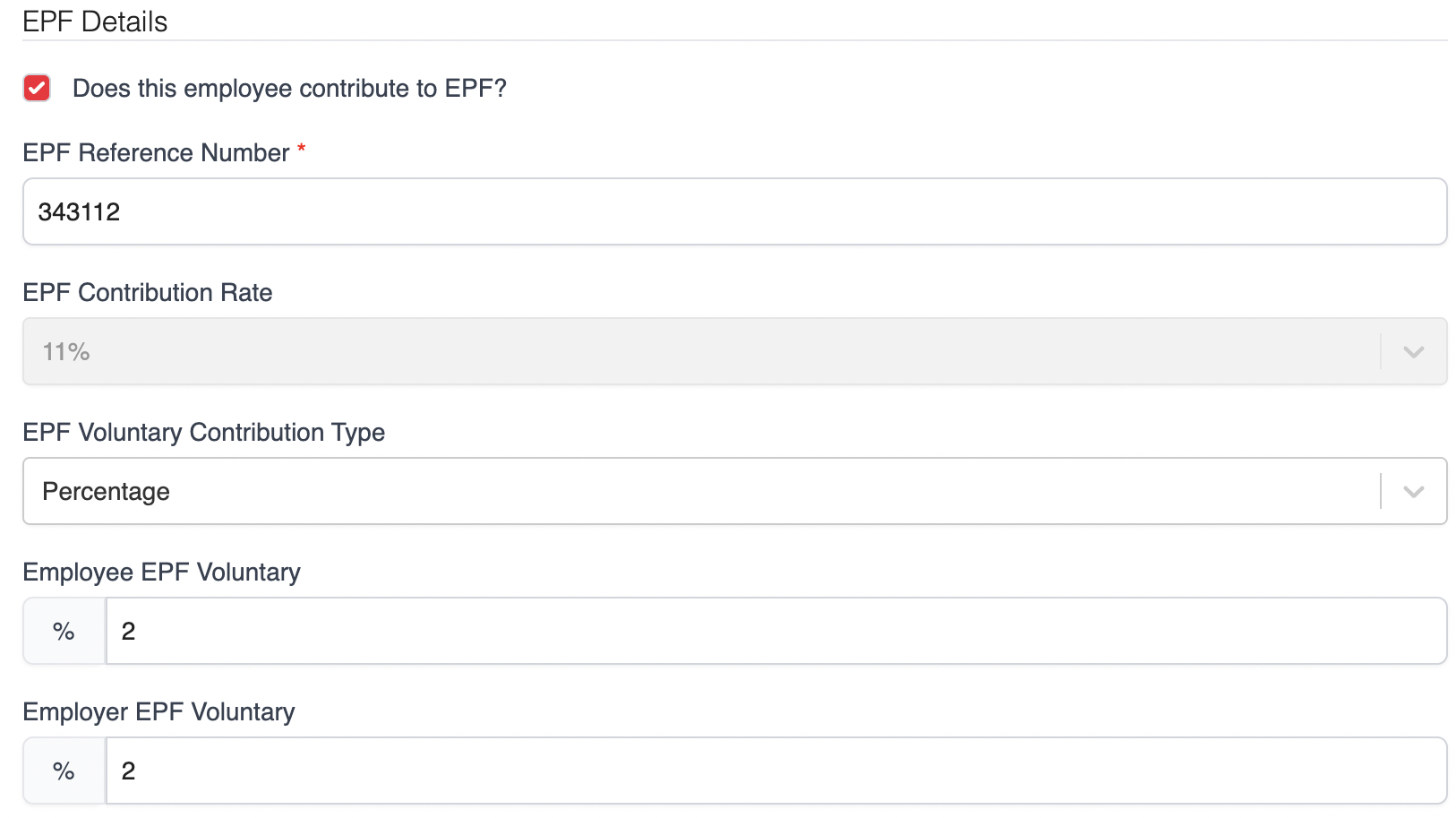
3. In the pop-up window, scroll to EPF Detail. Under EPF Voluntary Type, choose either Percentage or Fixed, then enter the applicable amount.
4. Click Save to apply the changes.
Was this article helpful?
That’s Great!
Thank you for your feedback
Sorry! We couldn't be helpful
Thank you for your feedback
Feedback sent
We appreciate your effort and will try to fix the article