If you have existing payroll records from another payroll provider, you can migrate them into HReasily Pro to ensure accurate tax calculations and year-end submissions.
There are two ways to bring past payroll data into the system:
1. Entering total-to-date values
2. Replicating each past payroll in HReasily Pro
Entering Total-to-Date Values
Choose this method if you only need accurate year-to-date figures for tax purposes and do not require past payrolls or payslips to be stored in HReasily Pro.
The year-to-date (YTD) information you enter will be used for:
MTD/PCB calculations
Year-end tax forms generated in HReasily Pro
Method 1: Using the bulk import template
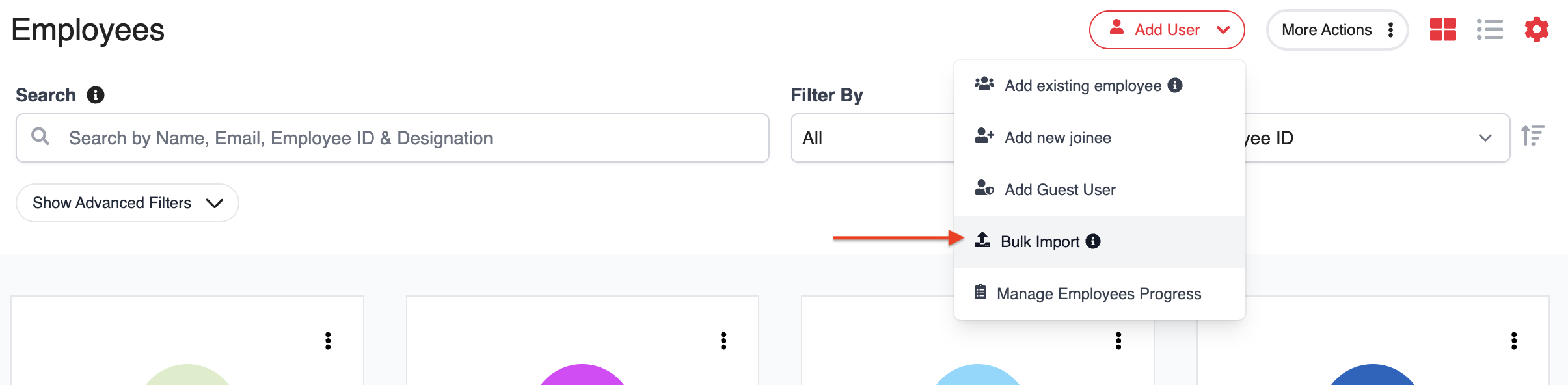
Go to My Employees > Add User > Bulk Import.
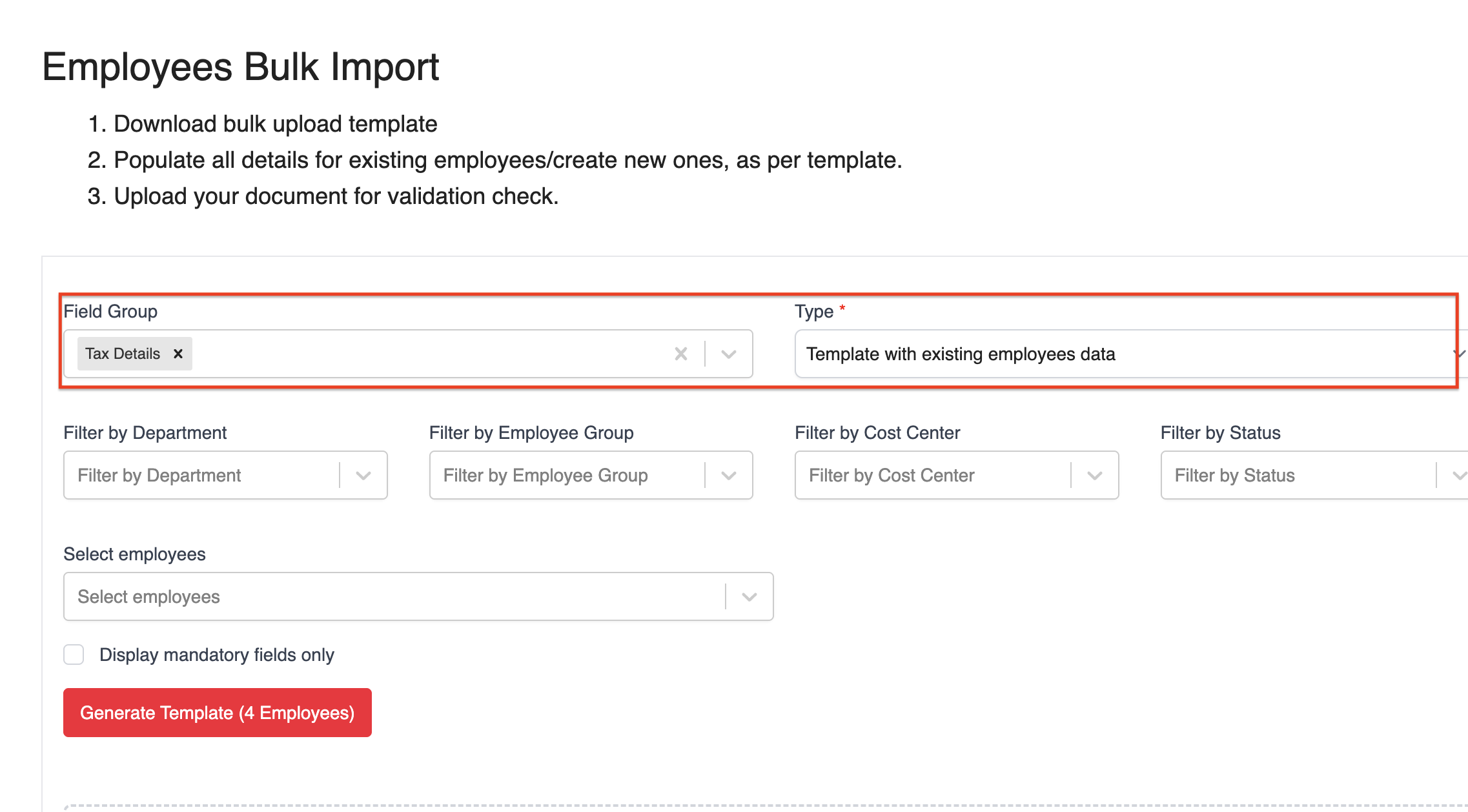
At the Bulk Import screen, select:
Field Group: Tax Details
Template: Template with existing employees data
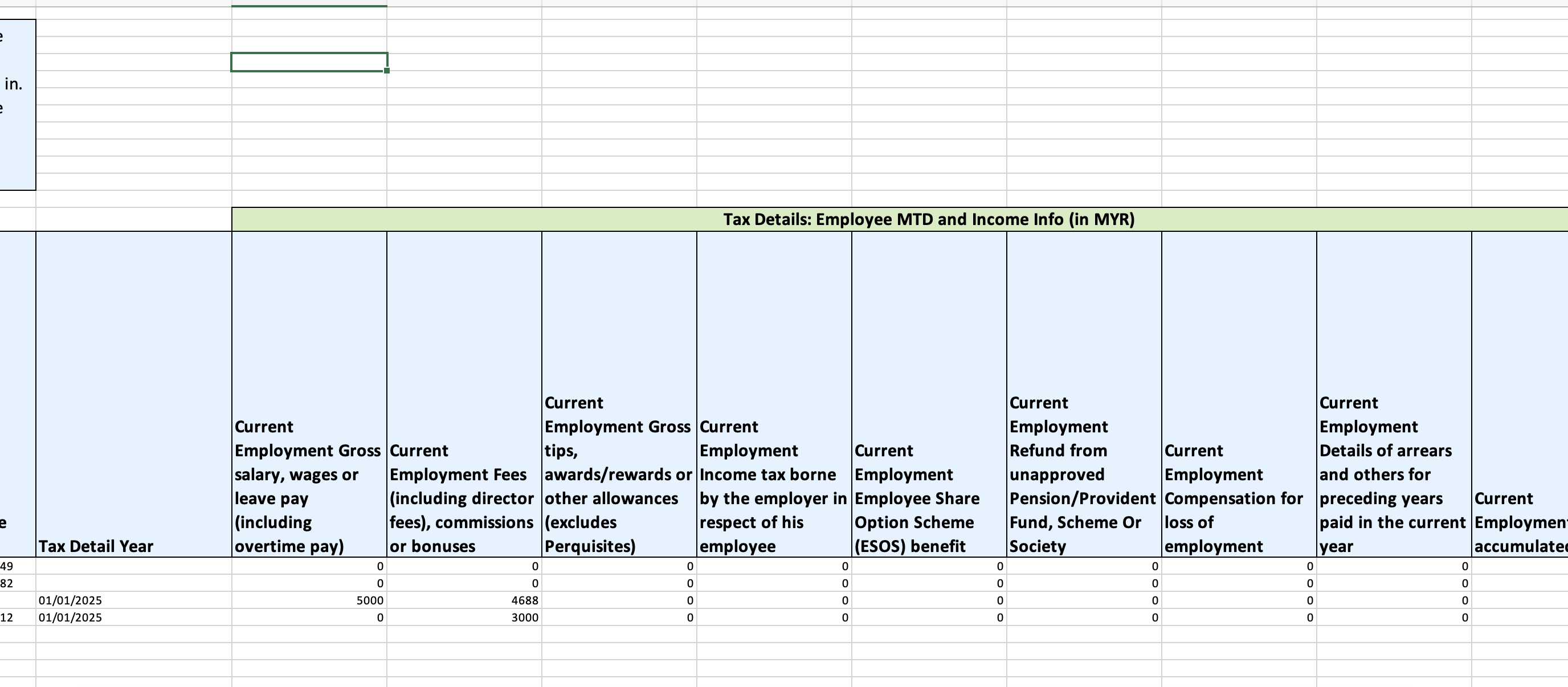
Download the Excel file and update the relevant Current Employment fields.
Upload the updated file, review the changes, and click Save & Complete. Return to My Employees to confirm that the updates have been applied.
Method 2: Keying in values one by one
Go to My Employees > select the relevant employee > go to the Payroll tab.
Scroll to the Tax Details section, and click Edit.
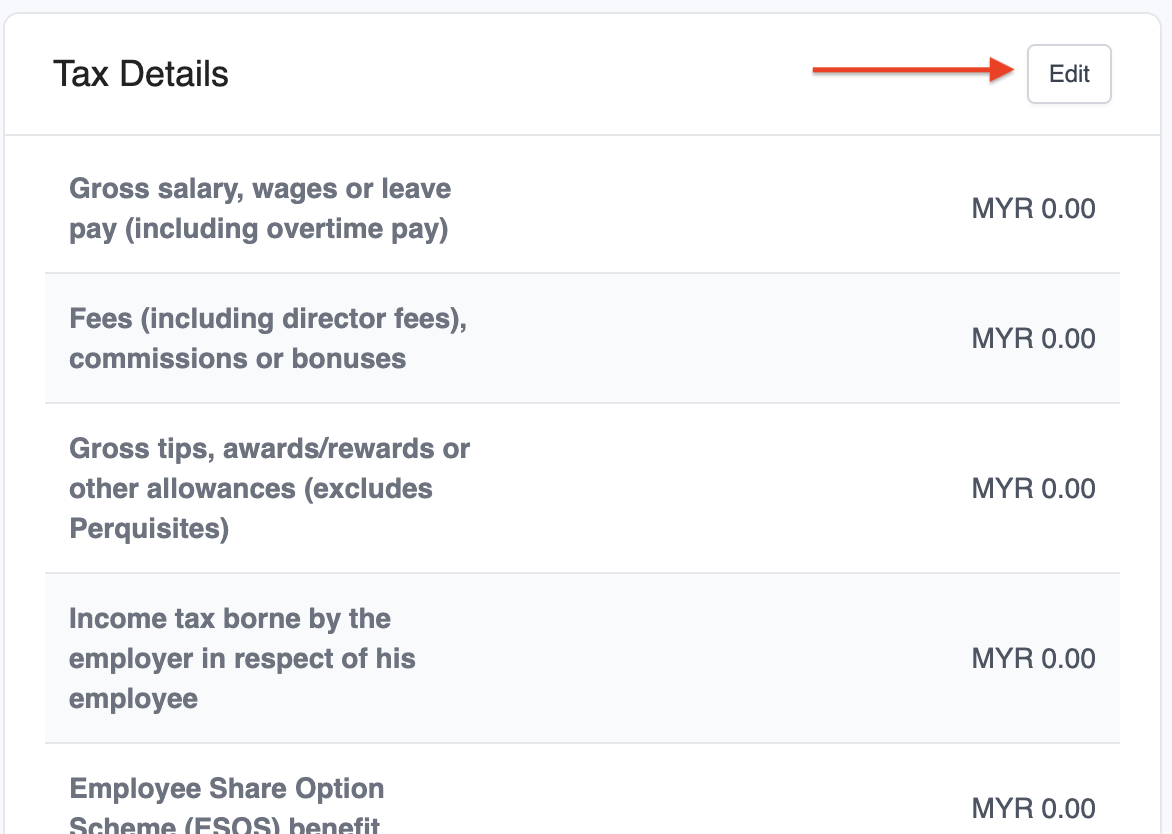
Enter the employee's income under Current Employment. For employees who joined mid-year, enter income from their previous employer under Previous Employment.

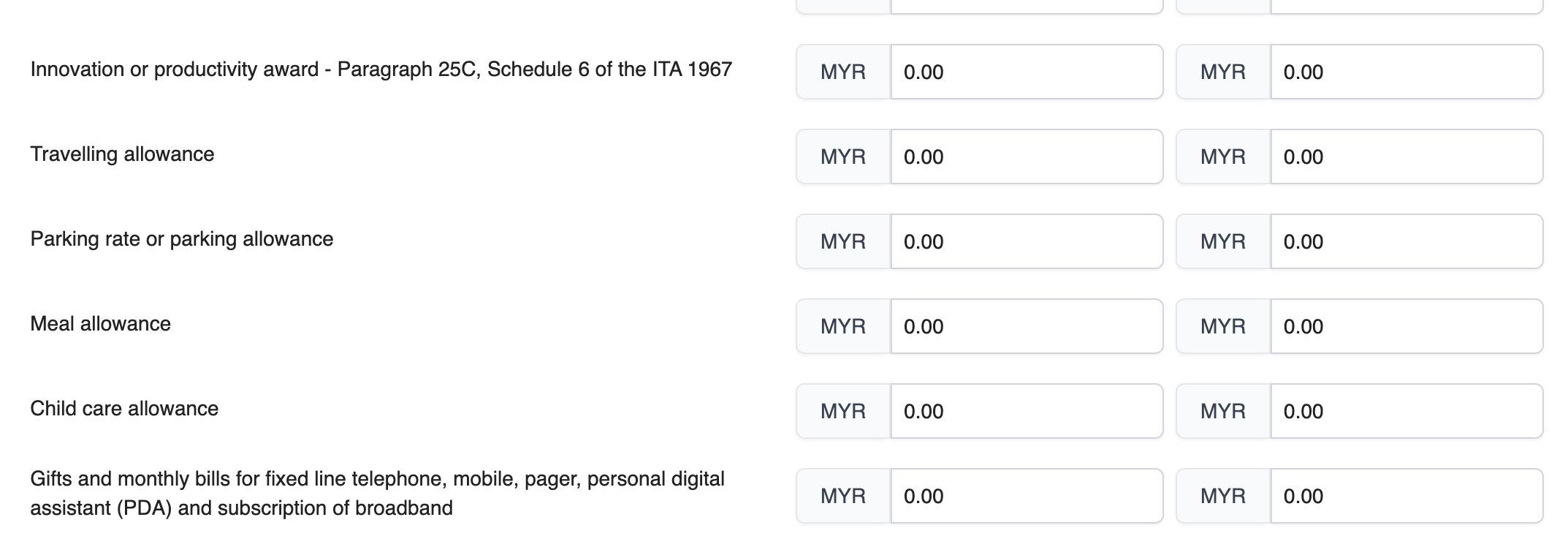
For tax-exempt pay items (Part F of the EA form), such as travelling allowance, enter the details under Tax Details > Employee Perquisite Info (in MYR) and refer to the fields below for the corresponding exempted items.
Replicating Each Payroll in HReasily Pro (Recommended)
Choose this method if you want past payrolls and payslips to be fully available in HReasily Pro.
Before you begin, ensure your payroll module is set up correctly. You may refer to the payroll setup checklist.
Once your setup is complete:
Use the Payroll Bulk Upload template to import each past payroll period.
Follow the steps in the Bulk Upload guide to transfer the historical data.
Repeat the process for every payroll period you want to replicate.
All replicated payroll data will be automatically included when generating year-end tax forms.
Was this article helpful?
That’s Great!
Thank you for your feedback
Sorry! We couldn't be helpful
Thank you for your feedback
Feedback sent
We appreciate your effort and will try to fix the article