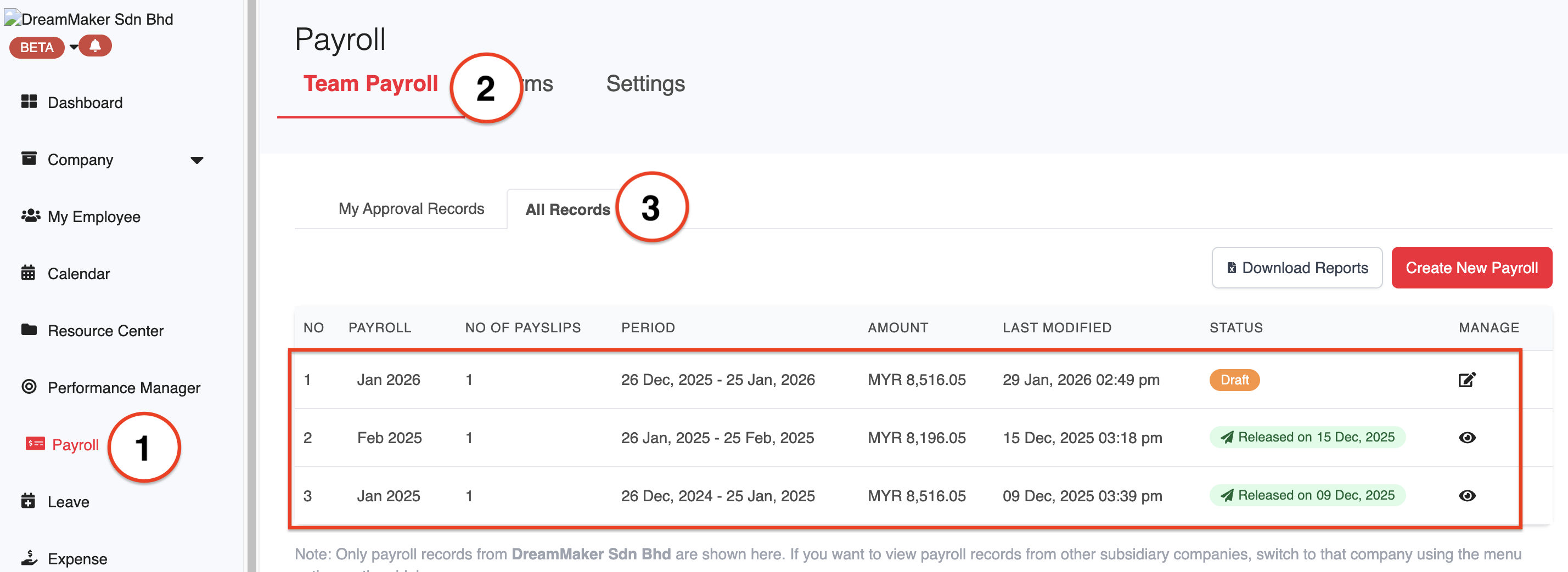
1. Go to Payroll > Team Payroll > All Records. Select and click on the payroll that you would like to download the report for.
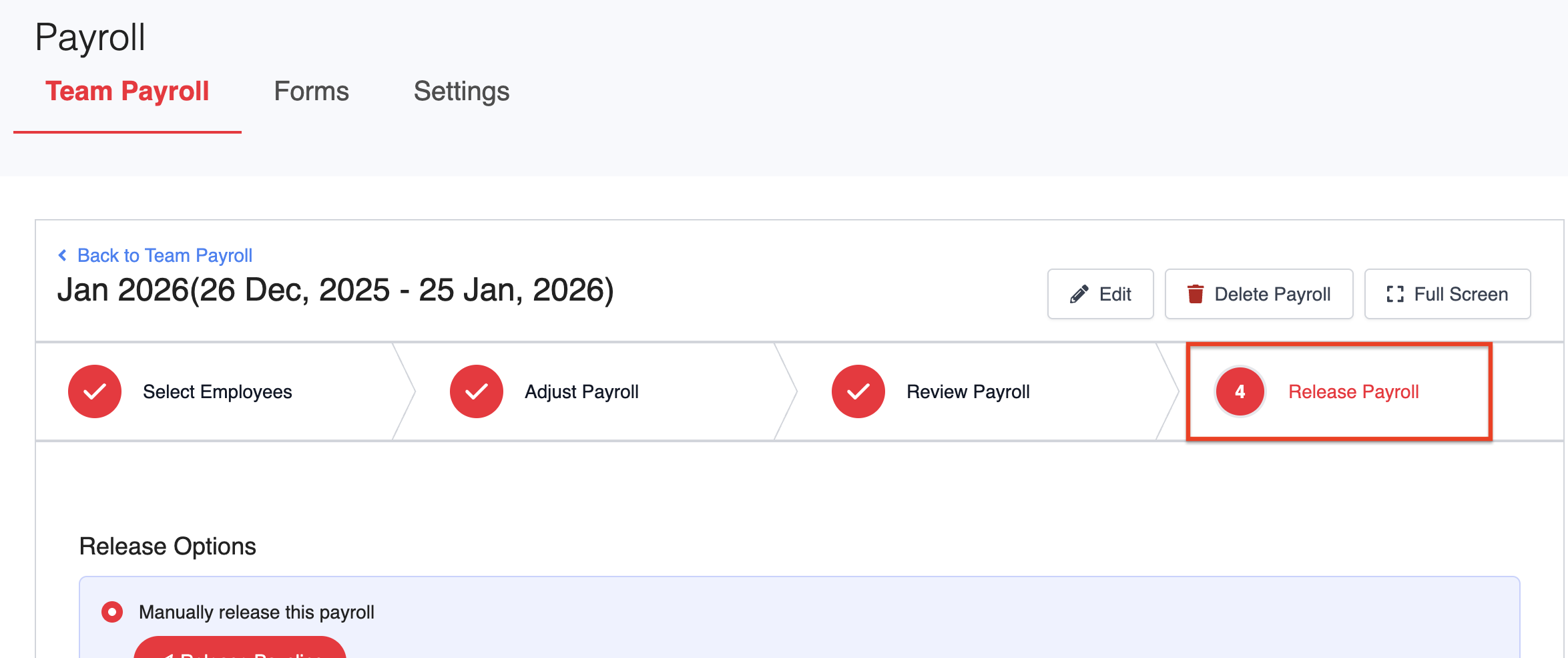
2. Click on the Release Payroll tab.
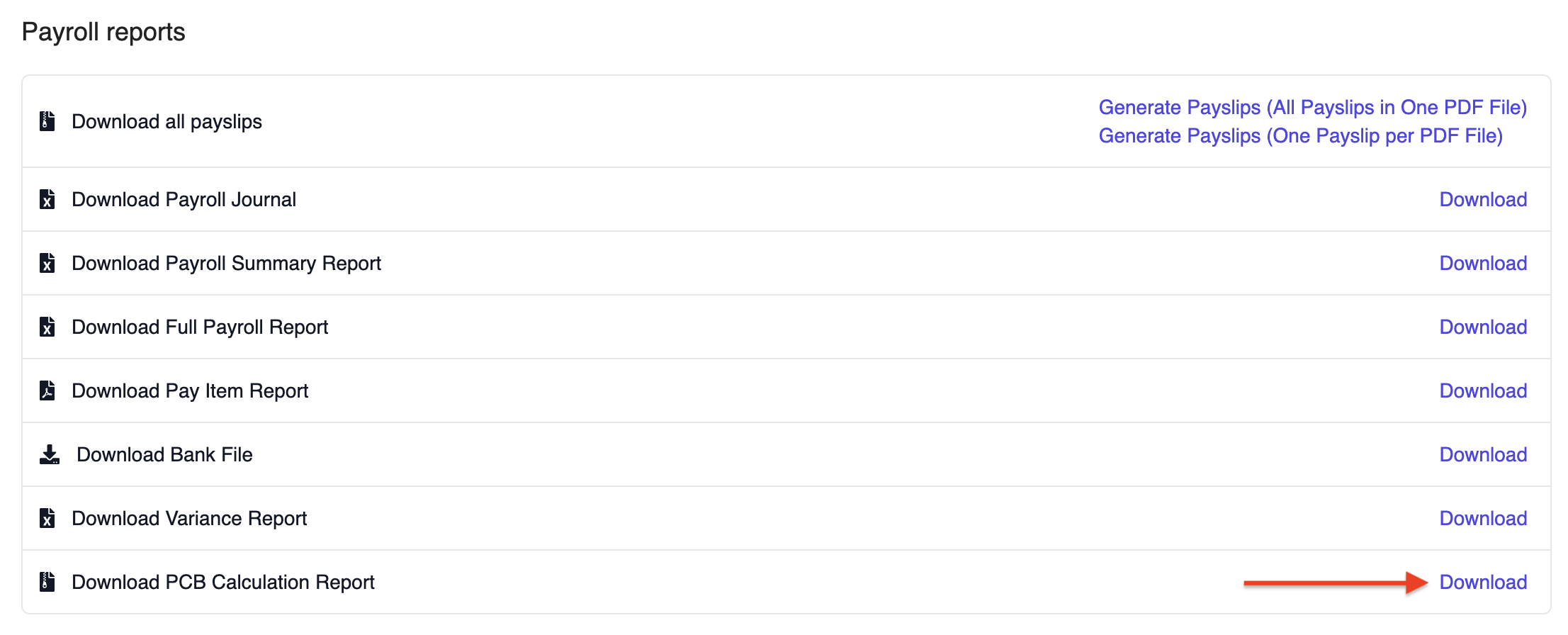
3. Under Payroll Reports, click on Download PCB Calculation Report. The system will generate a ZIP file containing PCB calculation reports for all employees with tax in that payroll.
Note: This option will only appear if there are employees with tax (PCB) included in the payroll.
Please refer to the attached sample report for reference.
Was this article helpful?
That’s Great!
Thank you for your feedback
Sorry! We couldn't be helpful
Thank you for your feedback
Feedback sent
We appreciate your effort and will try to fix the article