Ensure your employees' SOCSO and EIS contributions are correctly set up by following these steps:
1. Go to My Employees, select the employee, and navigate to the Payroll tab.
2. Under Salary Contribution, click Edit.
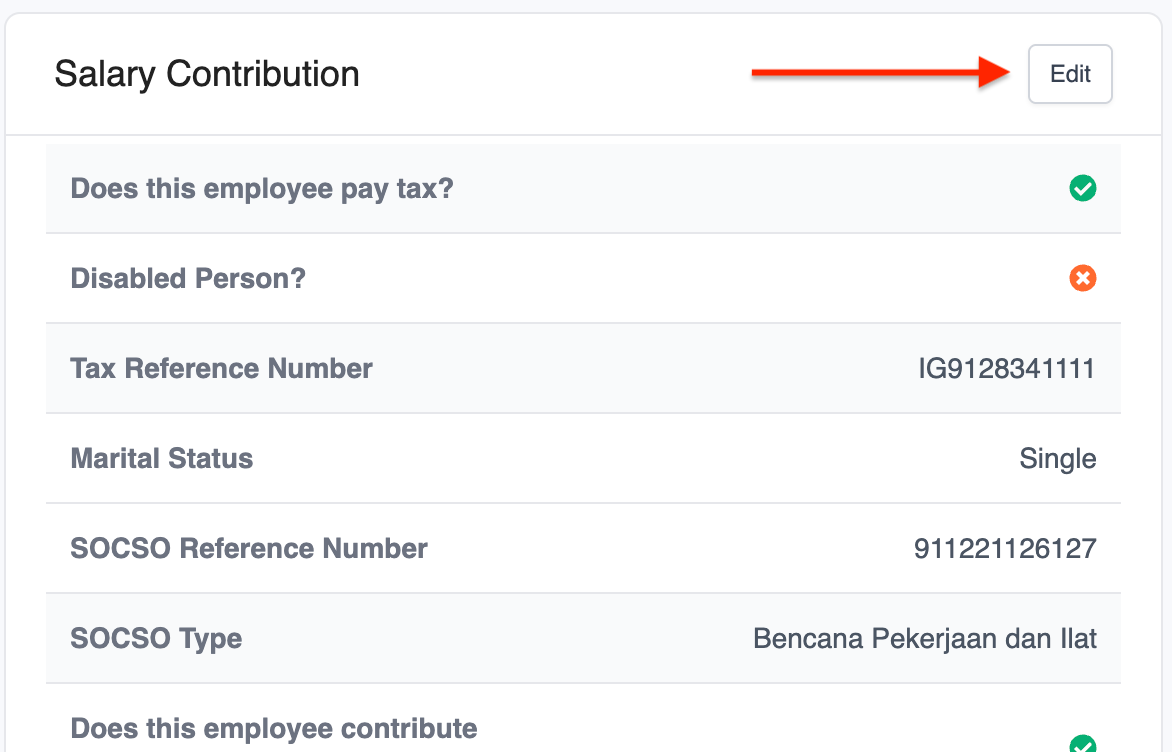
3. Scroll to SOCSO Details, enter the employee's SOCSO Reference Number, select the SOCSO Type, and tick Does this employee contribute to EIS.
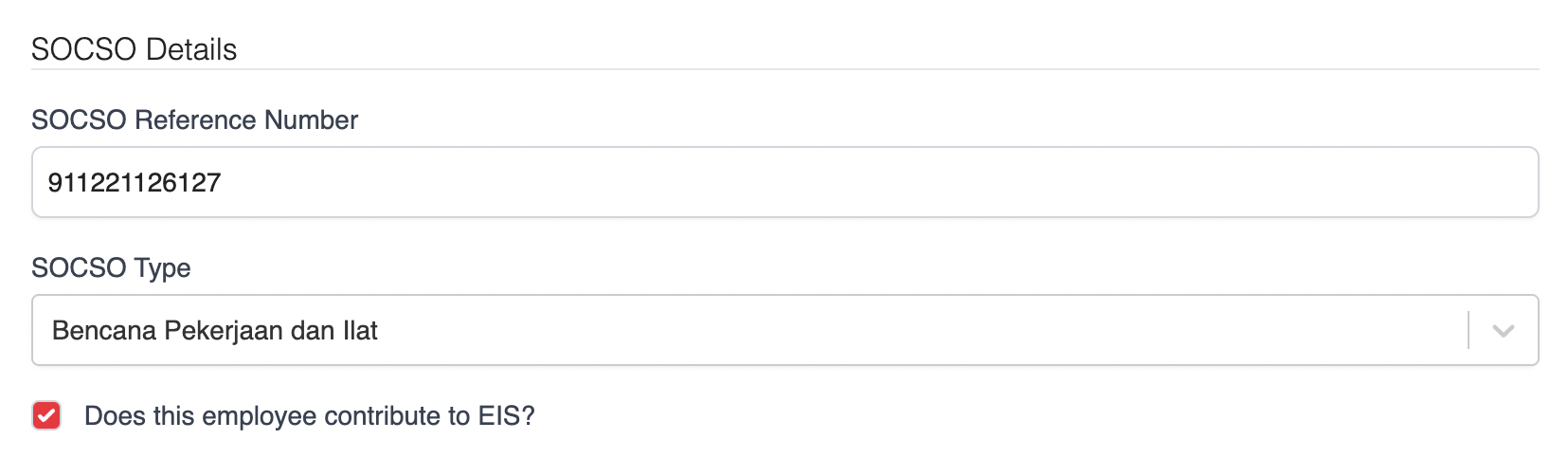
| Bencana pekerjaan dan Ilat (Contributions of the First Category) | For employees who are less than 60 years of age. |
| Bencana pekerjaan sahaja (Contributions of the Second Category) | For employees who have reached the age of 60. |
| Keselamatan Sosial Pekerjaan Sendiri (Self-Employment Social Security Scheme) | For for individuals who are self-employed under the provisions of the Self-Employment Social Security Act 2017. |
Was this article helpful?
That’s Great!
Thank you for your feedback
Sorry! We couldn't be helpful
Thank you for your feedback
Feedback sent
We appreciate your effort and will try to fix the article