If your company uses a cut-off date and needs to process payroll based on a specific date range, you can enable cross-month payroll to ensure accurate calculation of salaries, allowances, deductions, and other pay items.
Follow the steps below to set it up:
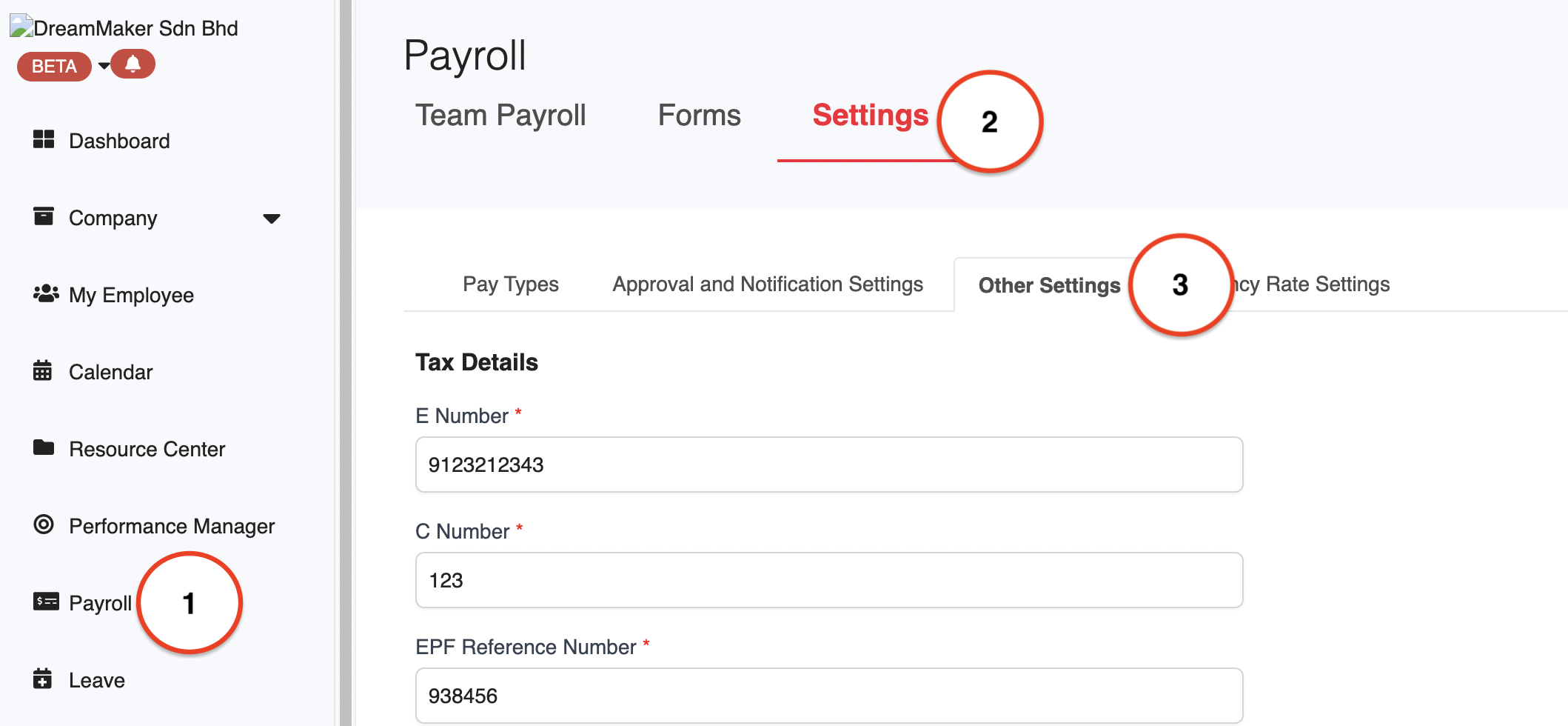
1. Go to Payroll > Settings > Other Settings.
2. In the Payroll Details section, tick Enable cross-month payroll.
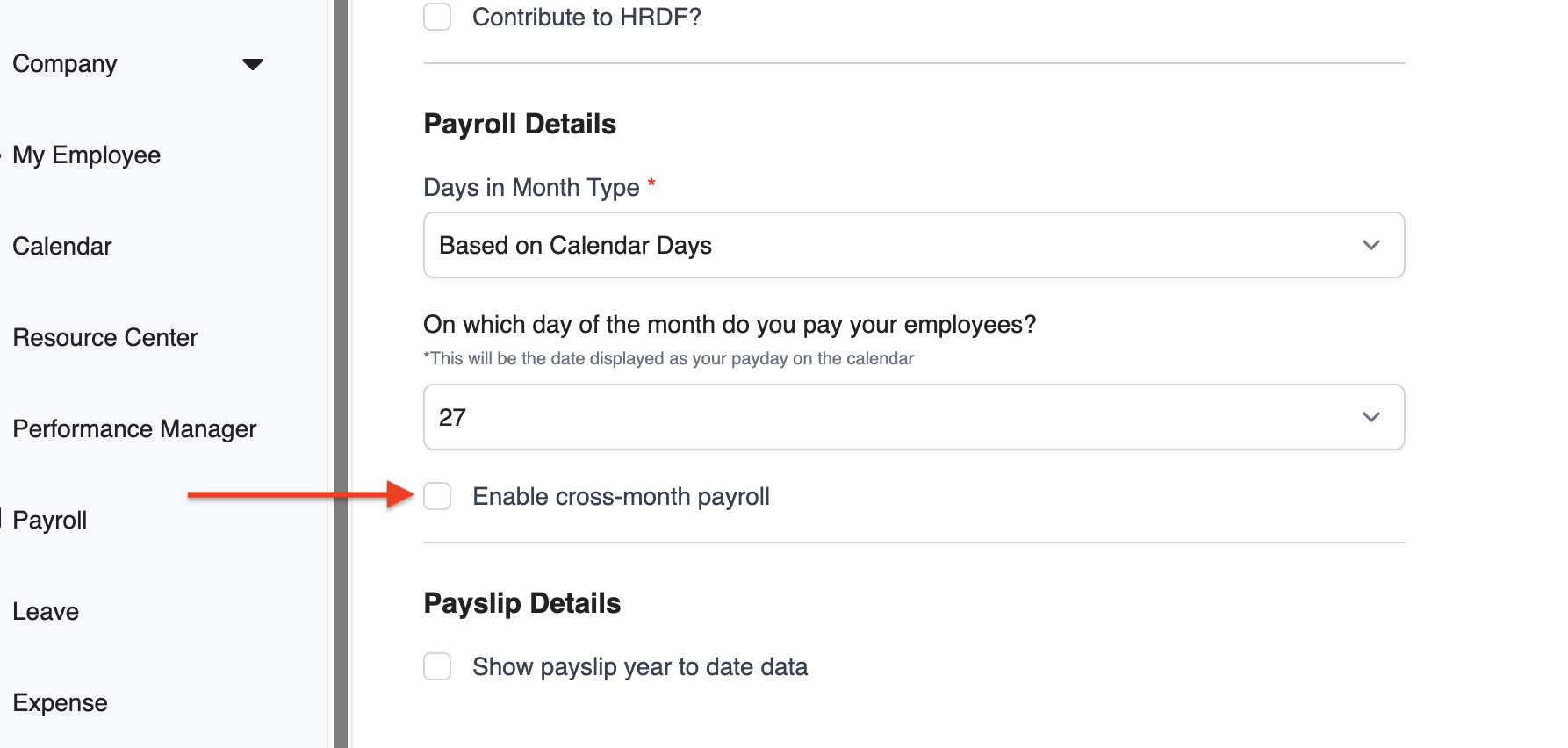
⚠️ Important Note: Make sure to enable this before creating any payroll. If the option is greyed out, delete any draft payrolls and try again.
3. Next, set your cut-off date. For instance, to run payroll from 27 June to 26 July, enter 26 as the cut-off date.
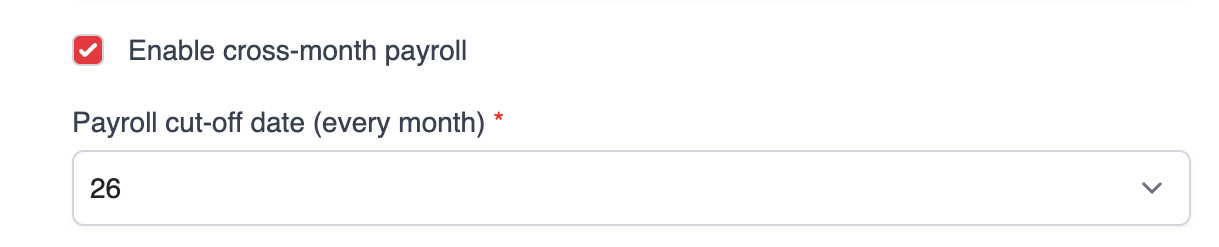
❗️Tip: Avoid setting the cut-off date to 29, 30, or 31, as these dates do not appear in every month and may lead to calculation issues. If you're unsure, it's best to disable this feature.
4. The setting will save automatically. After that, you can proceed with payroll processing.
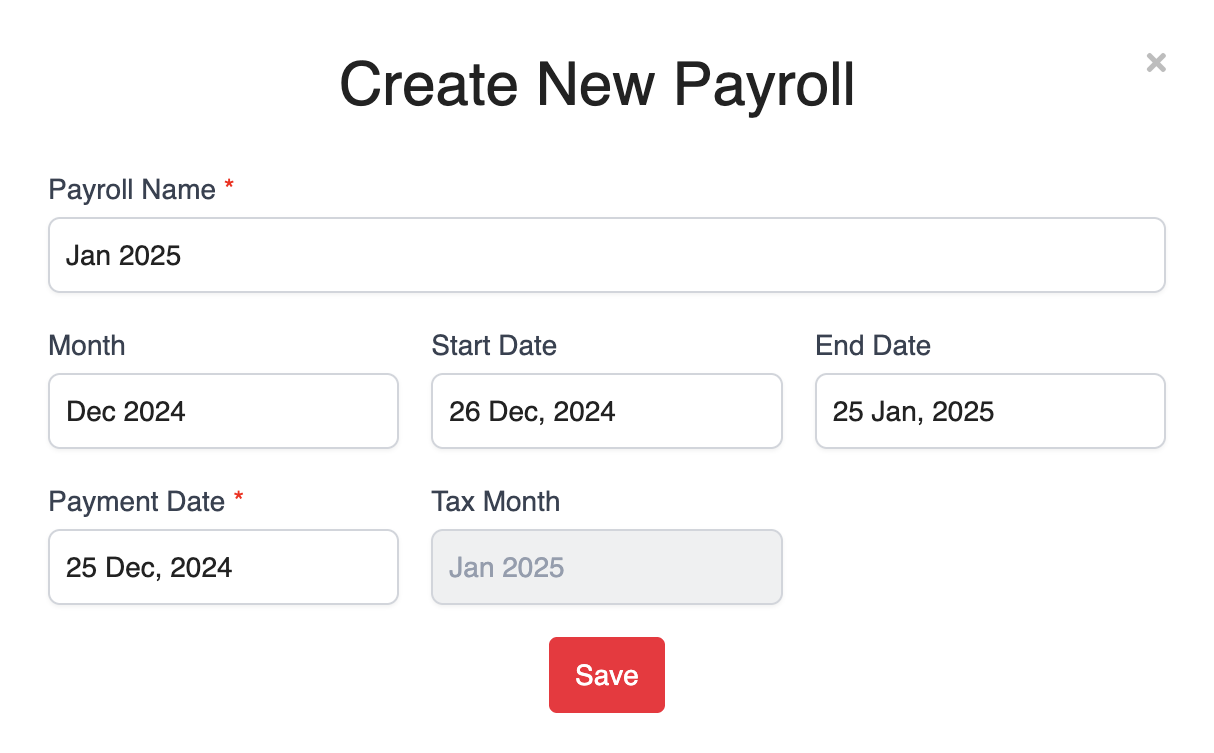
Choose the correct start and end dates, and make sure the tax month aligns with your payroll month. For example, to generate the January 2025 payroll, set the Month to December 2024.
Was this article helpful?
That’s Great!
Thank you for your feedback
Sorry! We couldn't be helpful
Thank you for your feedback
Feedback sent
We appreciate your effort and will try to fix the article