The CP21 form is a tax clearance document required when an employee plans to leave Malaysia for more than three months. Employers are obligated to notify the Inland Revenue Board of Malaysia (LHDN) at least 30 days before the employee's departure to ensure compliance with tax regulations.
When is CP21 Required?
Employers must submit the CP21 form in the following situations:
The employee is permanently leaving Malaysia.
The employee is relocating overseas for a new job.
The employee is going on a long-term international assignment.
Employer Responsibilities
To complete the tax clearance process, employers must provide the following details:
The employee’s full personal information.
The date of departure from Malaysia.
The employee’s tax details, including income tax deductions and any outstanding tax liabilities.
Important Submission Guidelines
CP21 must be submitted at least 30 days before the employee's departure.
Any pending salary payments should be withheld until tax clearance is completed.
If the employee has outstanding tax dues, the employer must deduct the owed amount from the final salary and submit it to LHDN.
Follow the steps below to generate the CP21 form in HReasily Pro:
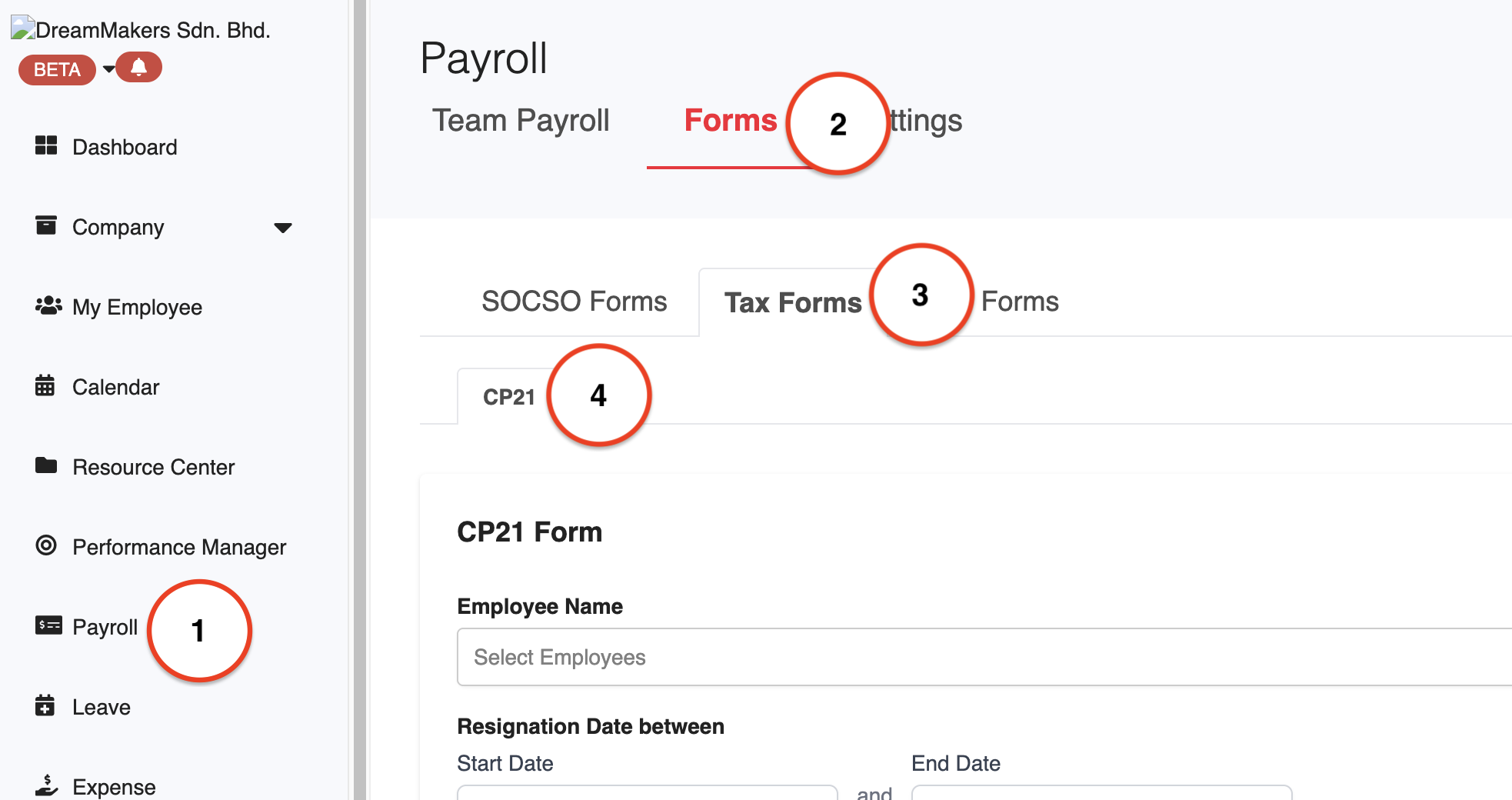
1. Go to Payroll > Forms > Tax Forms > CP21.
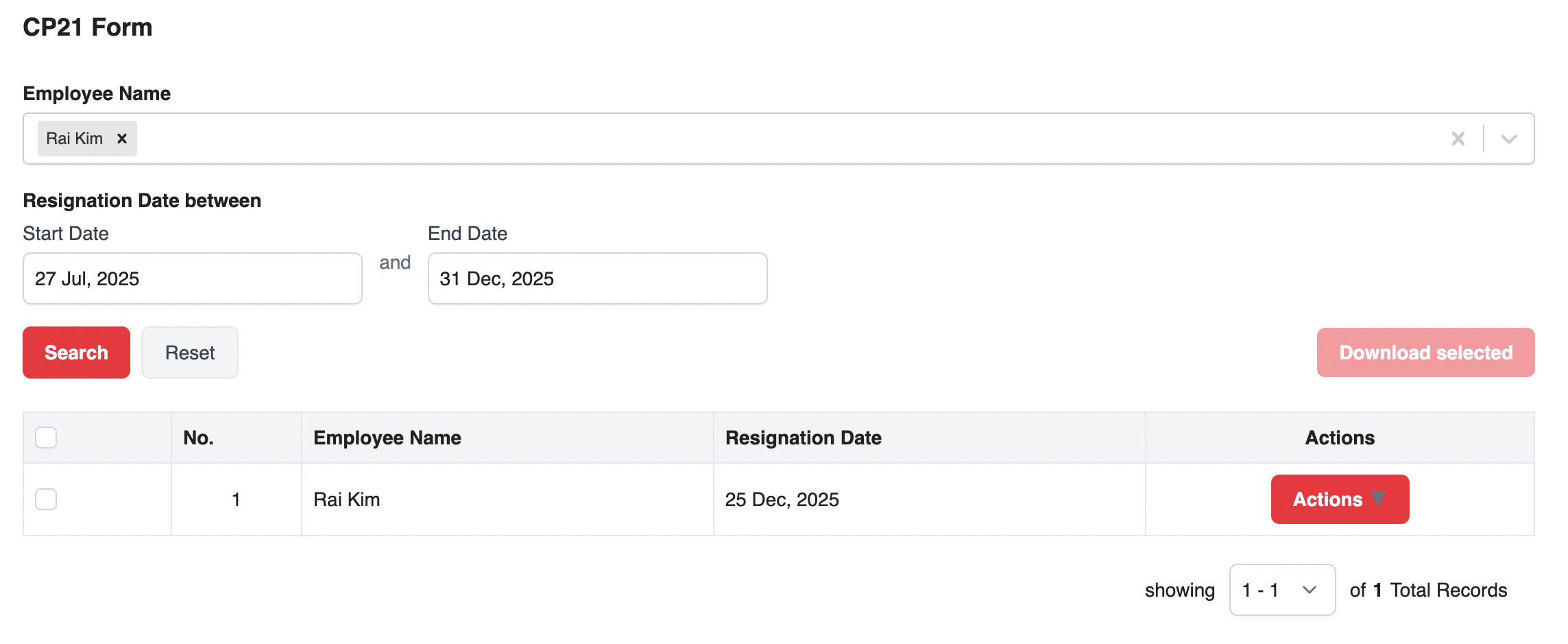
2. In the CP21 tab, choose the employee's name and enter the resignation date range. Click Search to pull up the relevant record.
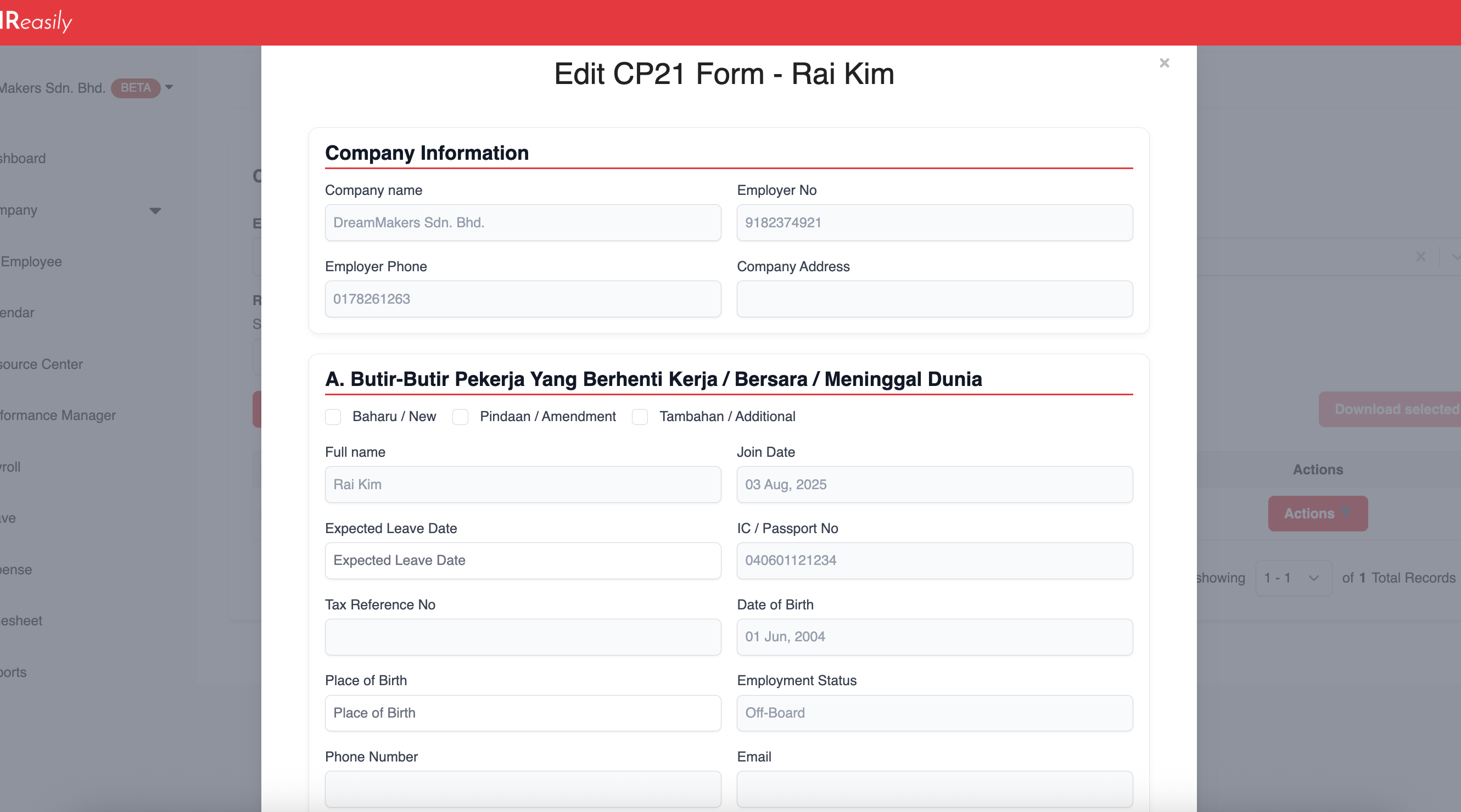
3. Click ACTIONS > Edit to add or update the required details.

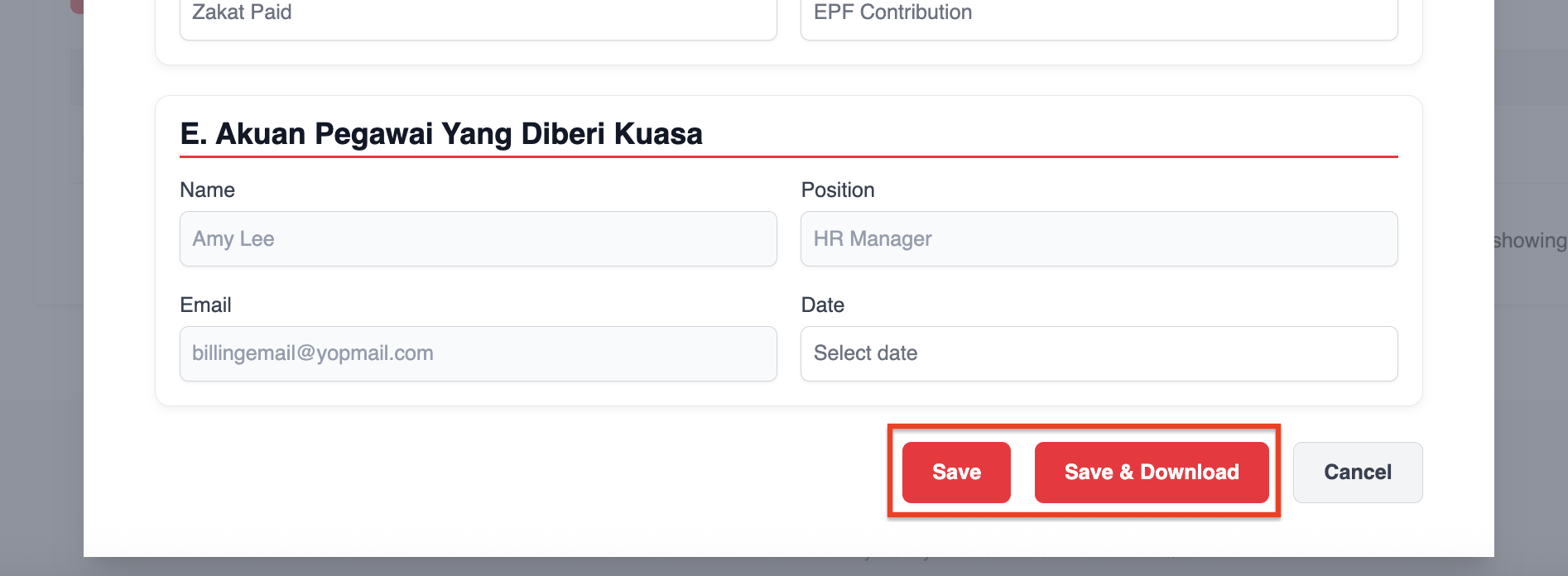
4. After making changes, click Save to store the information, or Save & Download to generate the form immediately.
5. To download a single form, select ACTIONS > Download.
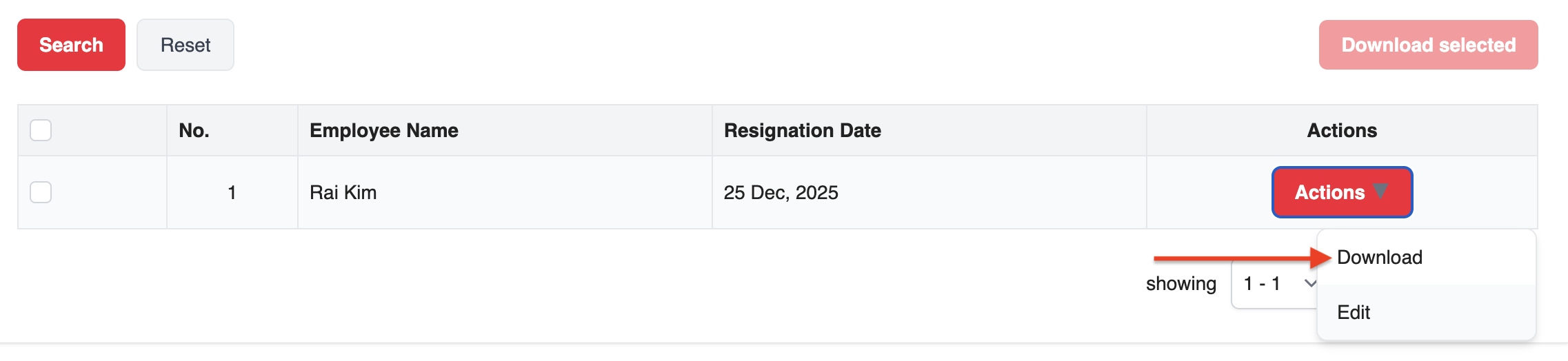
6. For bulk downloads, tick the employees you want and click Download Selected PDF to generate and download multiple CP21 forms at once.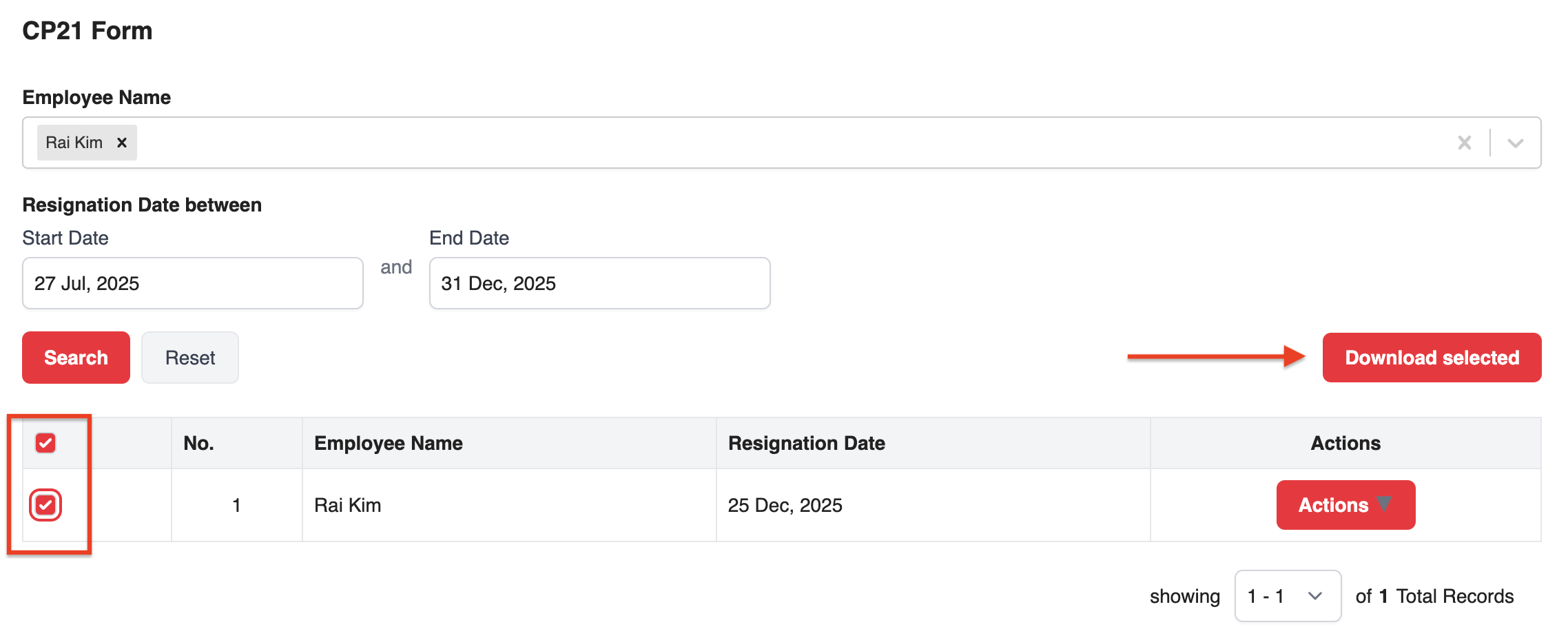
Was this article helpful?
That’s Great!
Thank you for your feedback
Sorry! We couldn't be helpful
Thank you for your feedback
Feedback sent
We appreciate your effort and will try to fix the article