By default, lunch breaks are not included in timesheet calculations when employees work on an off day, rest day, or public holiday. You can enable this option by configuring the staff work week settings as outlined below.
1. Go to Company > Company Settings.
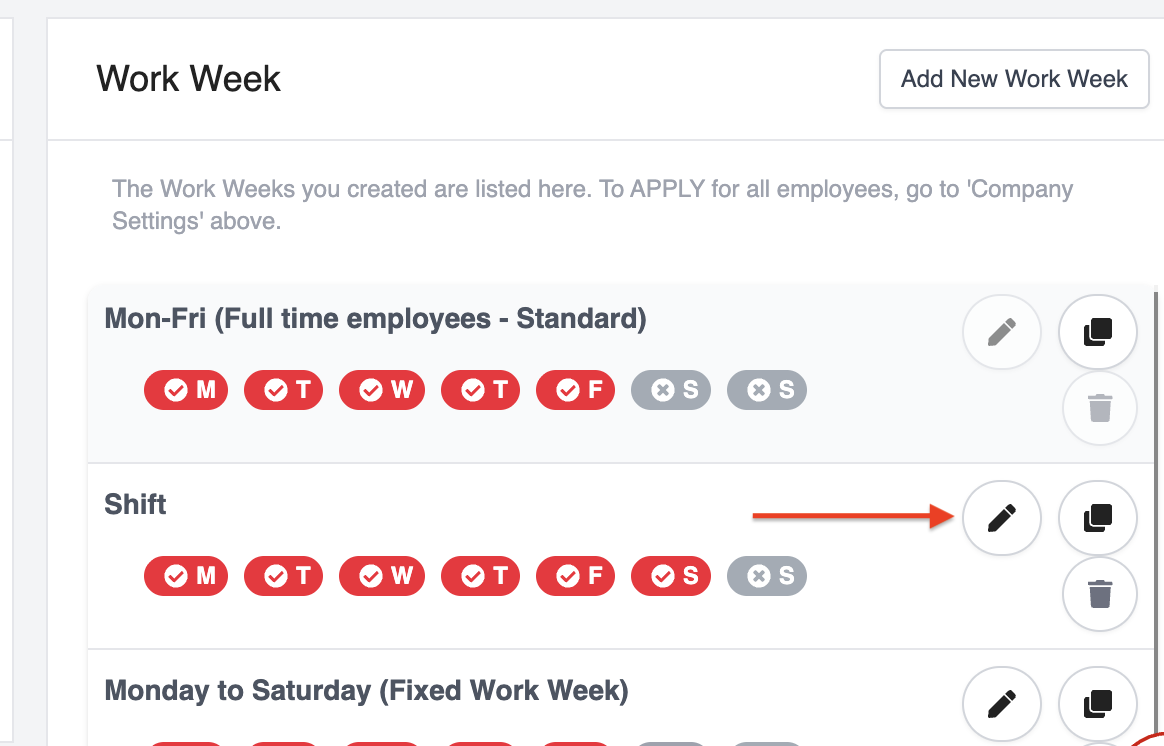
2. Scroll down to the Work Week section and edit the relevant work week.
3. Under Break Hours (Rest Day / Day Off / Public Holiday), enter the total break hours to be applied.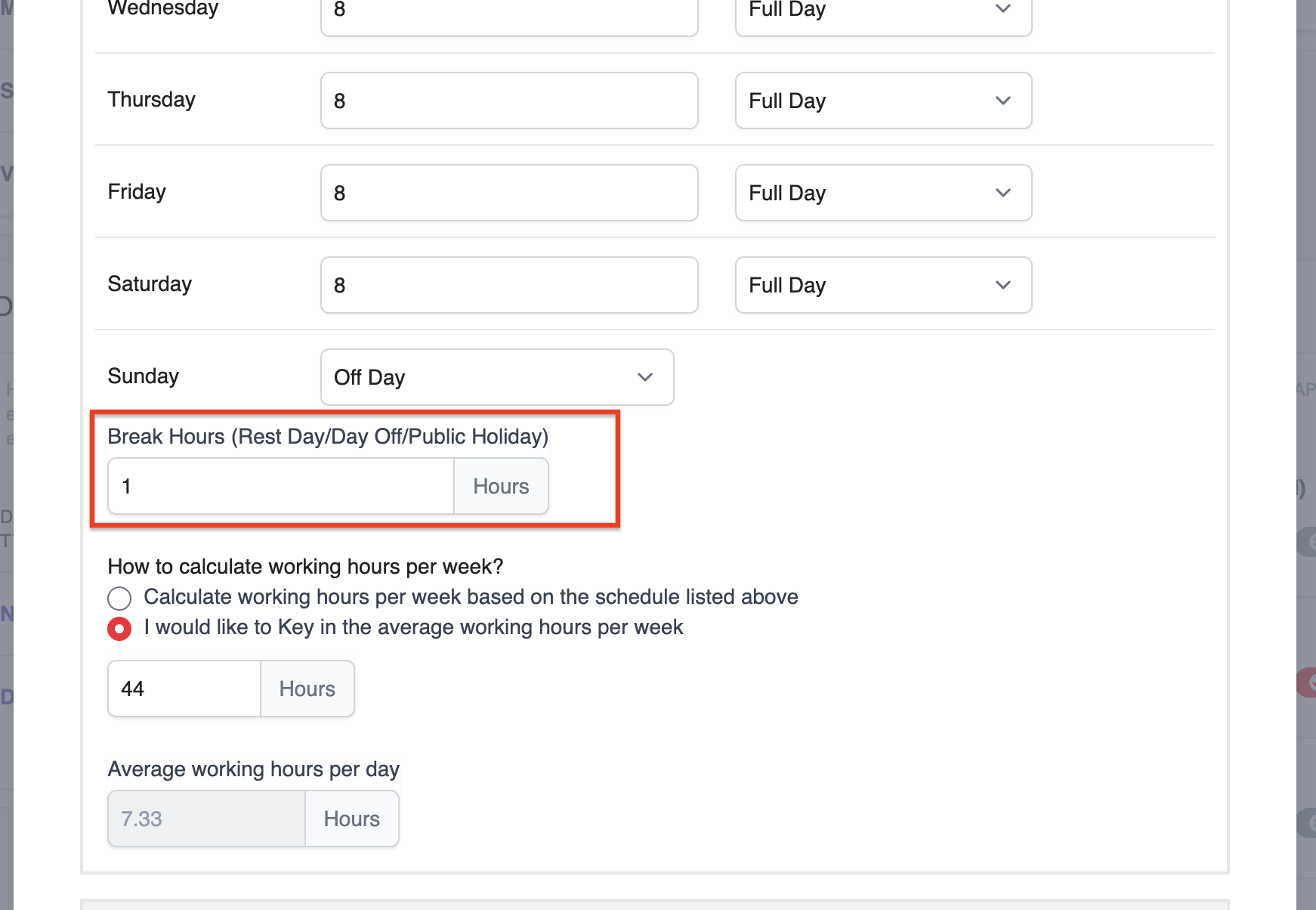
4. Click Save to apply the changes.
Once enabled, employees will be able to select and record lunch breaks on off days in their timesheets, ensuring more accurate work hour calculations.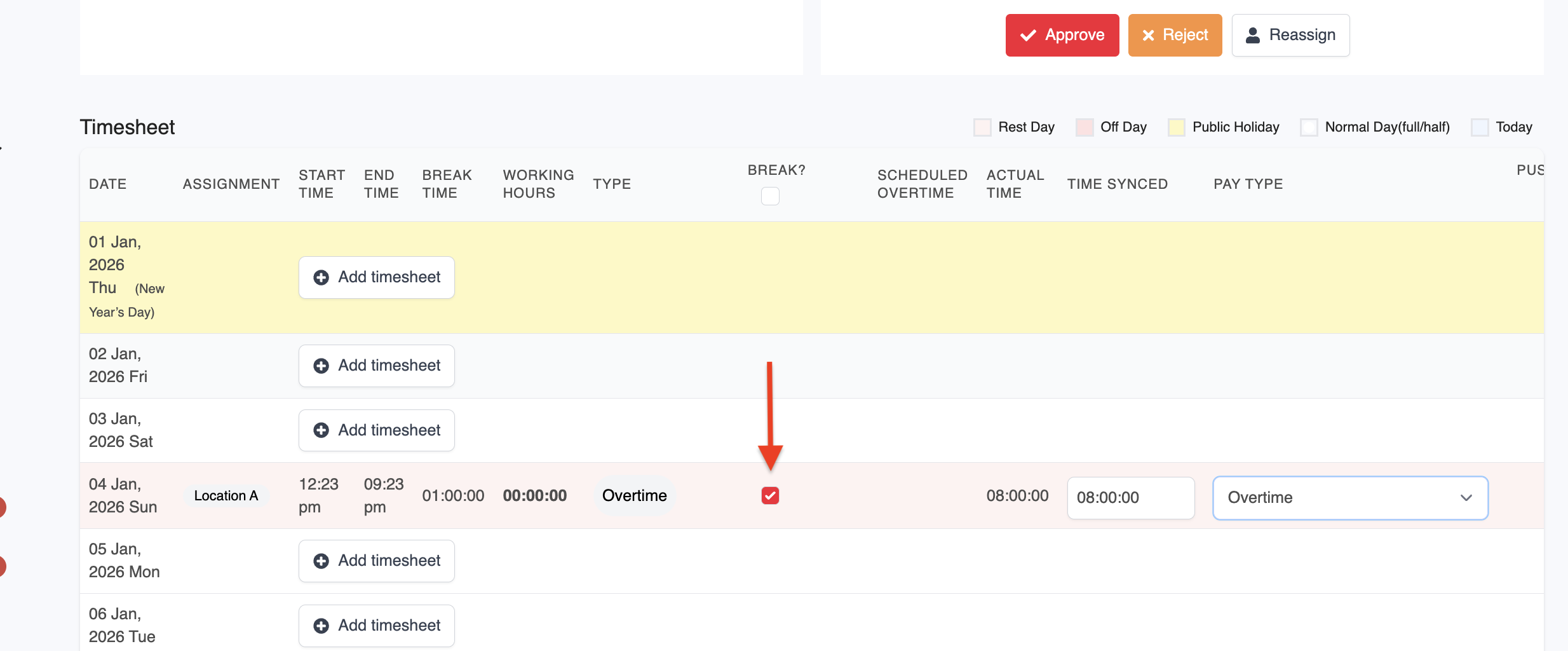
Was this article helpful?
That’s Great!
Thank you for your feedback
Sorry! We couldn't be helpful
Thank you for your feedback
Feedback sent
We appreciate your effort and will try to fix the article