PCB 2 is a letter confirming that the employer has made all of the relevant deductions for a given year. It includes the year, employee name, identity card number, income tax reference number, and employee number. This form is given to the employee who submits it to the IRB.
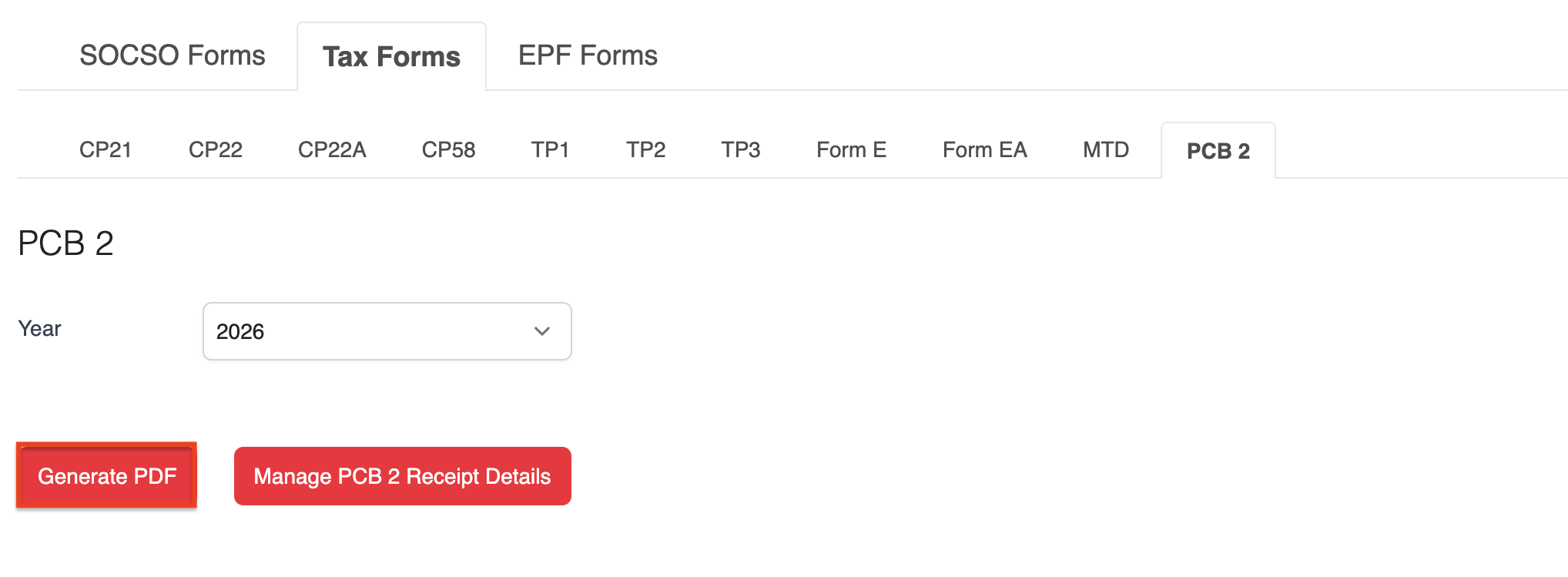
1. Go to Payroll > Forms > Tax Forms > PCB 2.
2. Select the relevant Year, then click Manage PCB 2 Receipt Details.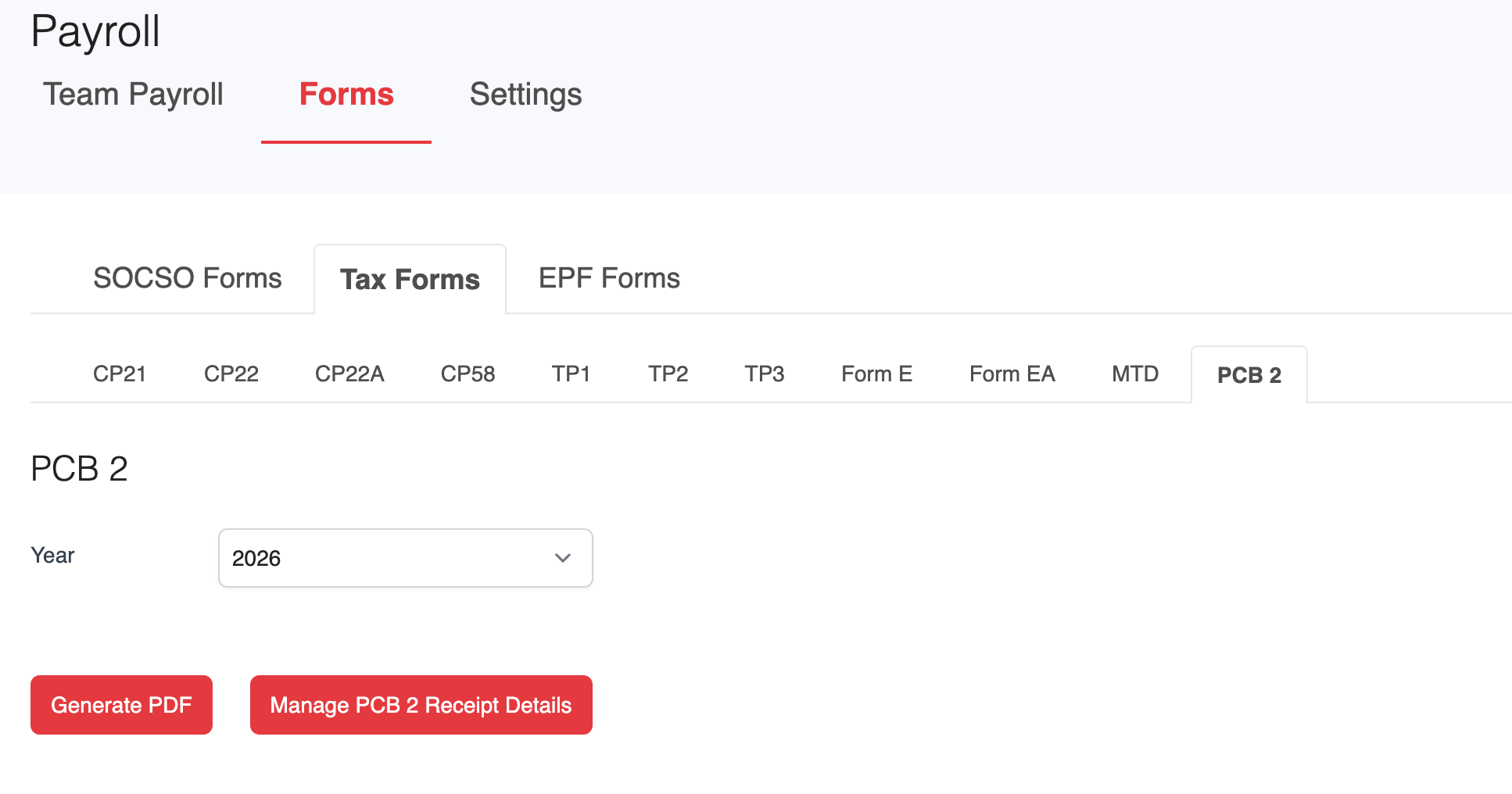
3. Select the employee(s) you want to generate the form for, then click Generate Template.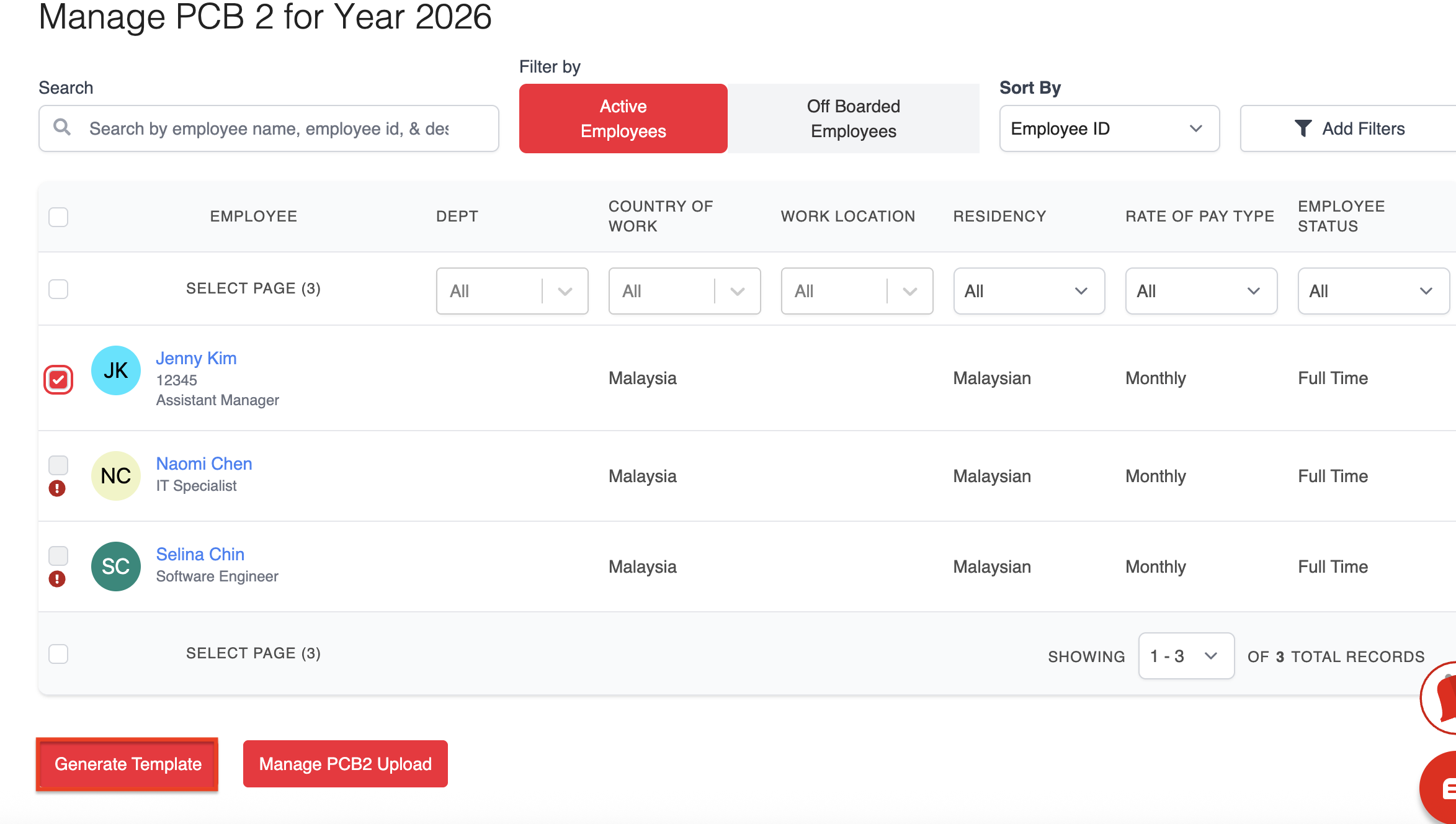
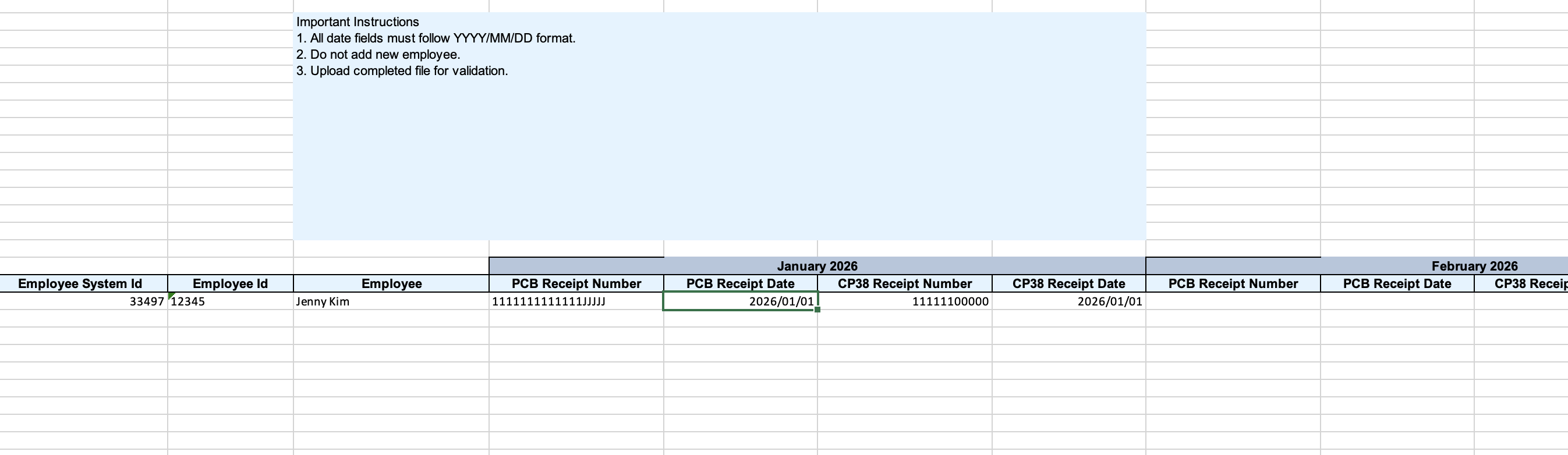
4. Open the downloaded template, complete the required information, then save your changes.
5. Upload the completed template and click Save & Complete.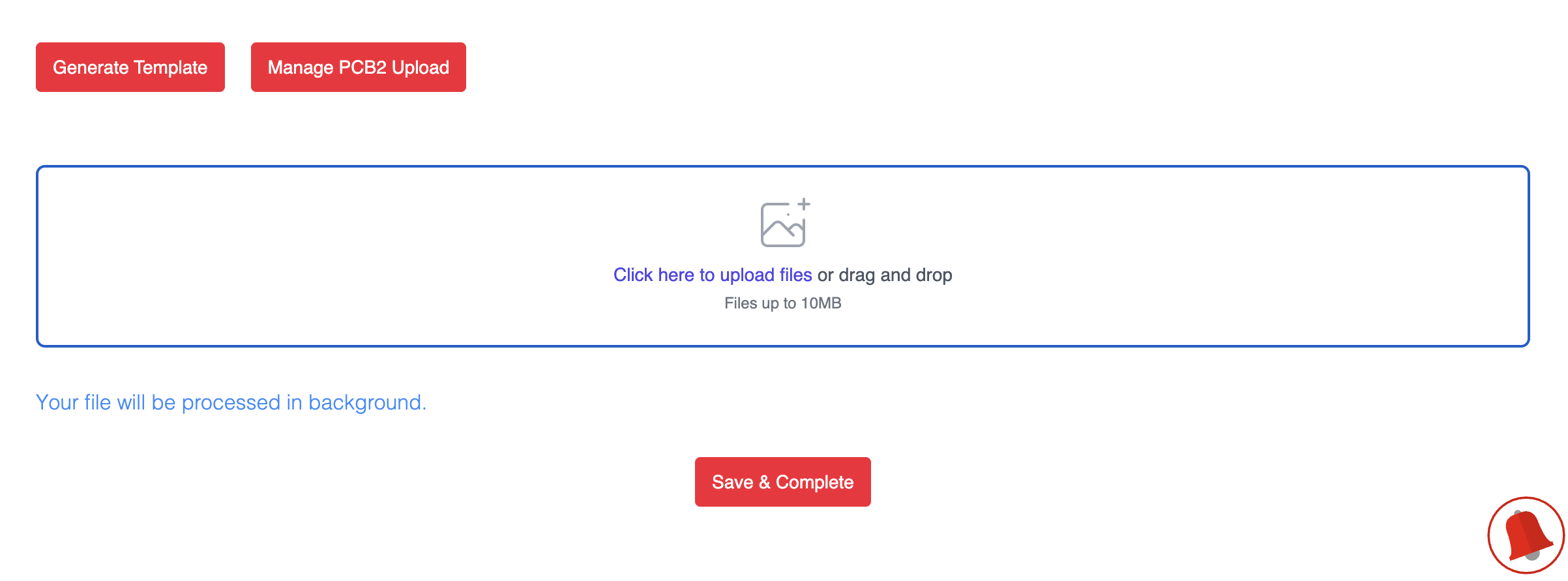
6. You will be redirected to the Manage PCB 2 Form Progress page, where you can monitor the upload status.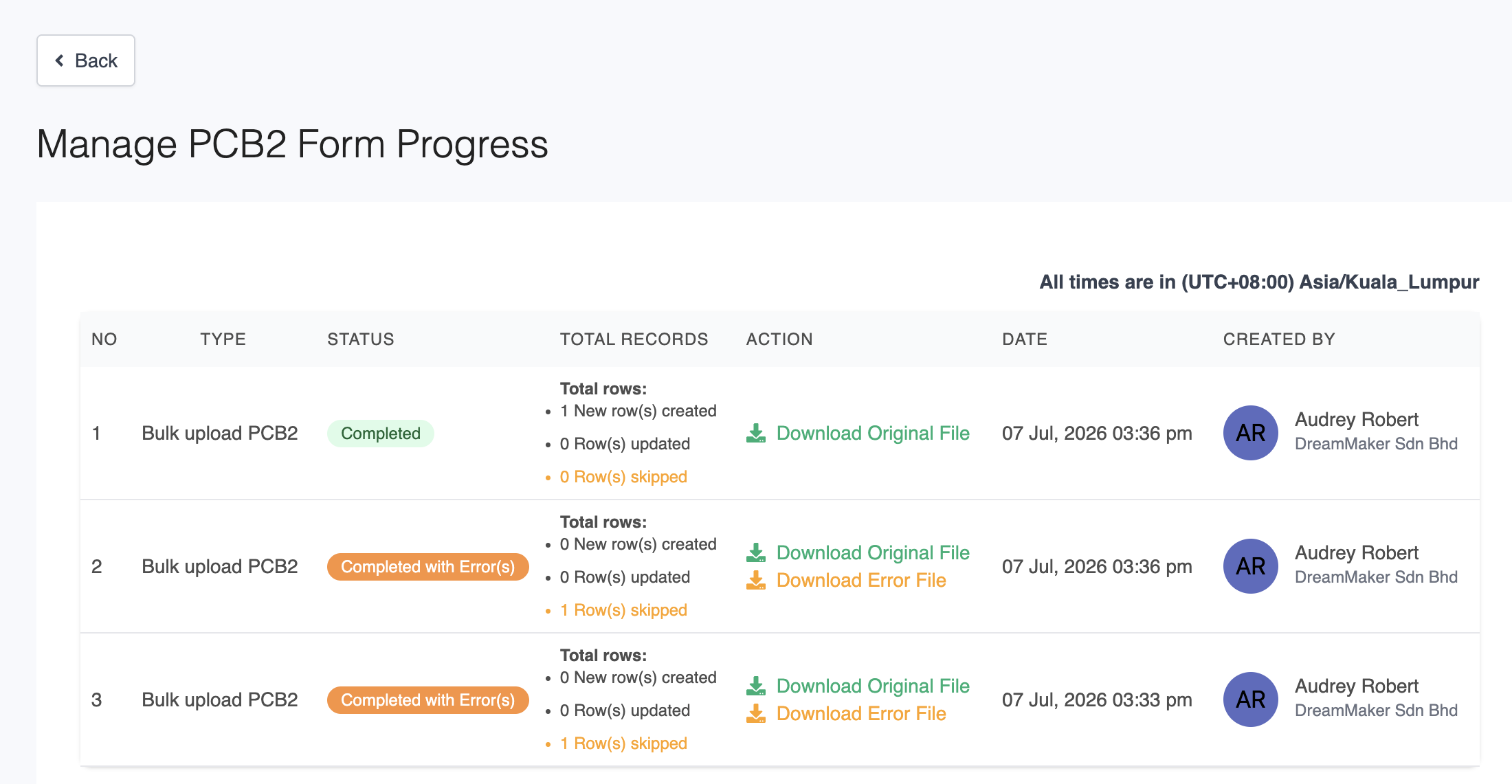
7. Once the status shows Completed, return to the PCB 2 page and click Generate PDF to download the PCB 2 Form.
Was this article helpful?
That’s Great!
Thank you for your feedback
Sorry! We couldn't be helpful
Thank you for your feedback
Feedback sent
We appreciate your effort and will try to fix the article