The TP1 form is used by employees who wish to claim individual tax reliefs and rebates on a monthly basis, directly impacting their Monthly Tax Deduction (PCB). This form helps reduce the amount of PCB deducted from their salary by accounting for eligible claims such as book purchases, insurance premiums, medical expenses, and other approved deductions. While no supporting documents need to be submitted with the TP1 form, employees are expected to keep them for record-keeping purposes.
Employers are responsible for providing and managing the TP1 form accurately and distributing it in a timely manner. Below is a step-by-step guide on how to generate and manage the TP1 form in HReasily Pro:
1. Go to Payroll > Forms > Tax Forms > TP1.
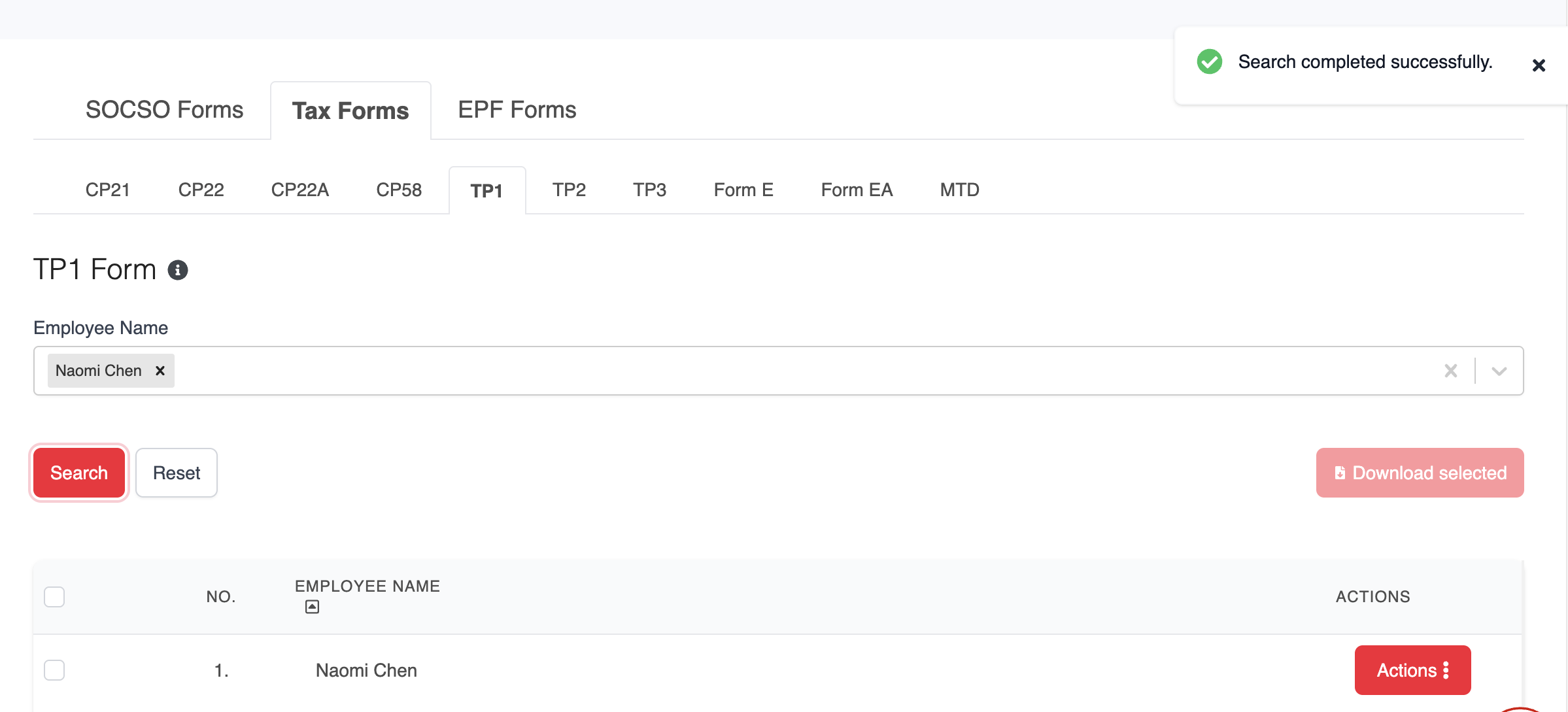
2. Under the TP1 tab, select the employee's name, then click Search to display the relevant record.
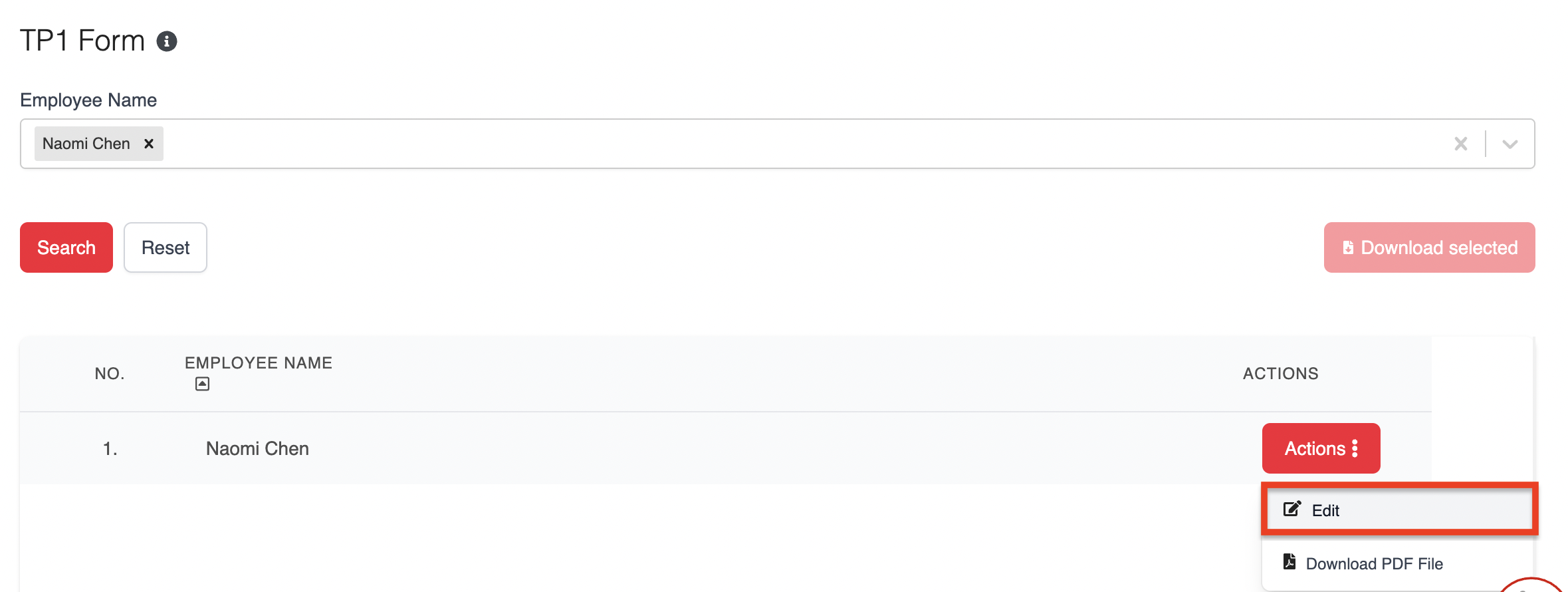
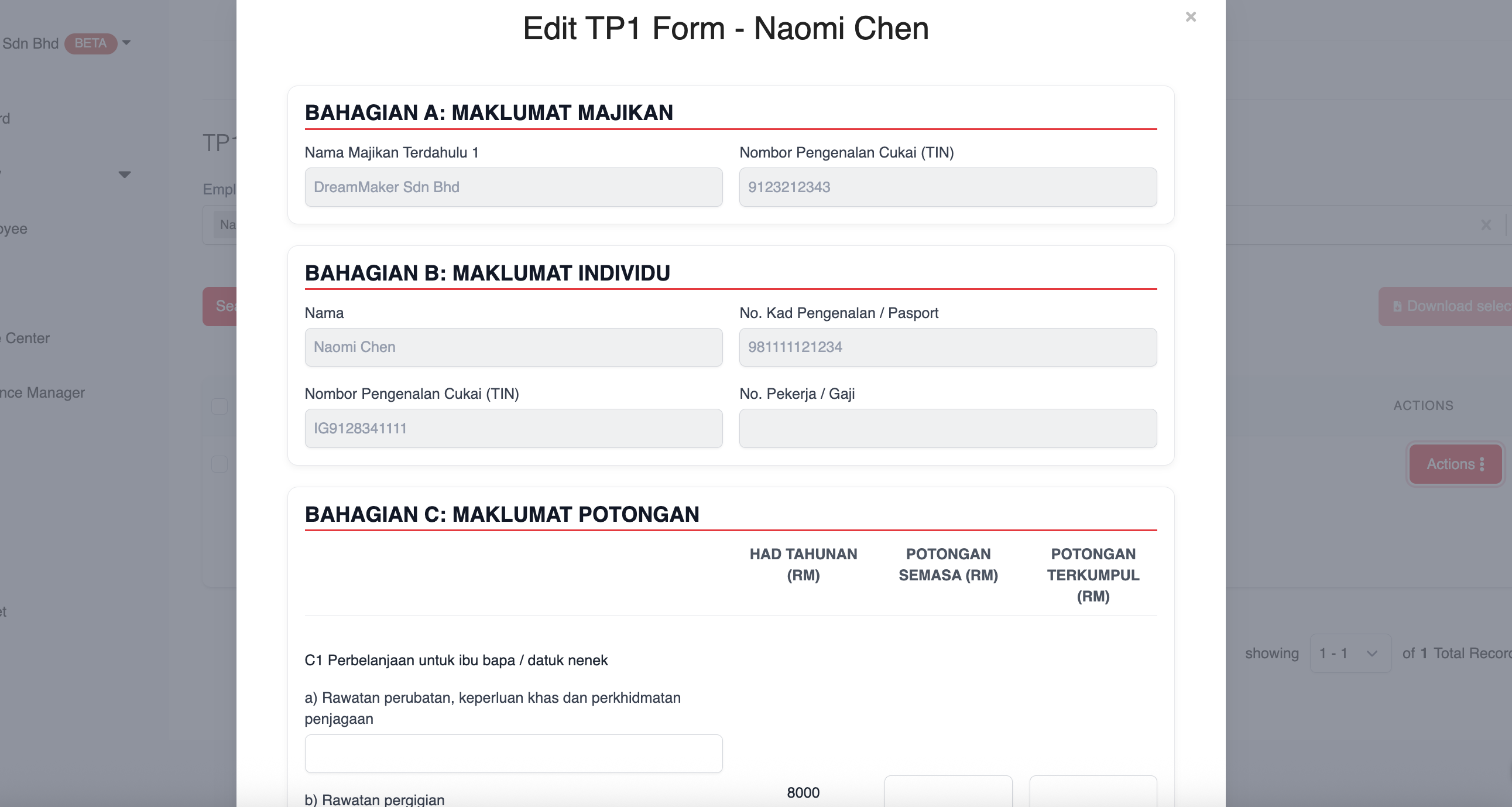
3. Click ACTIONS > Edit to add or update the required details.
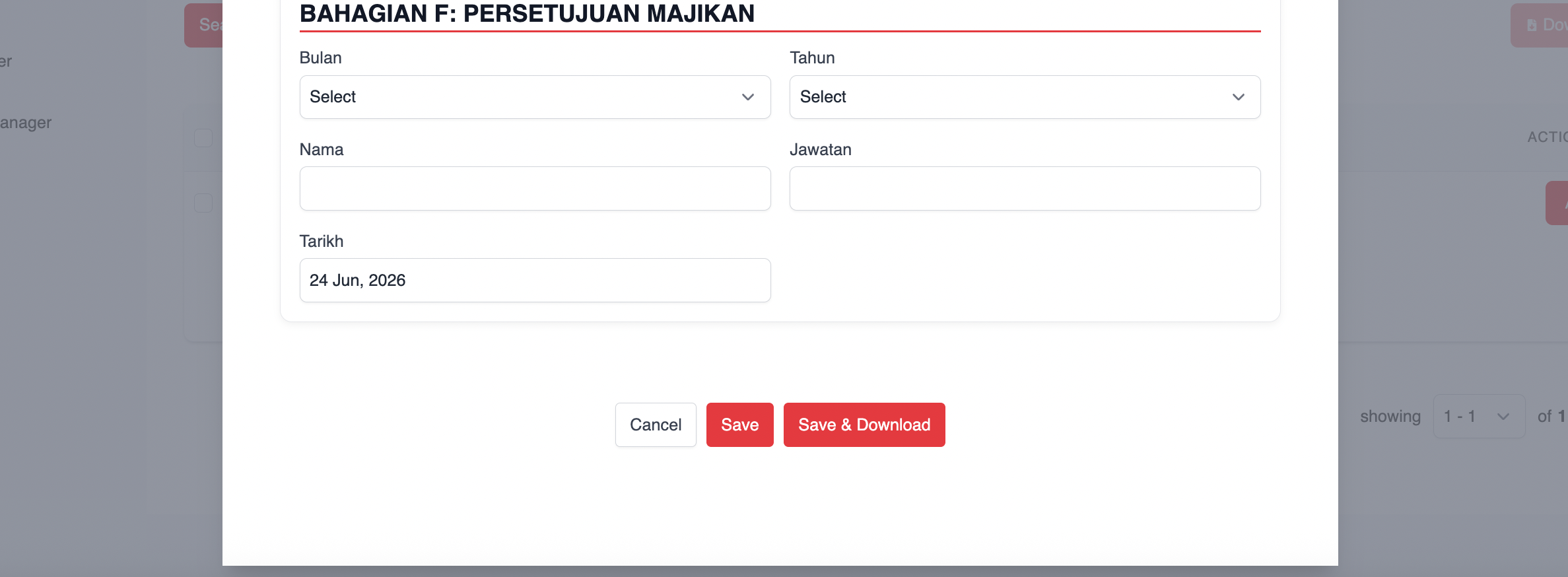
4. After making changes, click Save to store the information, or Save & Download to generate the form immediately.
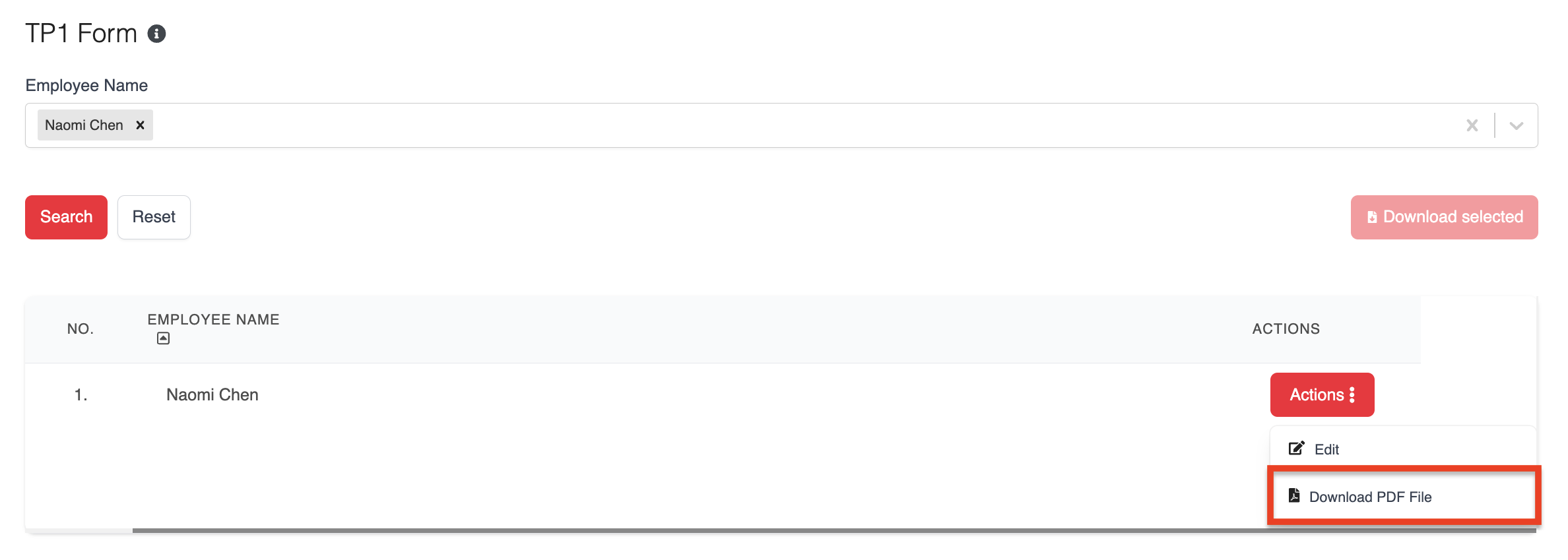
5. To download a single employee's TP1 form, click ACTIONS and select Download PDF File.
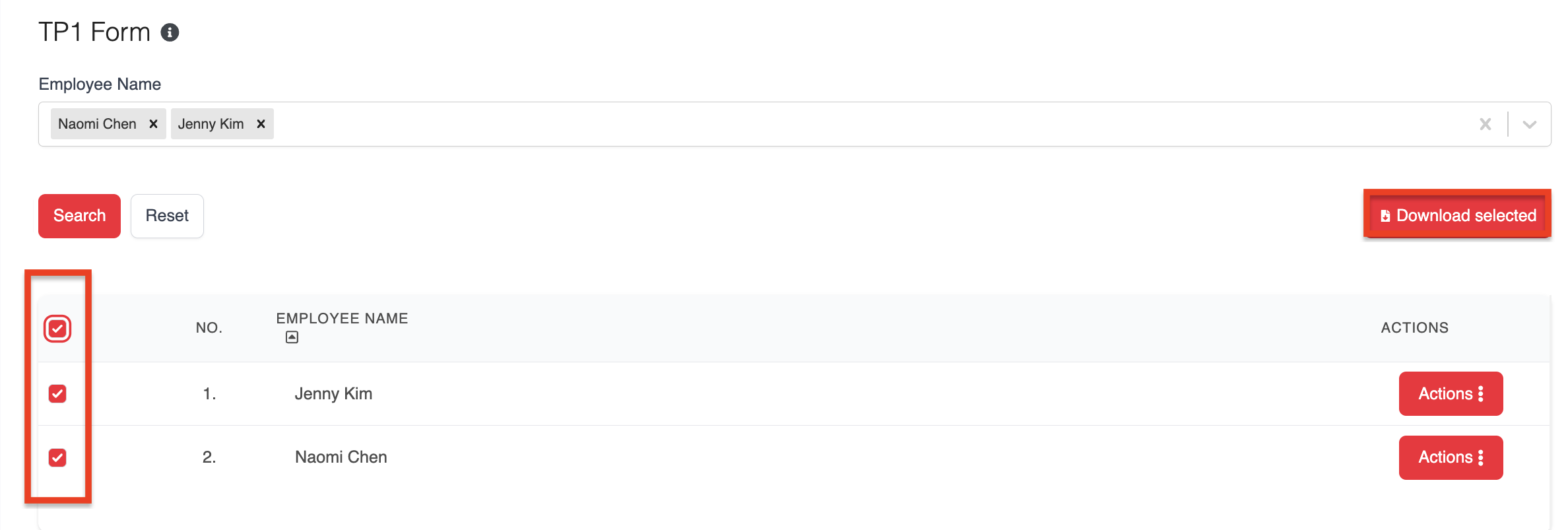
6. For bulk downloads, tick the employees you want and click Download Selected to generate and download multiple TP1 forms at once.
Was this article helpful?
That’s Great!
Thank you for your feedback
Sorry! We couldn't be helpful
Thank you for your feedback
Feedback sent
We appreciate your effort and will try to fix the article