The CP22 form is a tax notification form in Malaysia used to inform the Inland Revenue Board (LHDN) when a company hires a new employee. This allows LHDN to create or update the employee's tax record and ensure the correct Monthly Tax Deduction (PCB) is applied from the start of employment.
Follow the steps below to generate the CP22 form in HReasily Pro:
1. Go to Payroll > Forms > Tax Forms > CP22.
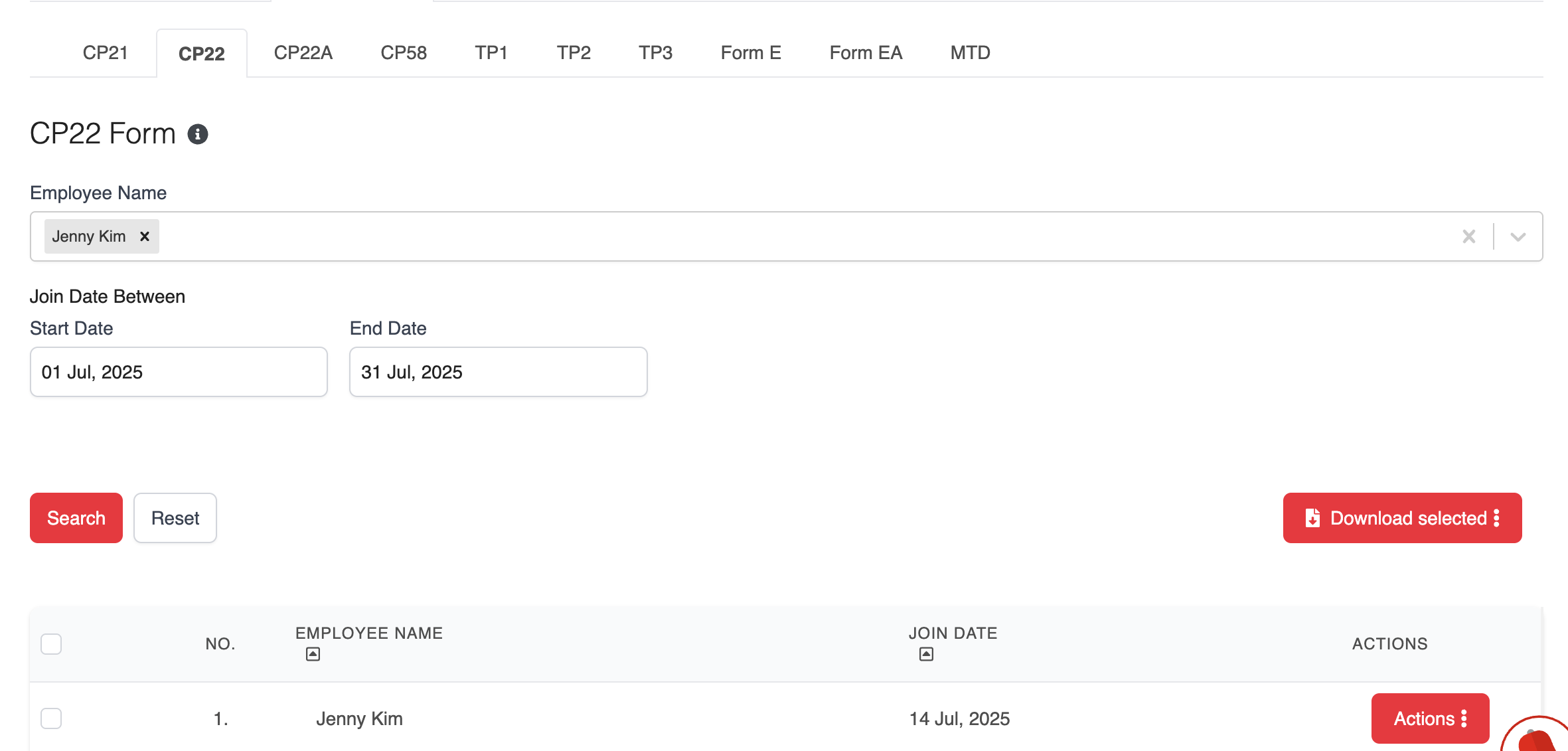
2. In the CP22 tab, choose the employee's name and/or enter the joined date range. Click Search to pull up the relevant record.
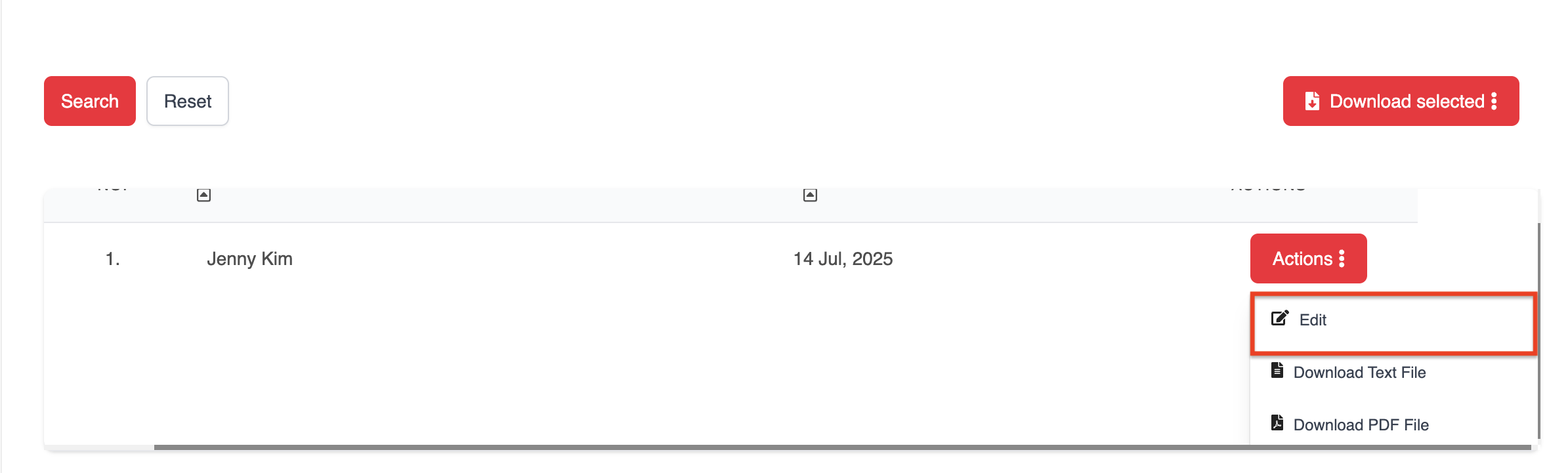
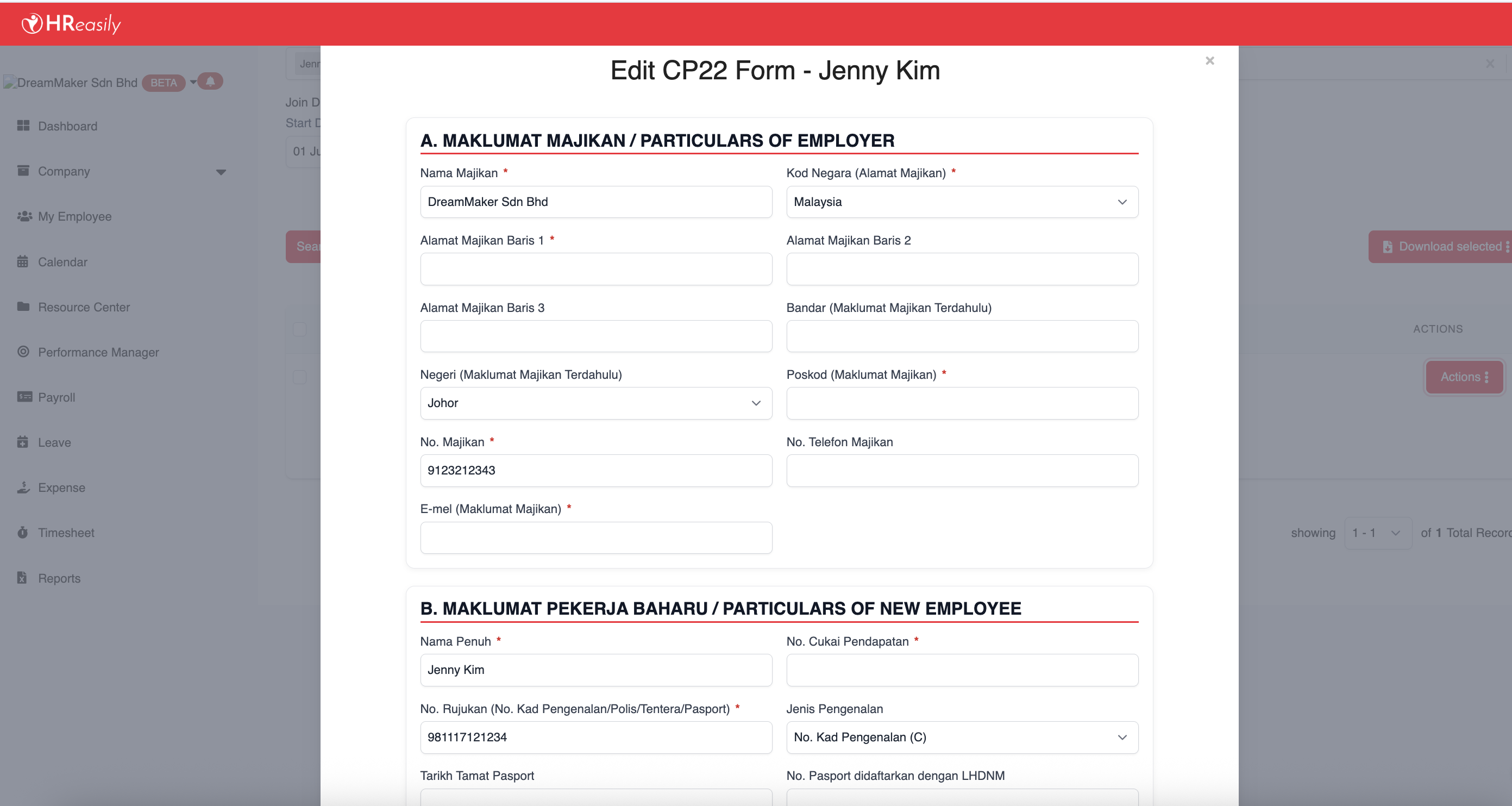
3. Click ACTIONS > Edit to add or update the required details.
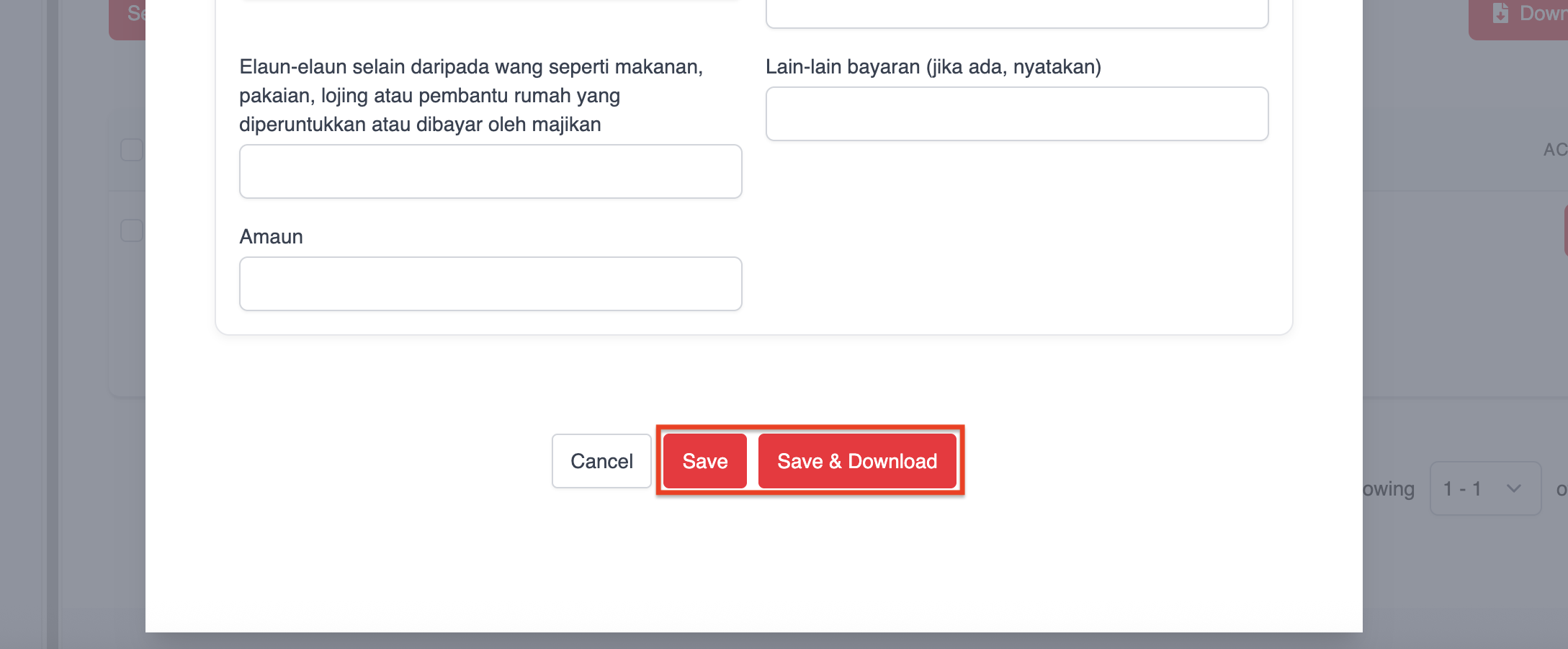
4. After making changes, click Save to store the information, or Save & Download to generate the form immediately.
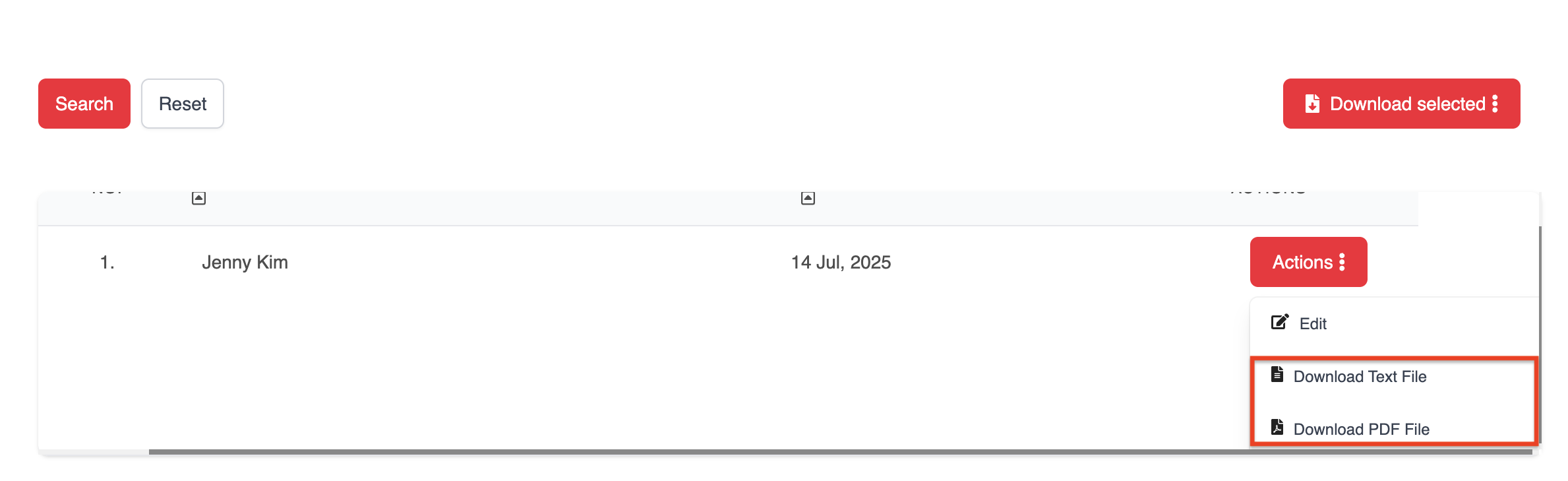
5. To download a single employee's CP22 form, click ACTIONS and select either:
- Download Text File, or
- Download PDF File
6. For bulk downloads, tick the employees you want and click Download Text File or Download Selected PDF to generate and download multiple CP22 forms at once.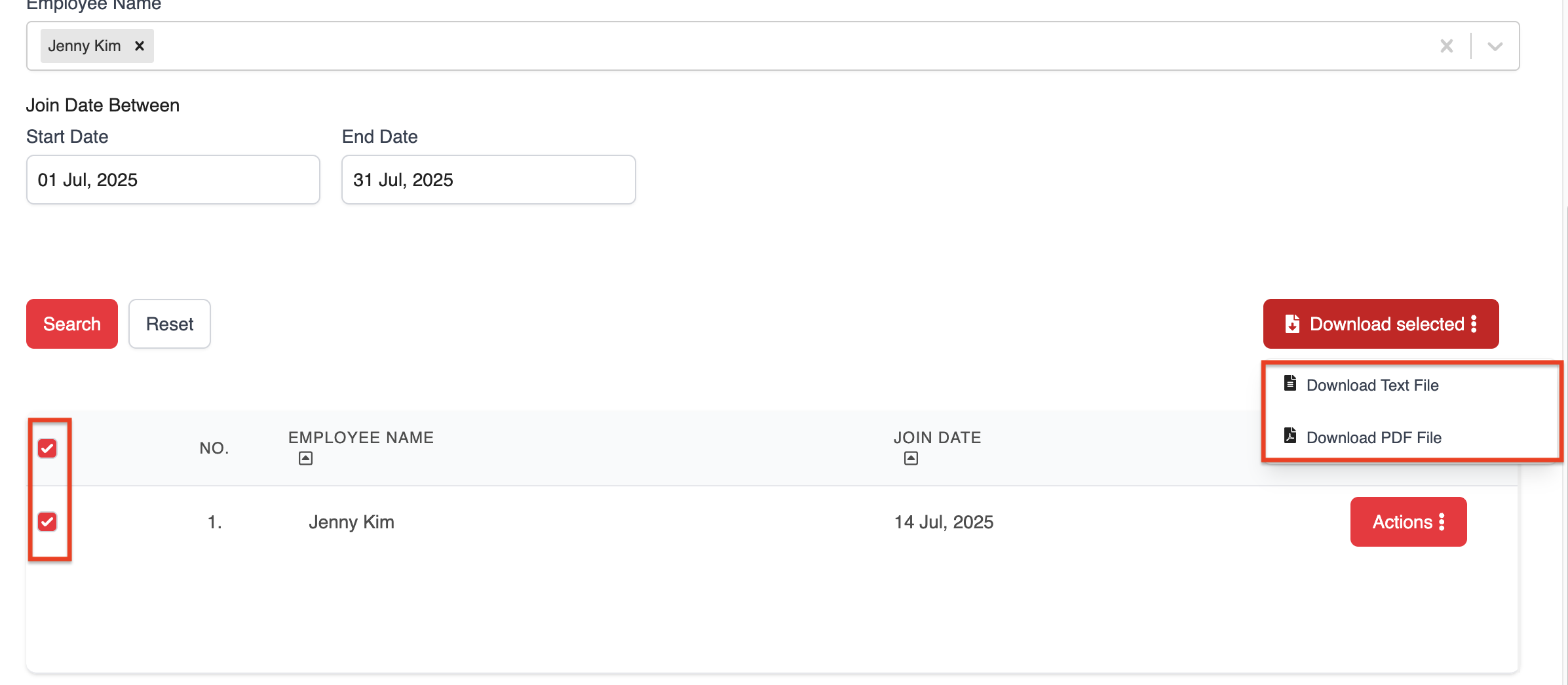
Was this article helpful?
That’s Great!
Thank you for your feedback
Sorry! We couldn't be helpful
Thank you for your feedback
Feedback sent
We appreciate your effort and will try to fix the article