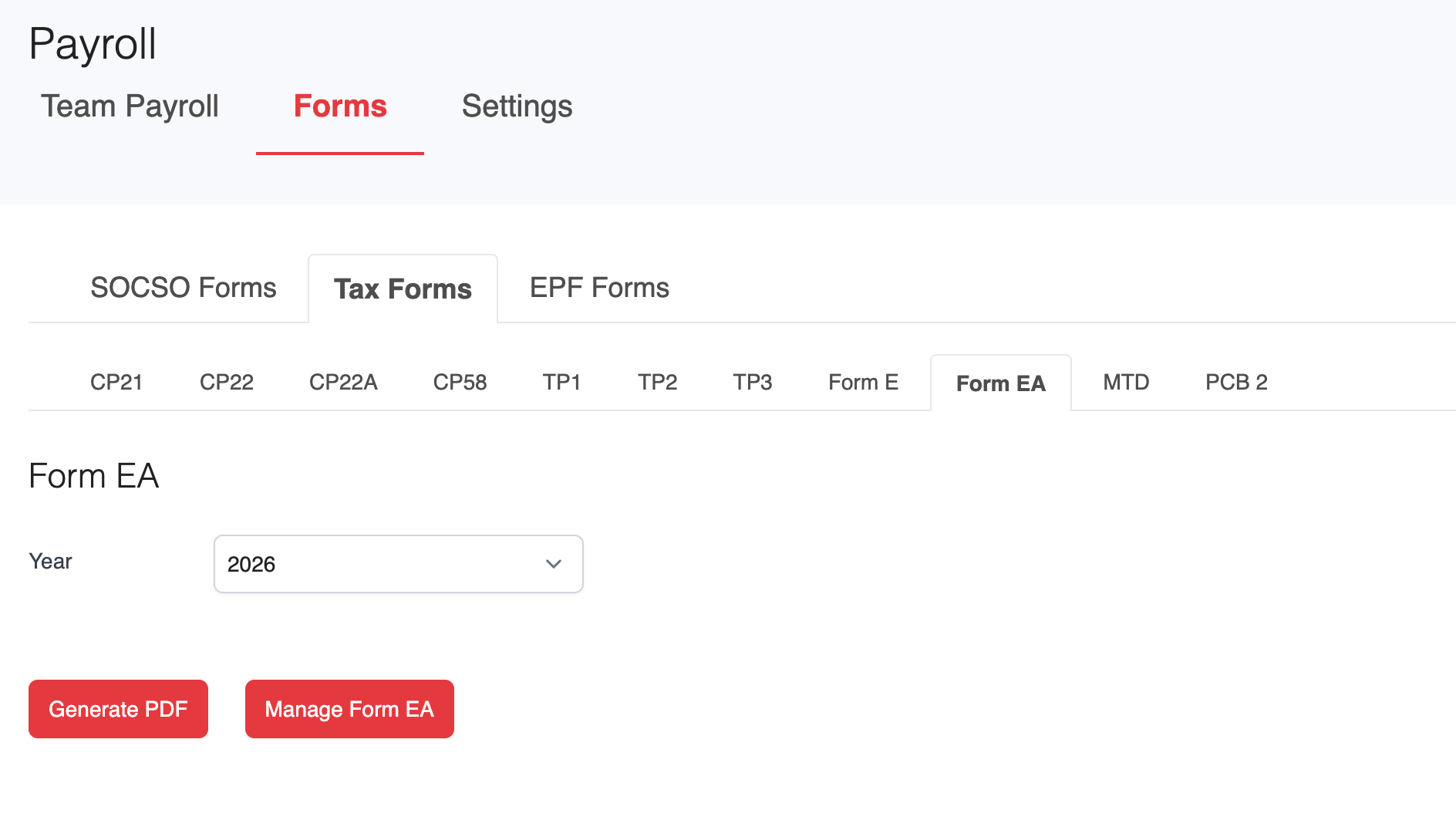
1. Go to Payroll > Forms > Tax Forms > Form EA.
2. Under the Form EA section, select the appropriate Tax Year for your filing.
- Click Generate PDF to download EA Forms for all employees.
- Click Manage Form EA to view and manage EA Forms for individual employees.
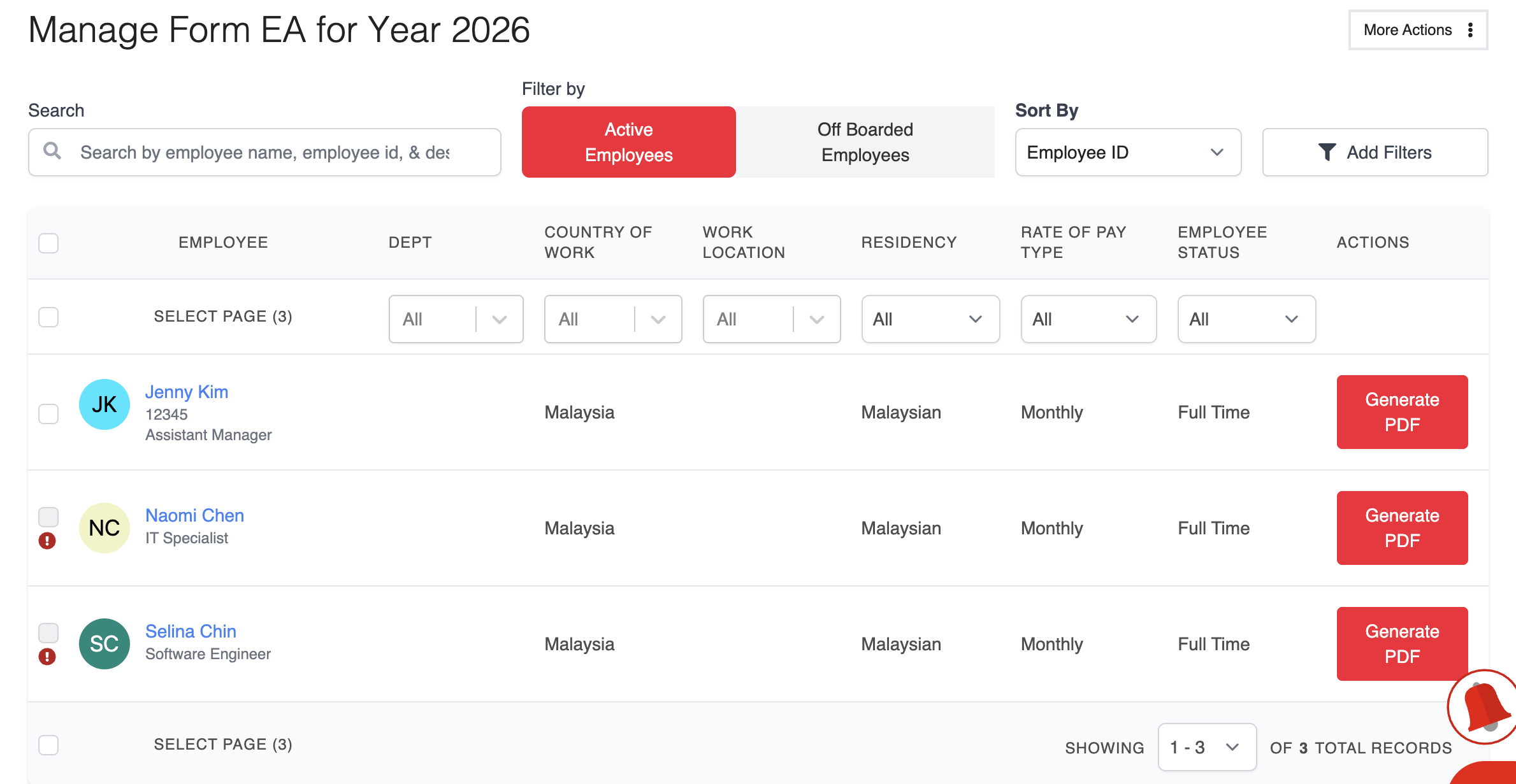
3. On the Manage Form EA page, select the employee(s) whose EA Forms you want to generate.
- Click Generate PDF to download the selected employee's EA Form.
- To download multiple EA Forms at once, click More Actions in the top-right corner and select the bulk download option.
Was this article helpful?
That’s Great!
Thank you for your feedback
Sorry! We couldn't be helpful
Thank you for your feedback
Feedback sent
We appreciate your effort and will try to fix the article