Follow the steps below to generate the CP58 form in HReasily Pro:
1. Go to Payroll > Forms > Tax Forms > CP58.
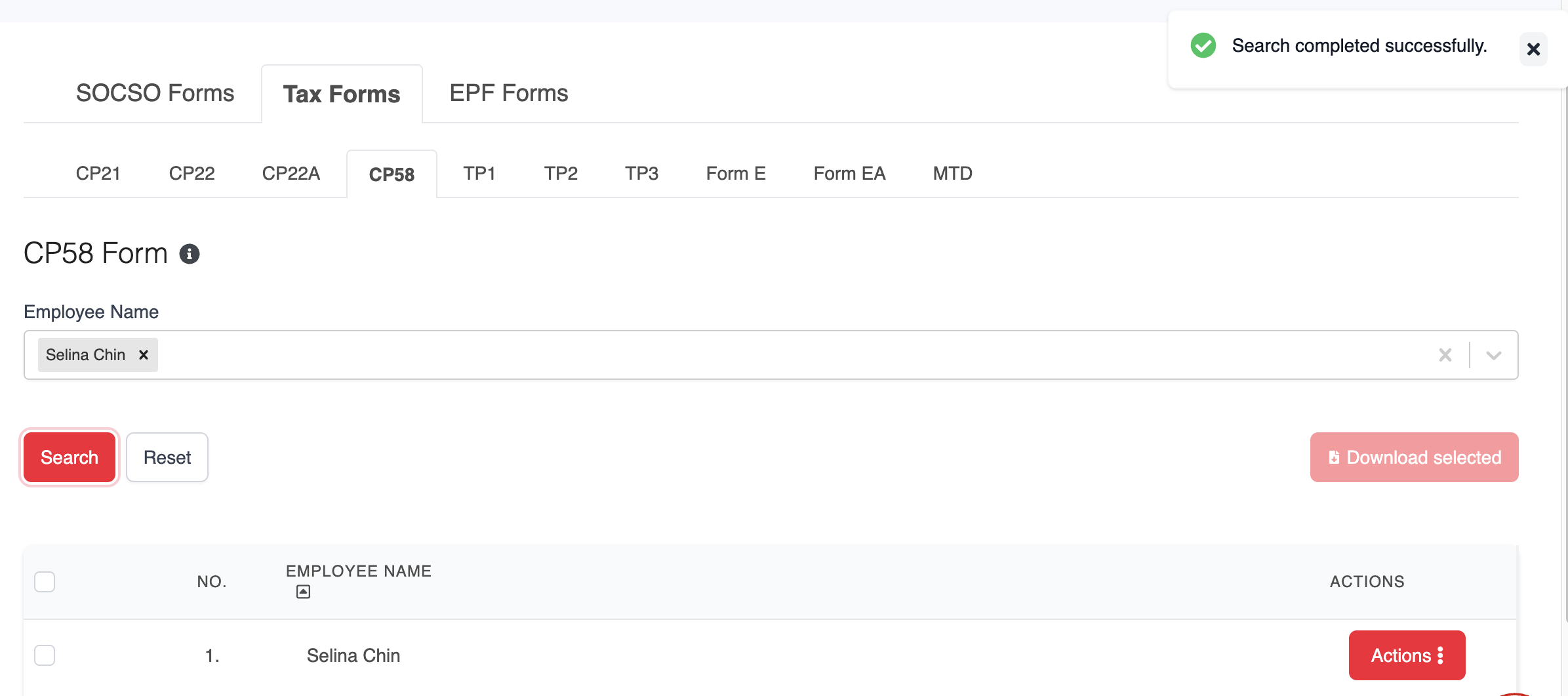
2. Under the CP58 tab, select the employee's name, then click Search to display the relevant record.
3. Click ACTIONS > Edit to add or update the required details.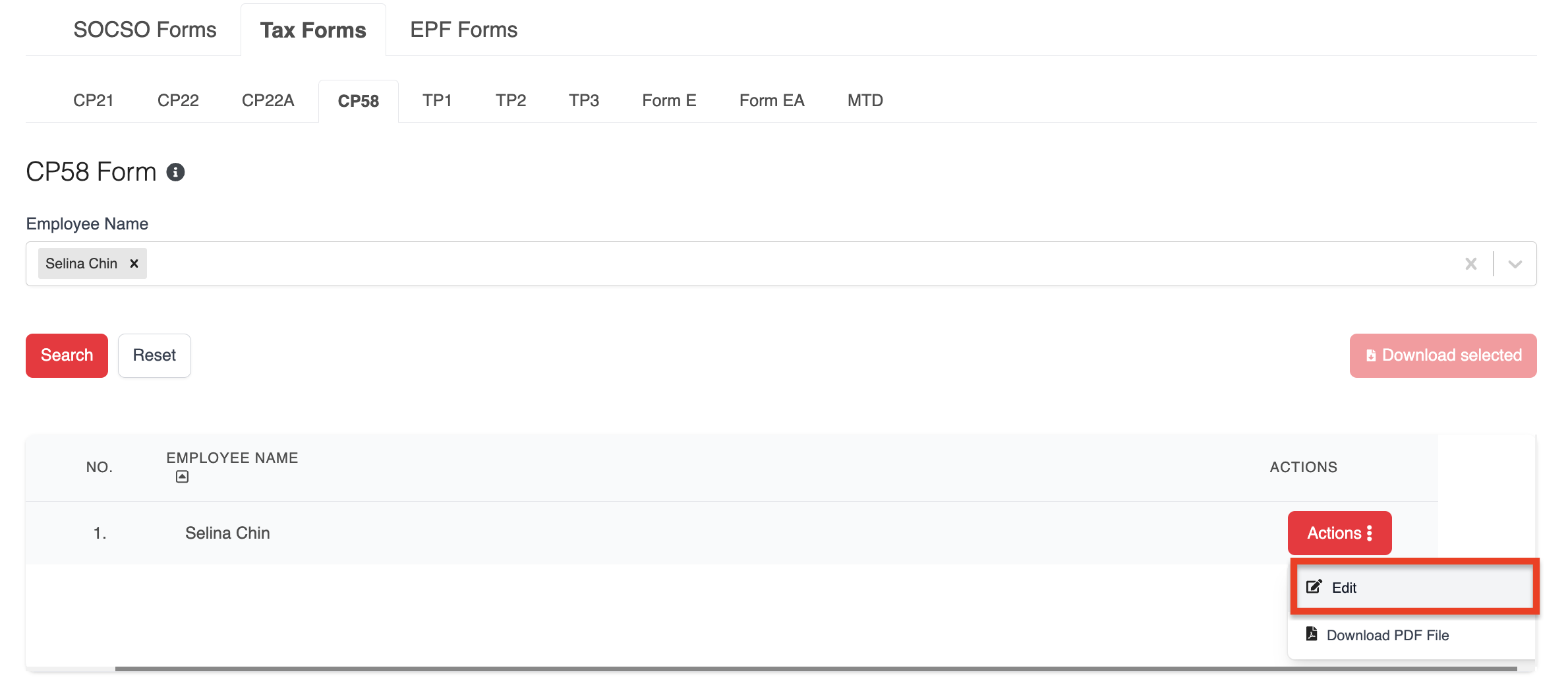
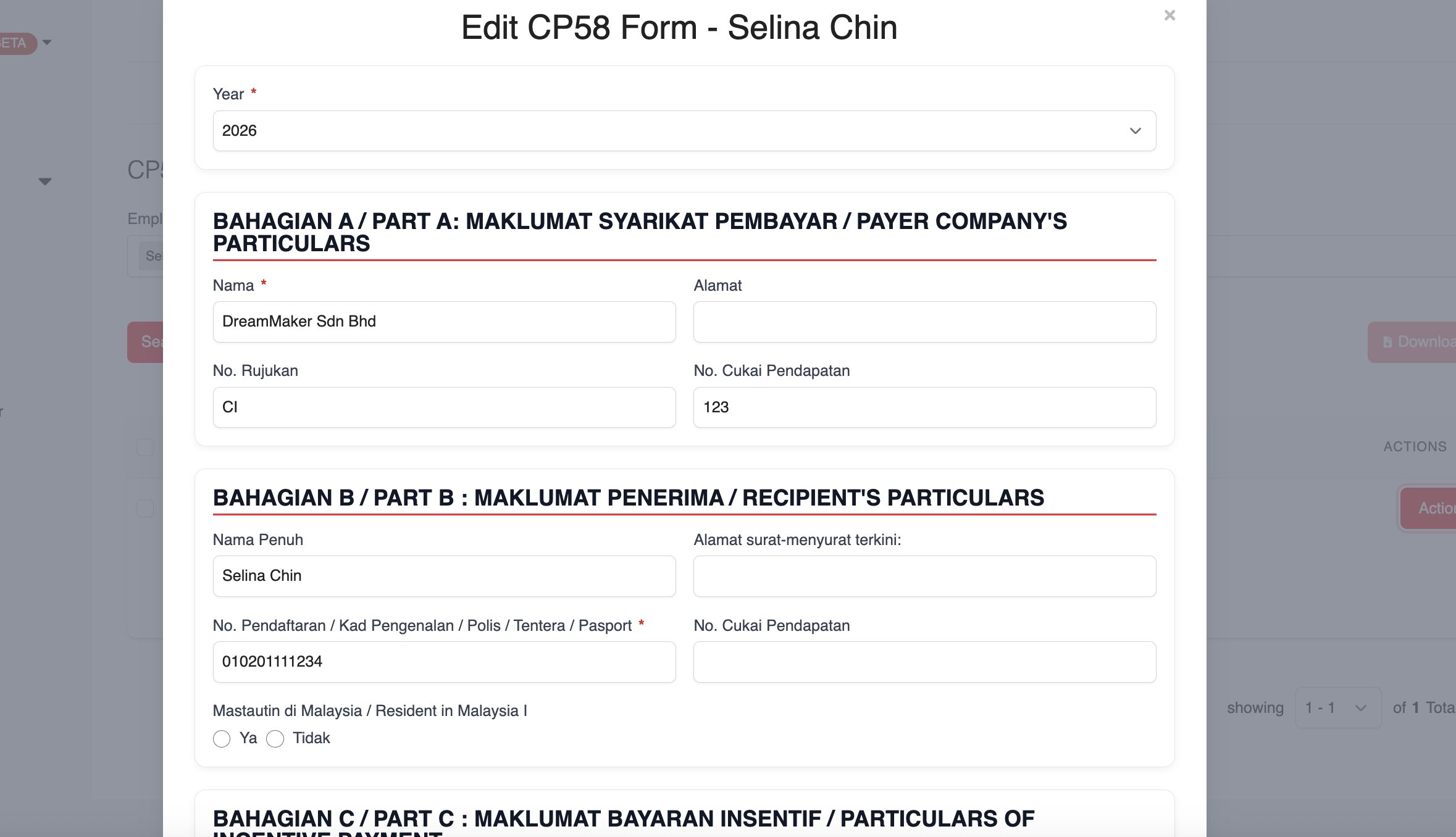
4. After making changes, click Save to store the information, or Save & Download to generate the form immediately.
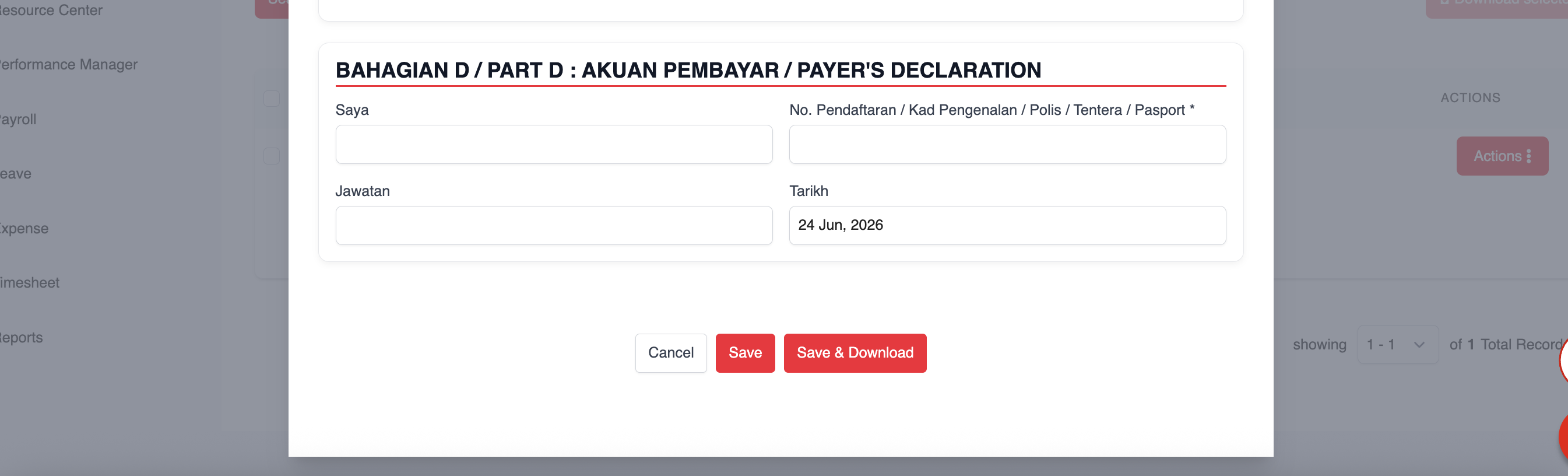
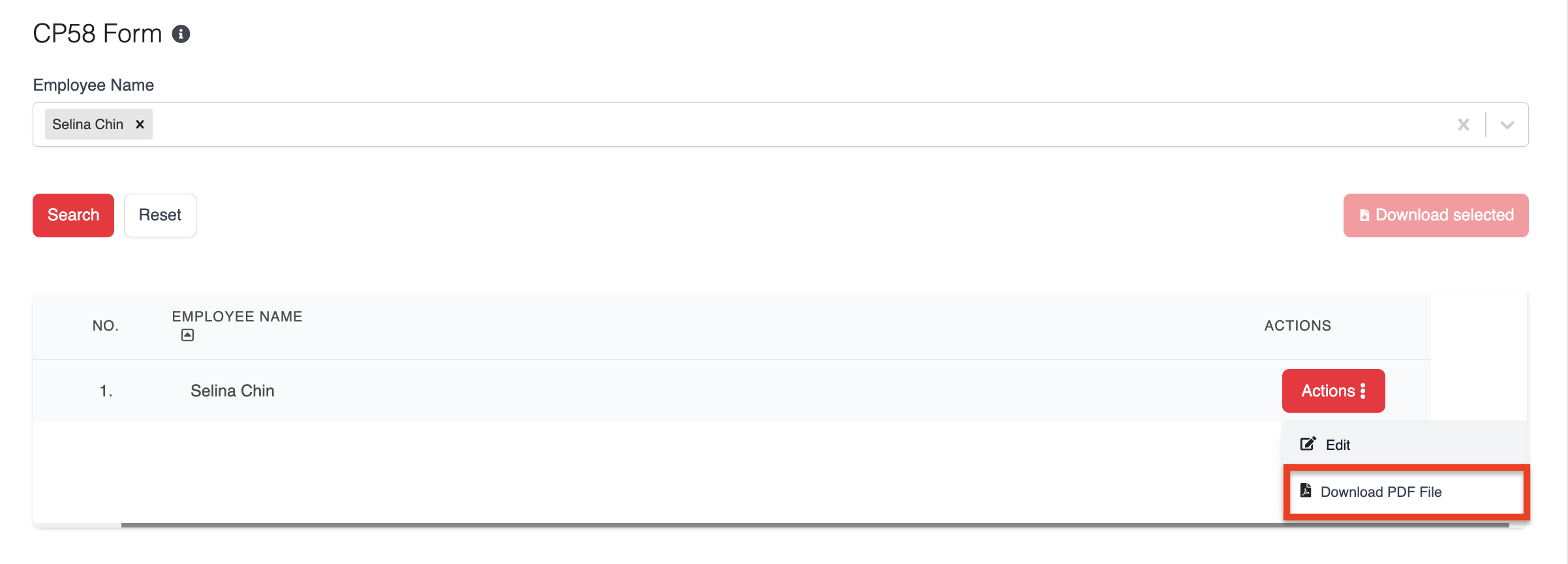
5. To download a single employee's CP58 form, click ACTIONS and select Download PDF File.
6. For bulk downloads, tick the employees you want and click Download Selected to generate and download multiple CP58 forms at once.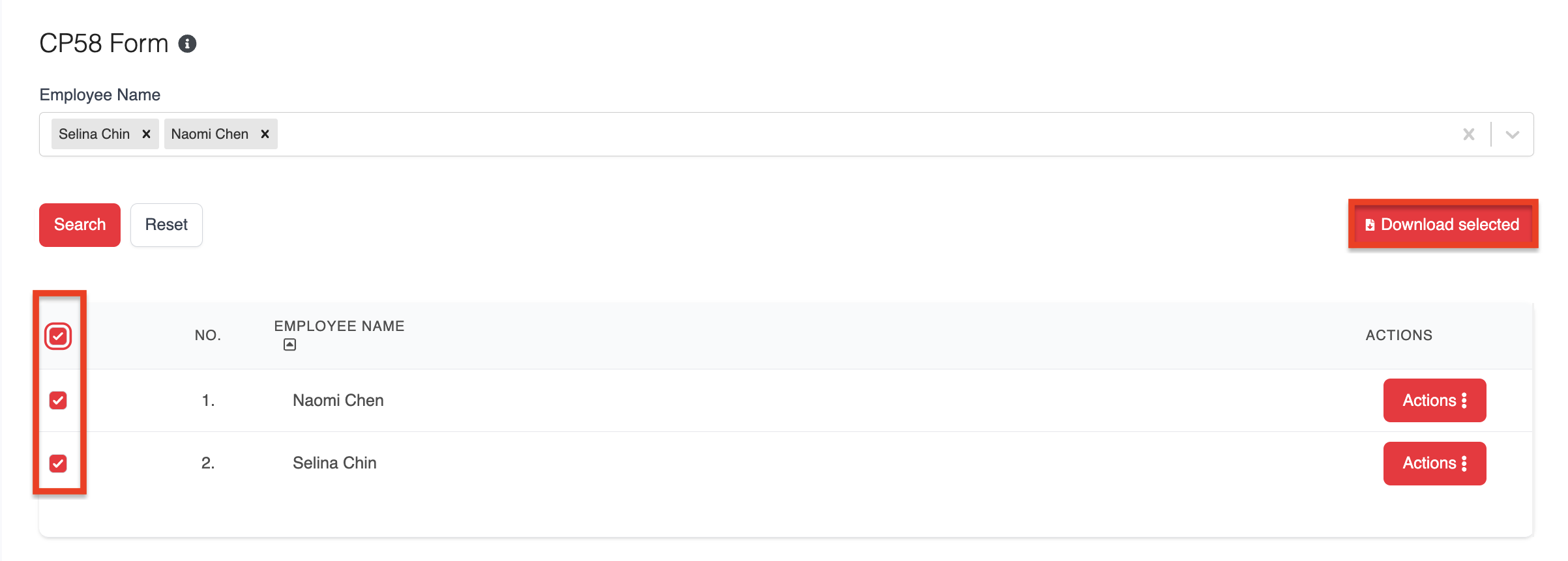
Was this article helpful?
That’s Great!
Thank you for your feedback
Sorry! We couldn't be helpful
Thank you for your feedback
Feedback sent
We appreciate your effort and will try to fix the article