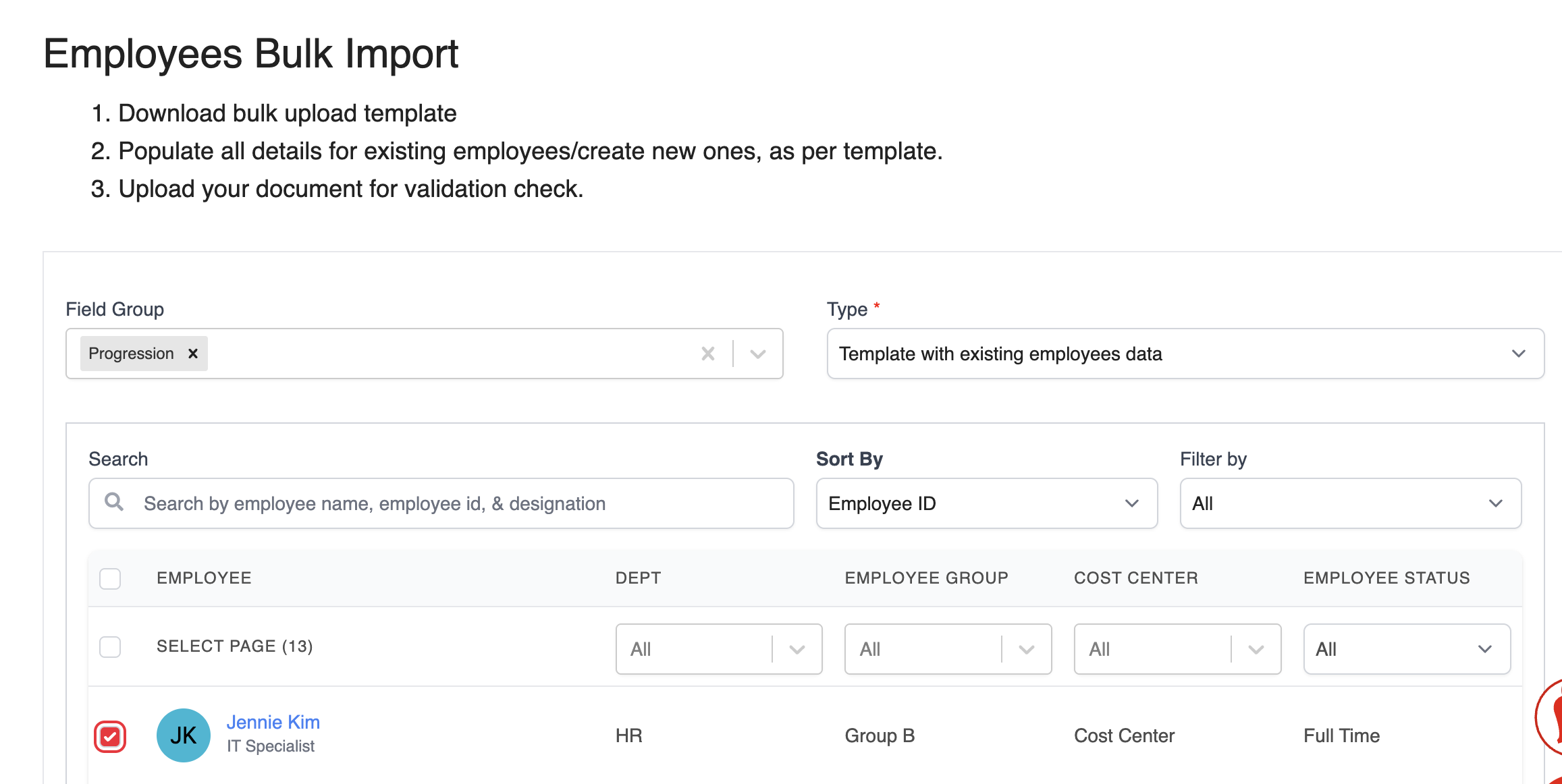
1. Go to the Bulk Import Employee page and generate a report with the following settings:
- Type: Template with existing employee data
- Field Group: Progression
2. In the downloaded template:
- Set the Action* column to Update
- Update the Department field as needed
- To remove a department, simply leave the field blank

3. After making the changes, save the file and upload it back to the system to apply the updates.
Was this article helpful?
That’s Great!
Thank you for your feedback
Sorry! We couldn't be helpful
Thank you for your feedback
Feedback sent
We appreciate your effort and will try to fix the article