If you're unable to edit your timesheet, the most likely reason is that manual editing has been disabled in your company's Work Week settings.
If you're an admin, follow the steps below to check whether this setting is enabled:
1. Go to Company > Company Settings.
2. Scroll down to the Work Week section.
3. Click Edit next to the relevant work week.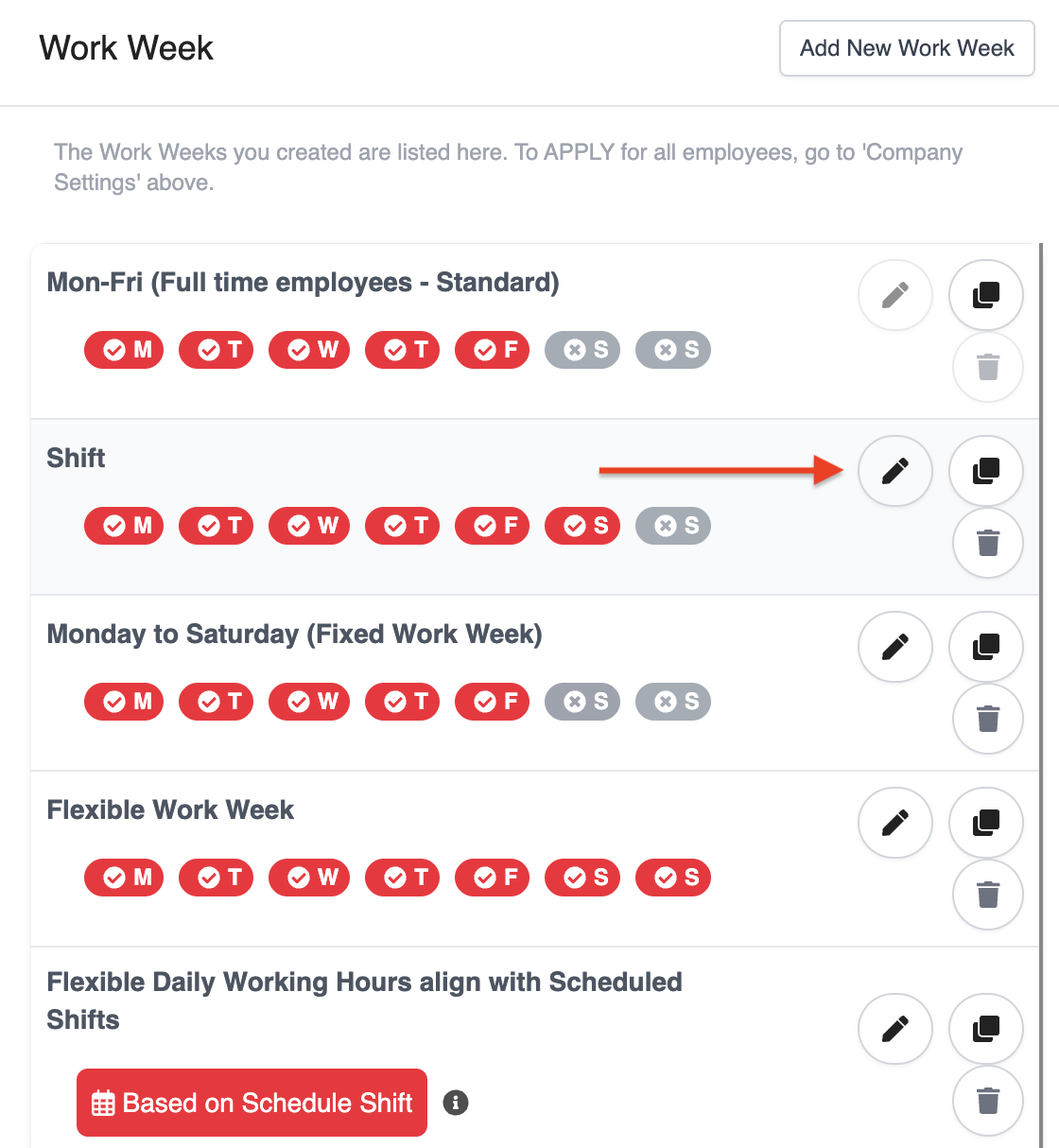
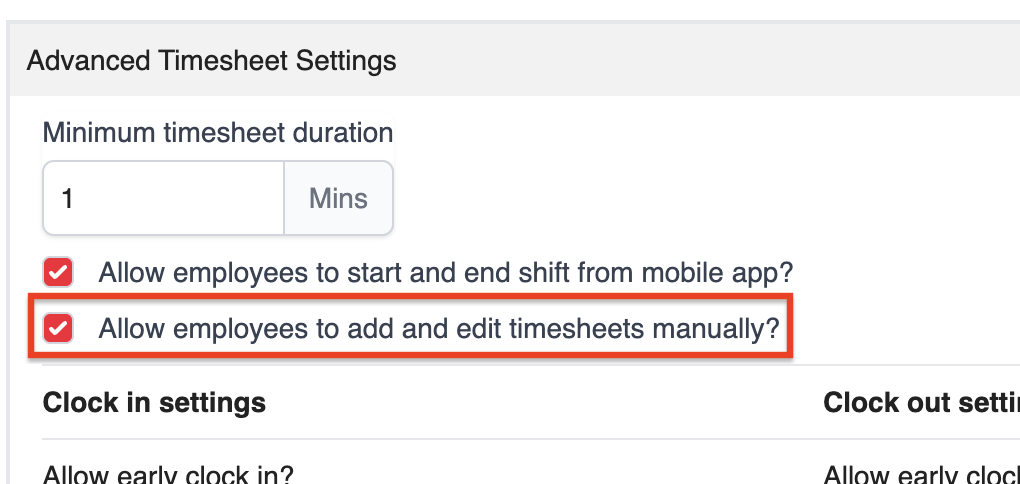
4. Under Advanced Timesheet Settings, make sure Allow employees to add and edit timesheets manually is selected.
Was this article helpful?
That’s Great!
Thank you for your feedback
Sorry! We couldn't be helpful
Thank you for your feedback
Feedback sent
We appreciate your effort and will try to fix the article