1. Go to My Employees > select the employee > open the Payroll tab.
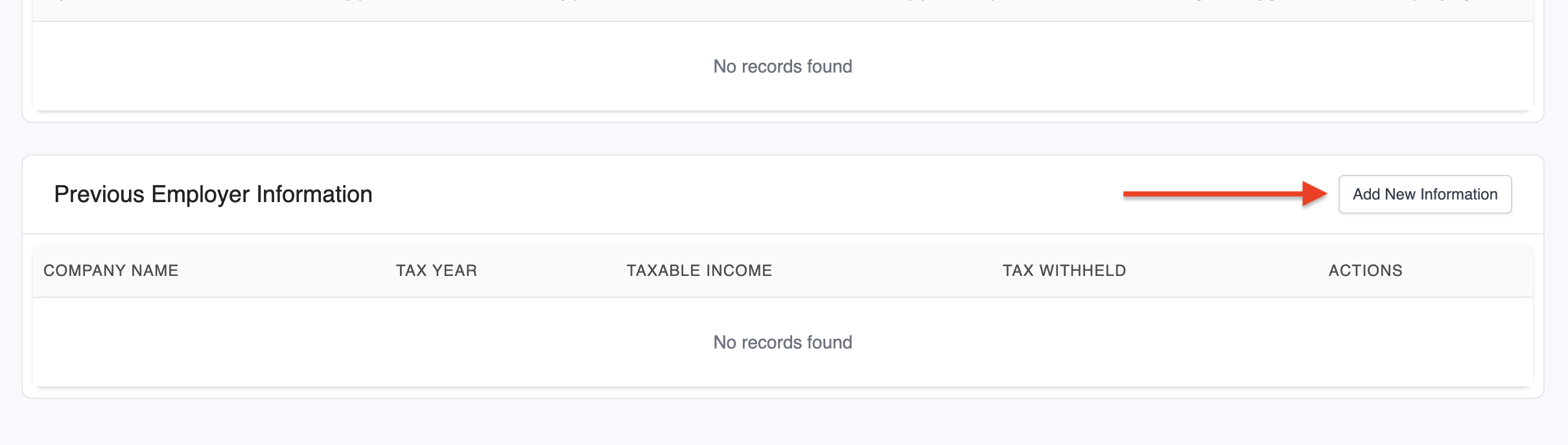
2. Scroll to the Previous Employer Information section and click Add New Information.
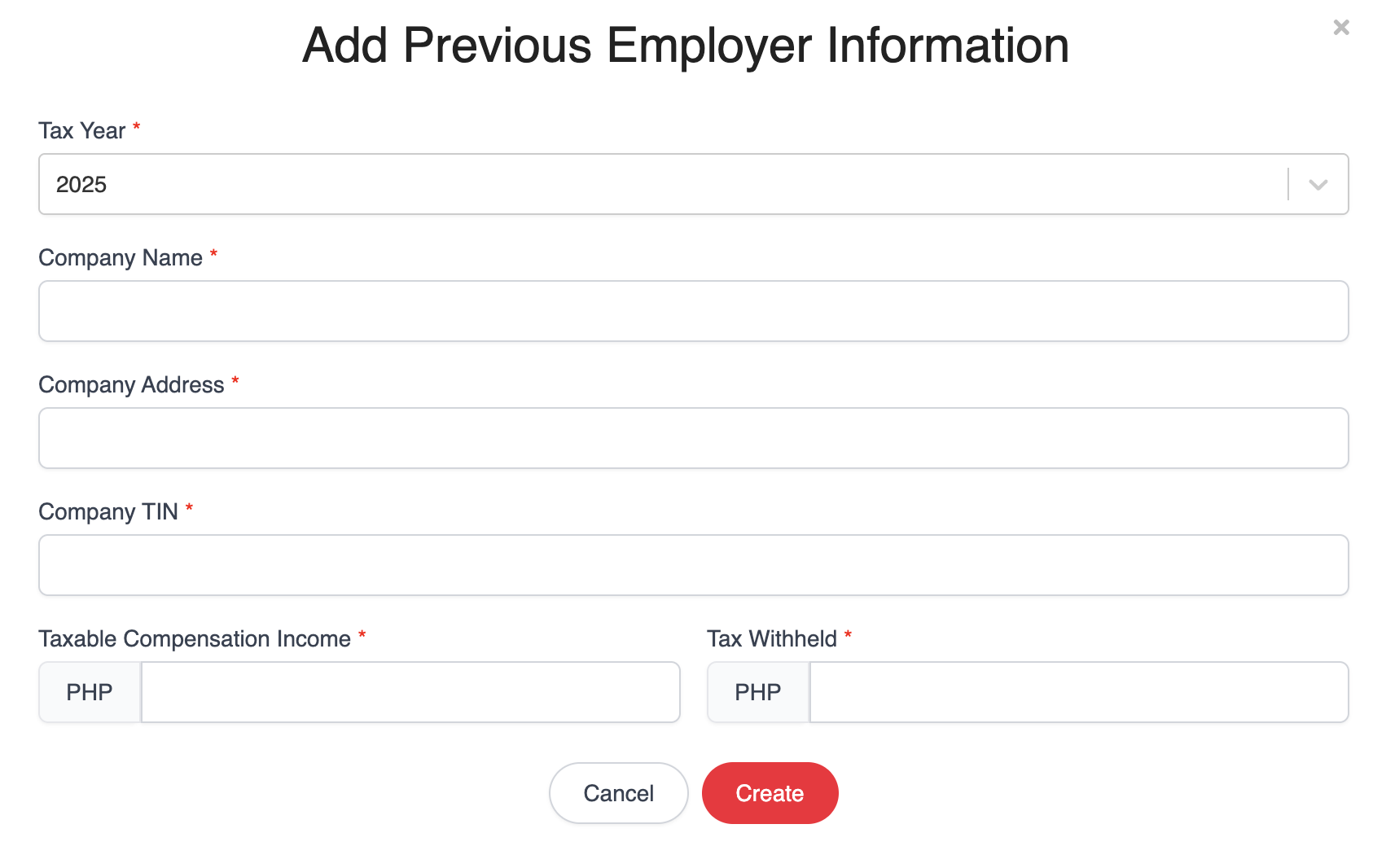
3. Fill in the previous employer's Tax Year, company details, Taxable Compensation Income and Tax Withheld. These details will be reflected in the BIR 2316 form.
❗️Note: The previous employer details are recorded for reference in the annual form only. Annualized tax calculation is not supported.
Was this article helpful?
That’s Great!
Thank you for your feedback
Sorry! We couldn't be helpful
Thank you for your feedback
Feedback sent
We appreciate your effort and will try to fix the article