You can anonymize archived employees to permanently remove their personal information while retaining their records for reporting and historical purposes. This helps organizations comply with their internal data retention and privacy requirements.
Anonymize an Individual Archived Employee
1. Go to My Employees and filter the employee list by Archived employees.

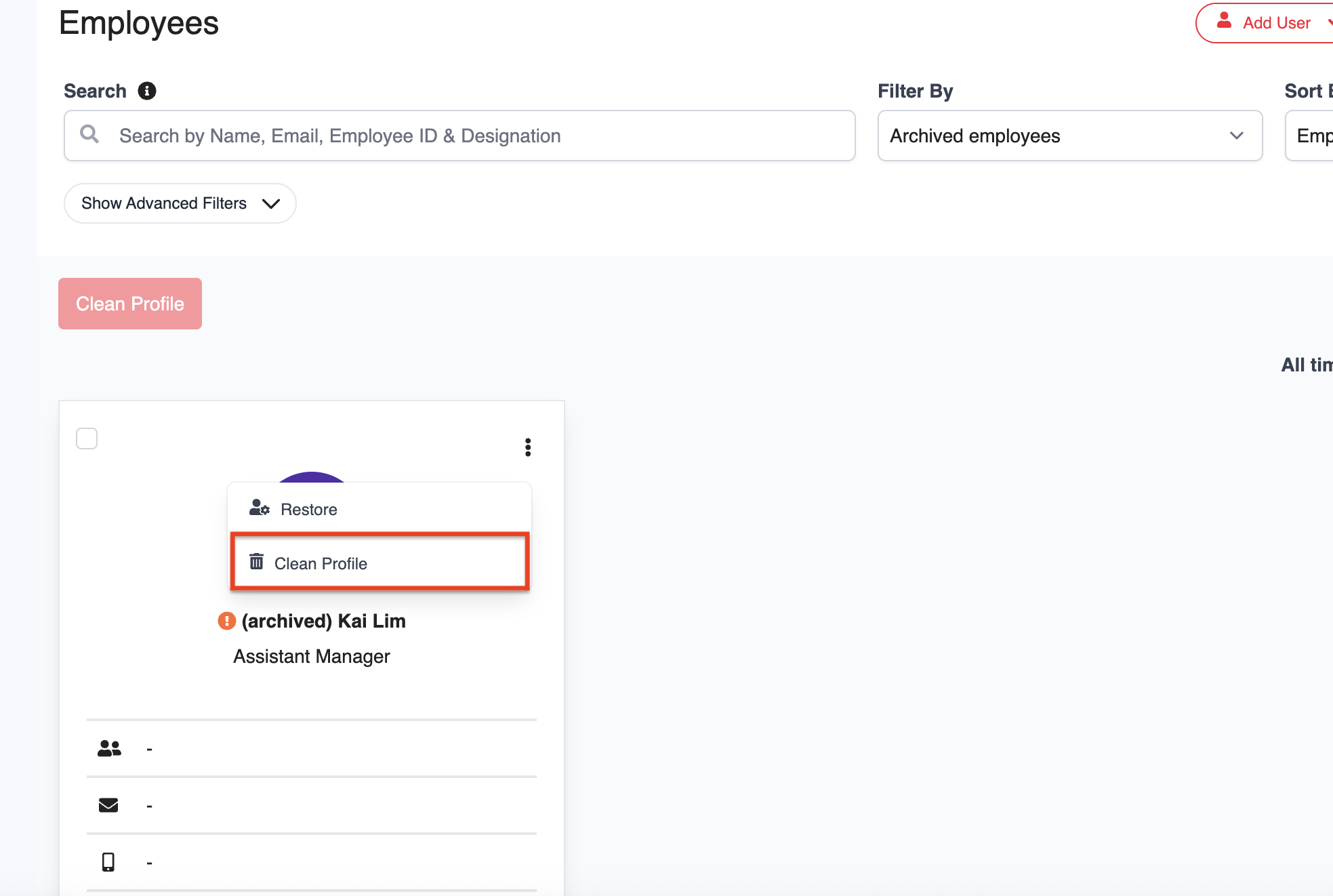
2. Click the three-dot menu next to the employee and select Clean Profile.
3. A confirmation message will appear. Click Yes to proceed.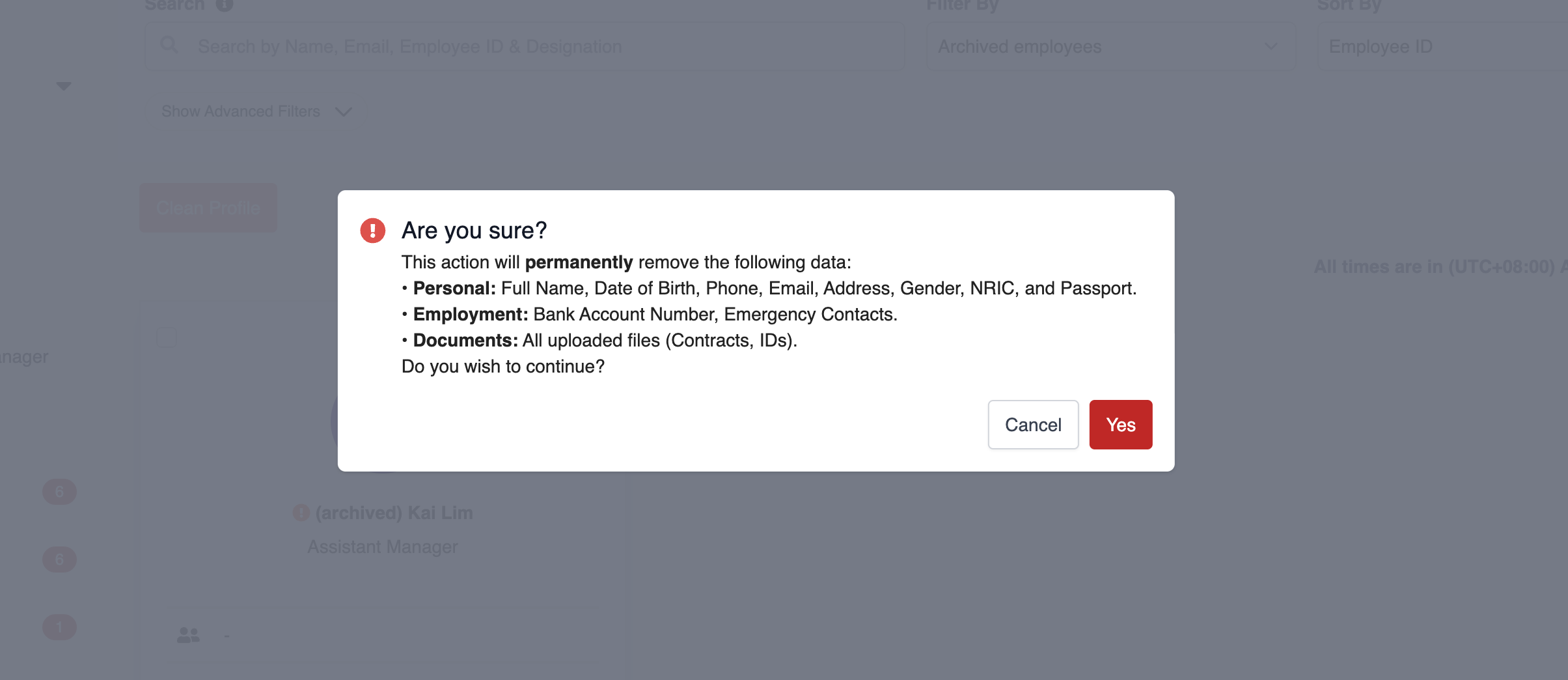
4. Once completed, the employee's personal information will be permanently removed, and the employee's name will be changed to Anonymized.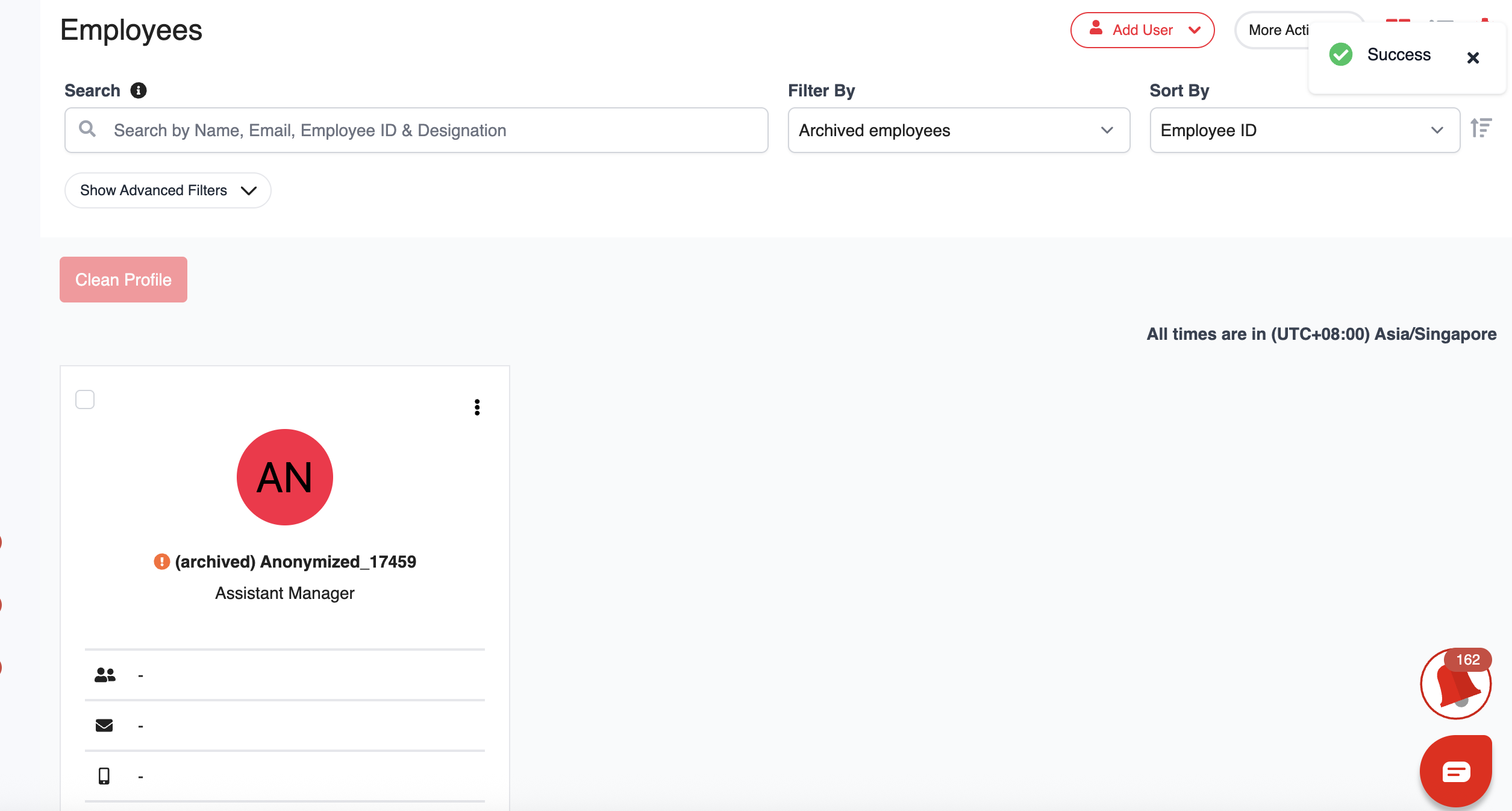
Anonymize Multiple Archived Employees
1. Go to My Employees and filter the employee list by Archived employees.
2. Select the employees you want to anonymize, then click Clean Profile.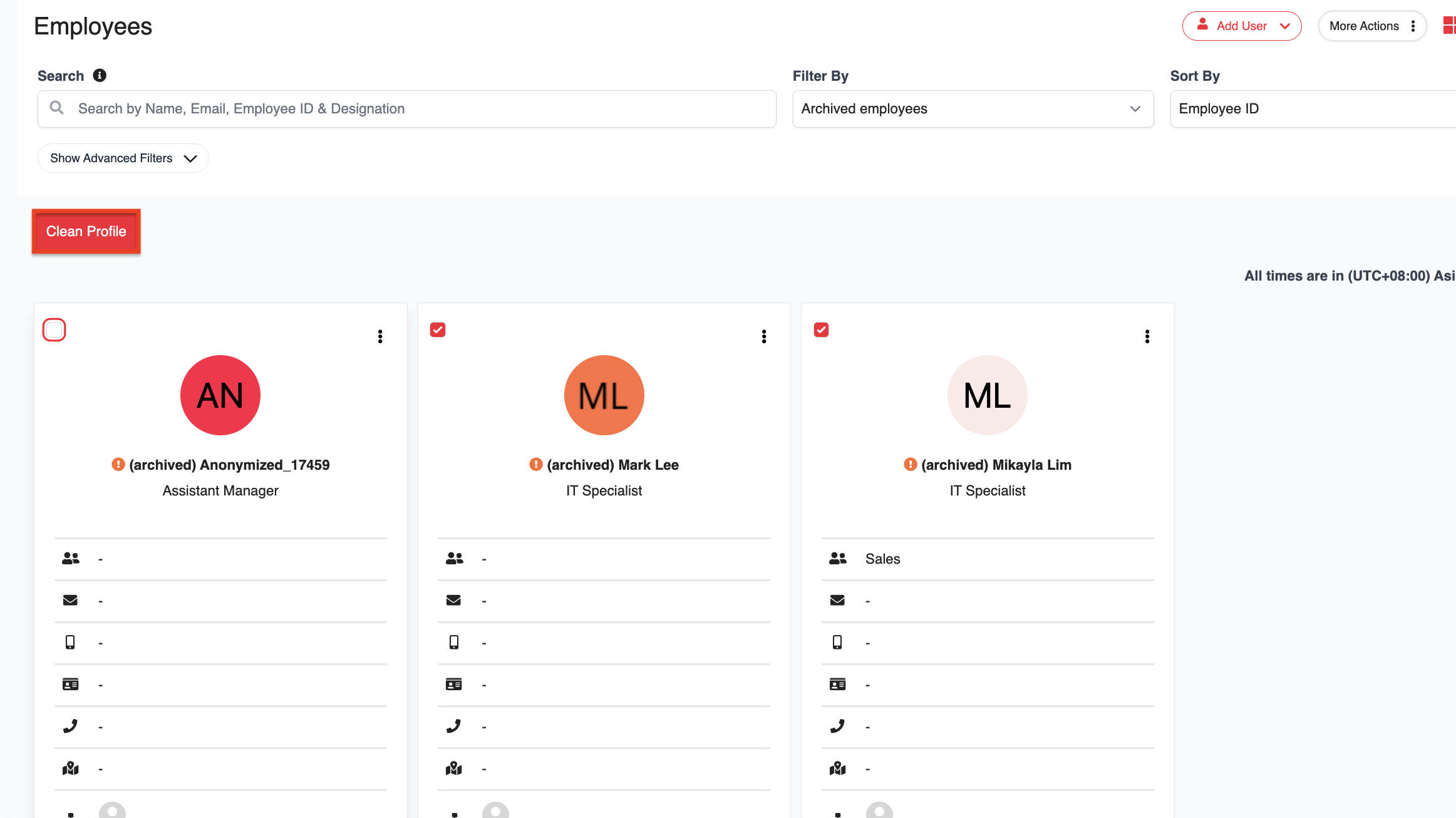
3. A confirmation message will appear. Click Yes to proceed.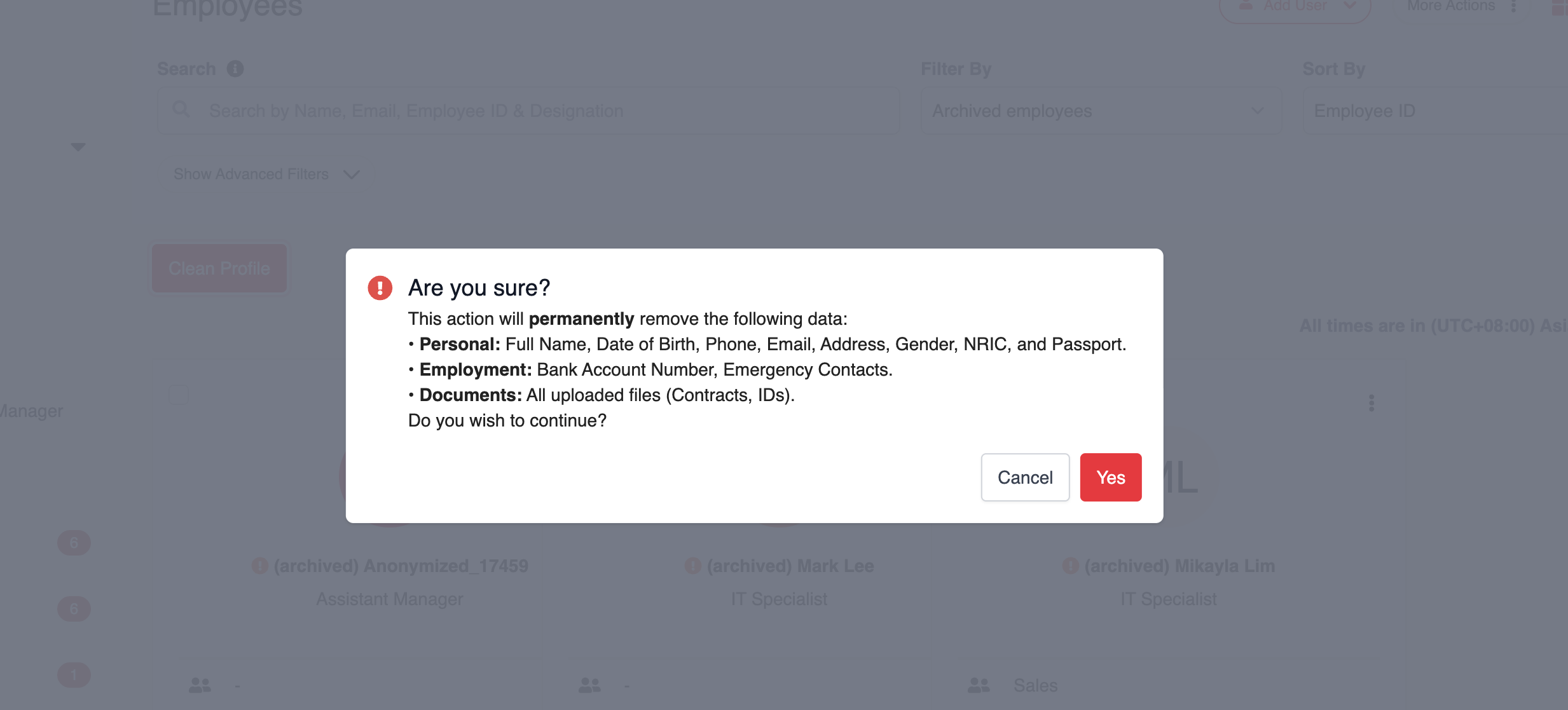
4. Once completed, the selected employees' personal information will be permanently removed, and their names will be changed to Anonymized.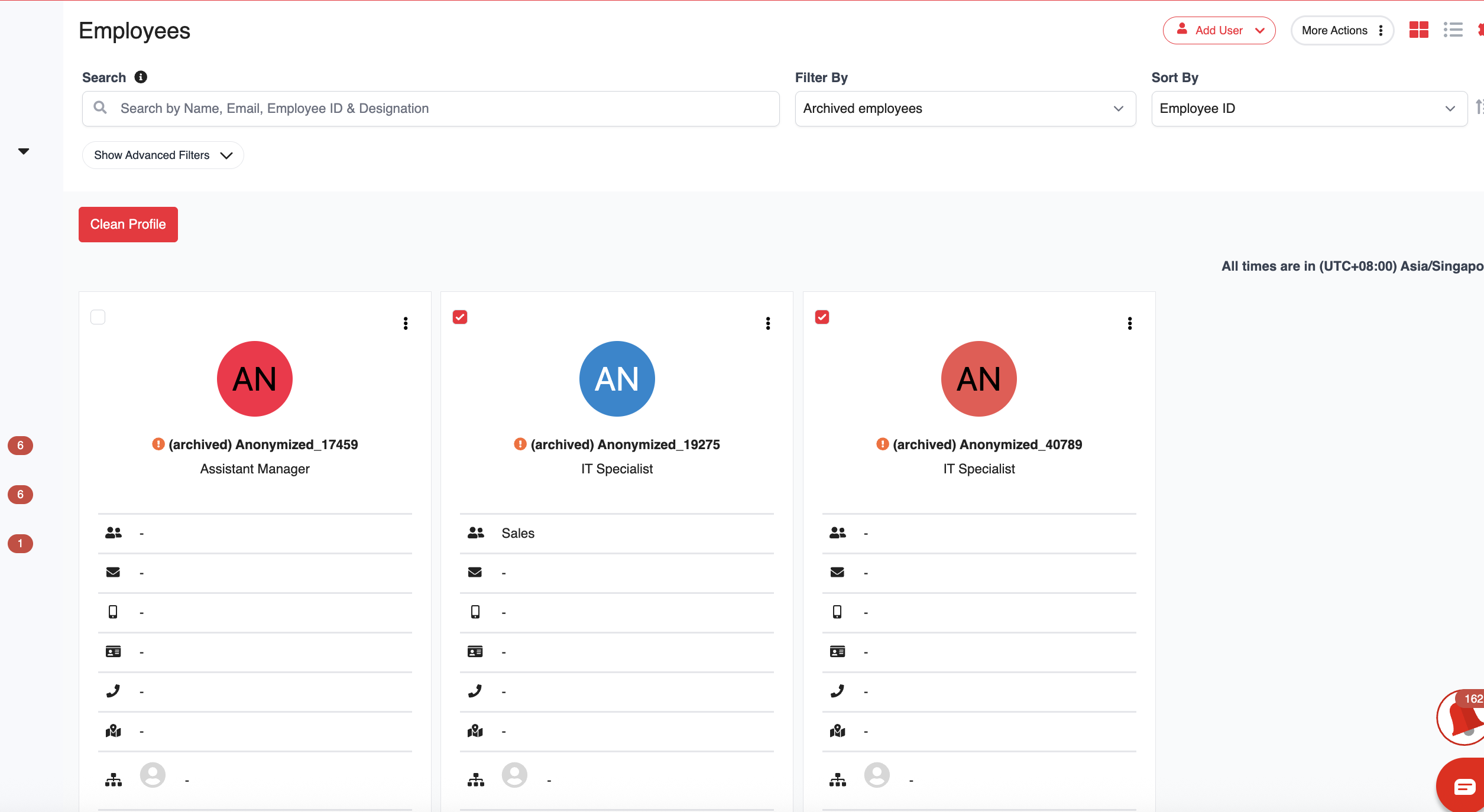
Was this article helpful?
That’s Great!
Thank you for your feedback
Sorry! We couldn't be helpful
Thank you for your feedback
Feedback sent
We appreciate your effort and will try to fix the article