1. Navigate to My Employees > Select the employee > Payroll tab.
2. Under Salary Contribution, click Edit.
3. Under that Tax Details section, check the box for Is income tax borne by employer?
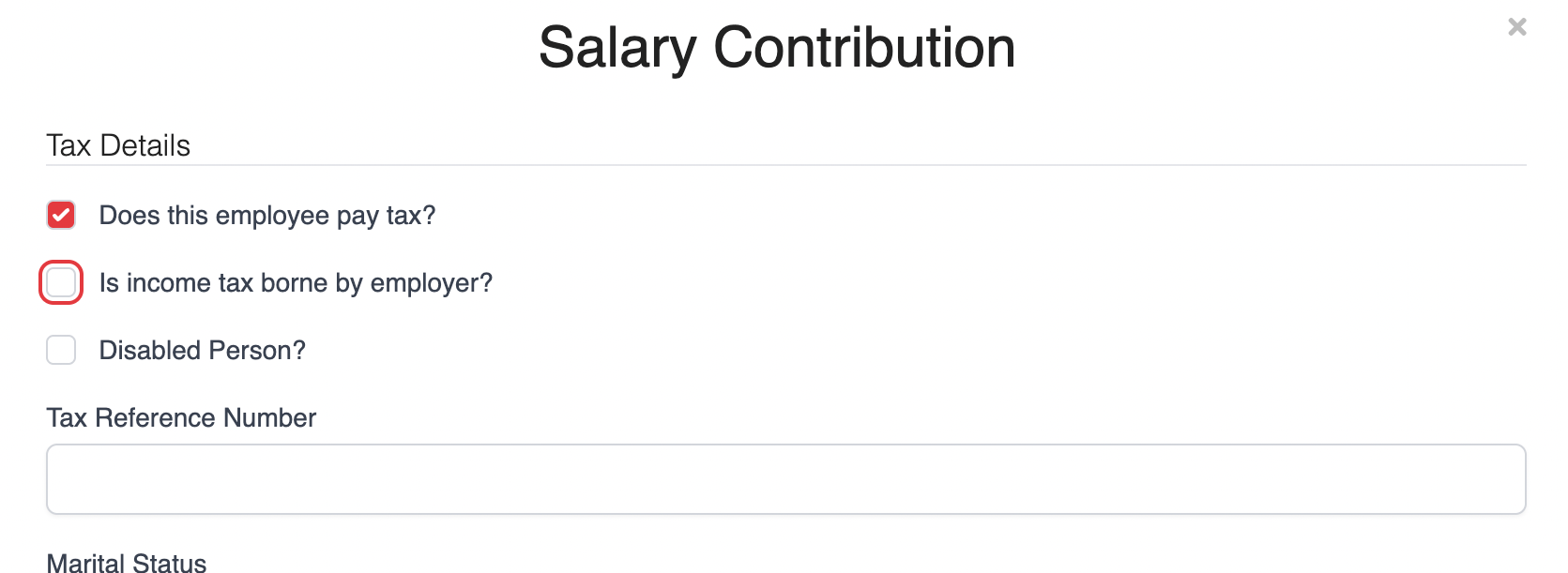
4. Review the selection and click Save at the bottom of the page to apply the changes.
Once this option is enabled, it will be reflected accordingly in payroll.
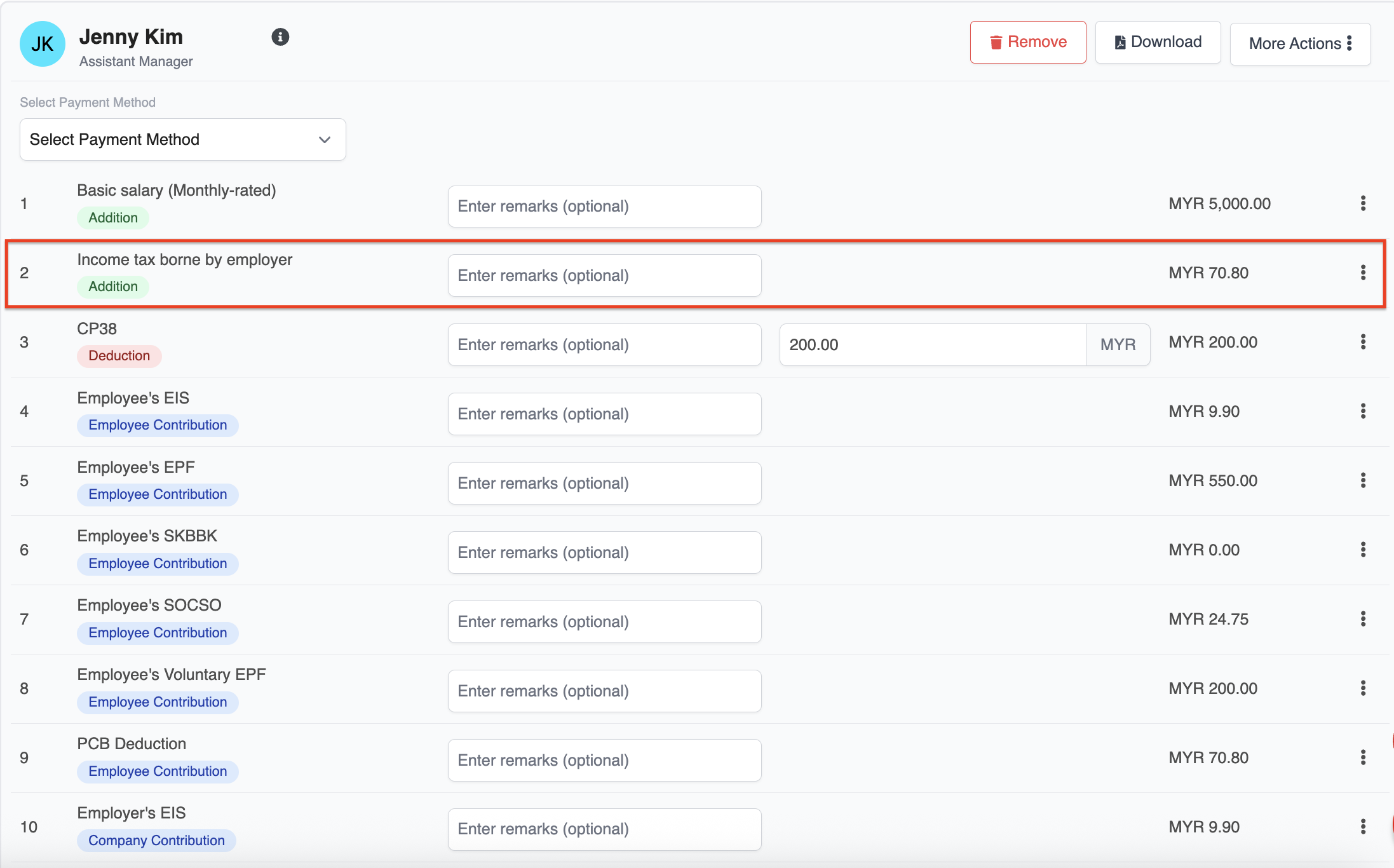
⚠️ Important Note: Please ensure this setting is enabled before running payroll. If payroll has already been created, you will need to recalculate the payslip for the changes to take effect.
Was this article helpful?
That’s Great!
Thank you for your feedback
Sorry! We couldn't be helpful
Thank you for your feedback
Feedback sent
We appreciate your effort and will try to fix the article