If you've already set up the employee's bank details but they are not reflected in the payroll or GIRO file, please check the following:
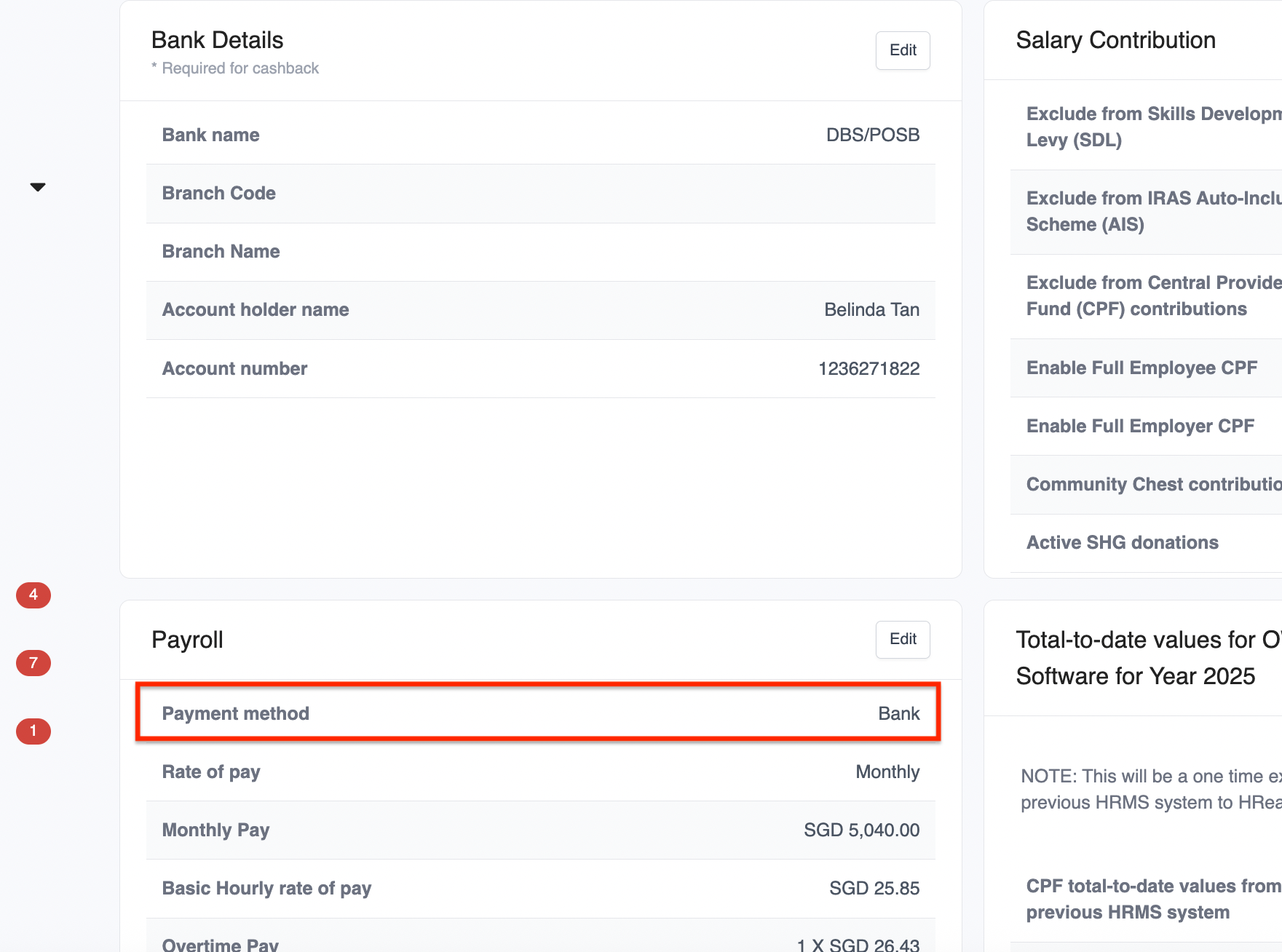
1. Ensure Payment Method is set to Bank
After entering the bank details, you must also set the payment method to Bank. Go to Employee Profile > Payroll tab > Payment Method, and select Bank.
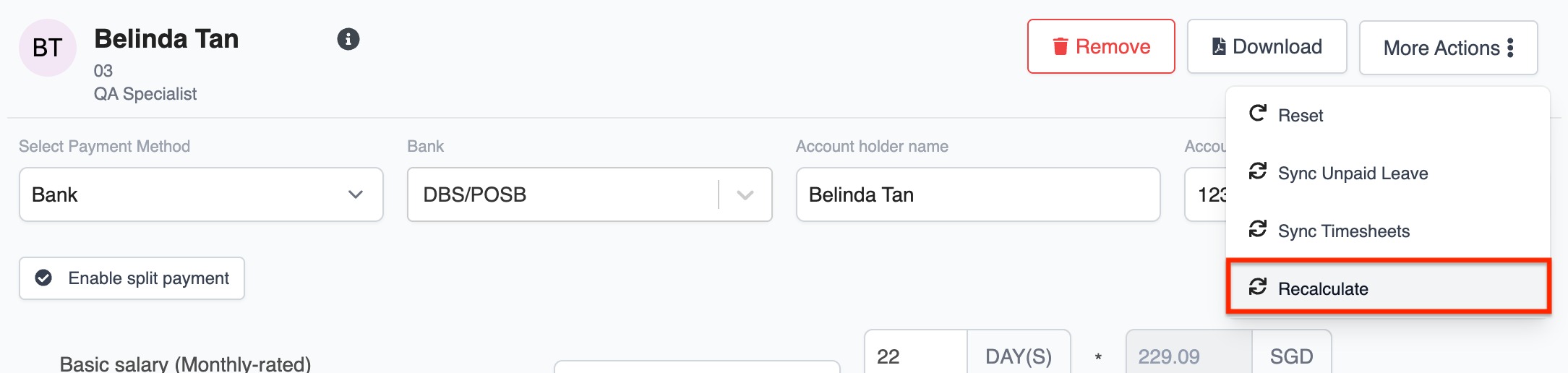
2. Recalculate the Payroll (if already created)
If the payroll was created before updating the payment method or bank details, the changes will not be reflected automatically. You will need to recalculate the employee's payslip to apply the updated information.
3. Double-check Bank Details Completeness (optional but helpful)
Make sure all required fields (e.g. bank name, account number) are properly filled in. Missing or incomplete details may prevent the information from appearing in payroll or GIRO files.
If it's still not showing after the above steps, it might be worth checking if the employee is included in the payroll or reaching out to support for a quick check.
Was this article helpful?
That’s Great!
Thank you for your feedback
Sorry! We couldn't be helpful
Thank you for your feedback
Feedback sent
We appreciate your effort and will try to fix the article