1. Go to Payroll > Team Payroll > select any payroll, whether draft or complete > select Download Bank file.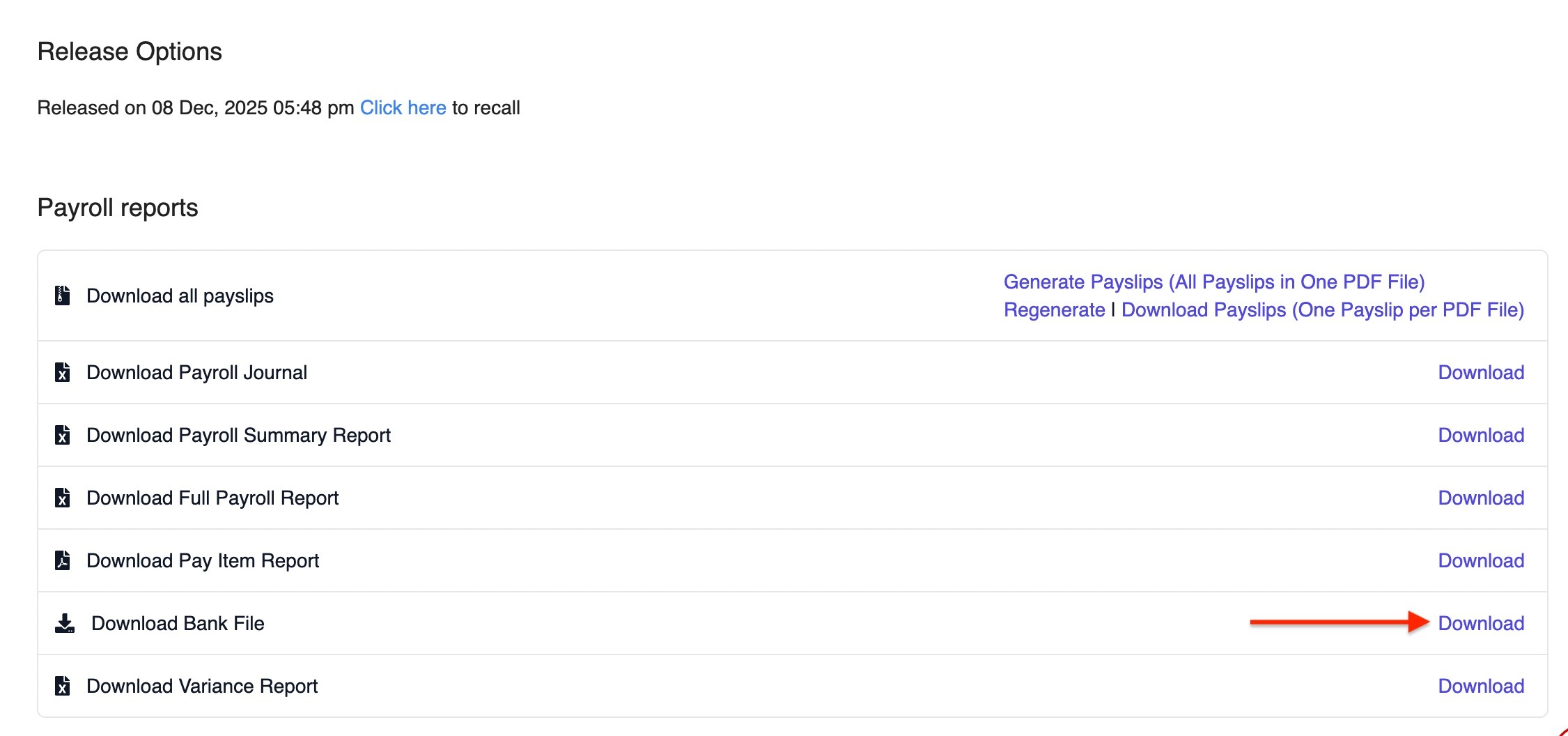
2. A pop-up will appear. Fill in the required details:
- Bank: MBSB BANK BERHAD
- File Type: GIRO File
- Account Holder Name: Your company name
- Account Number: Bank account number
- Value Date: The date the bank should process the salary payment
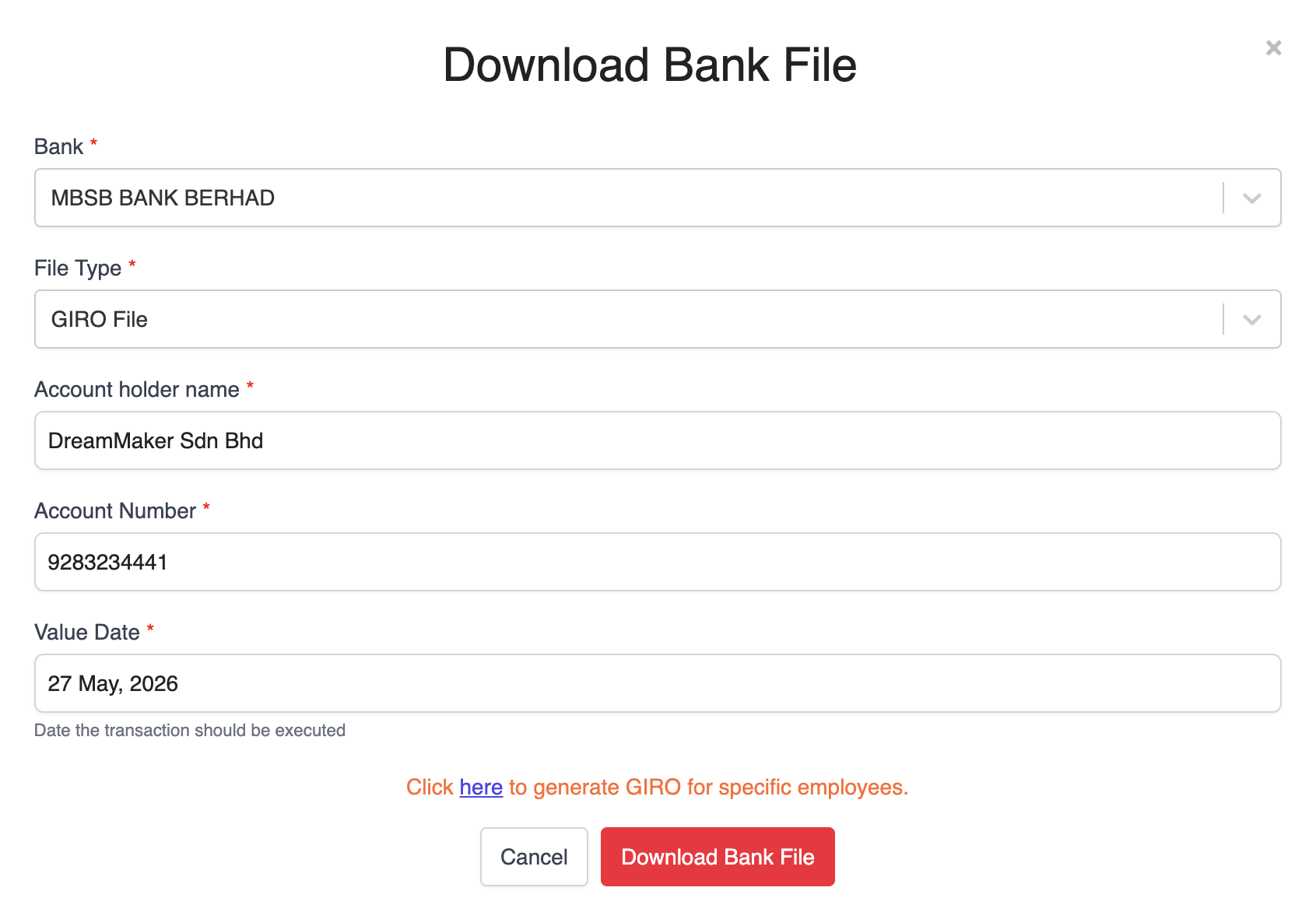
3. Once all details are filled in, click Download Bank File.
Submitting the GIRO File to MBSB Bank
1. Login to M JOURNEY Corporate.
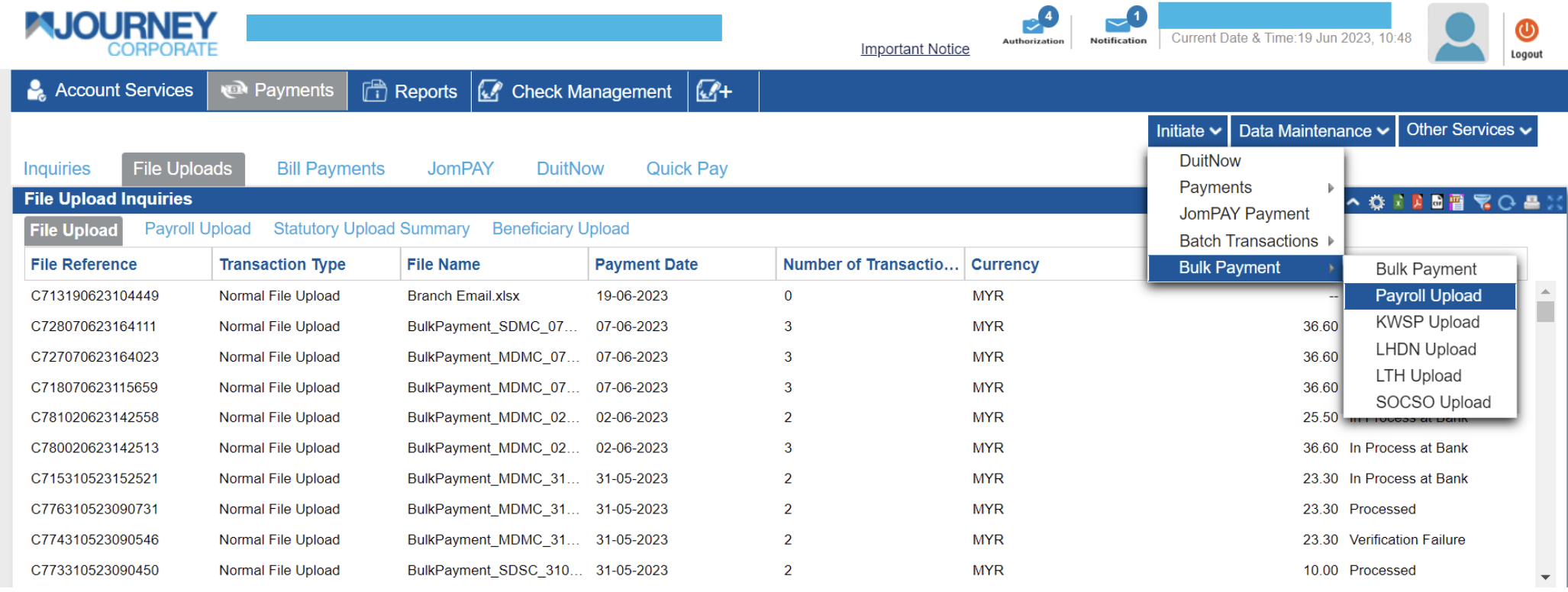
2. From the menu, click Payment > Initiate > Payroll Upload.
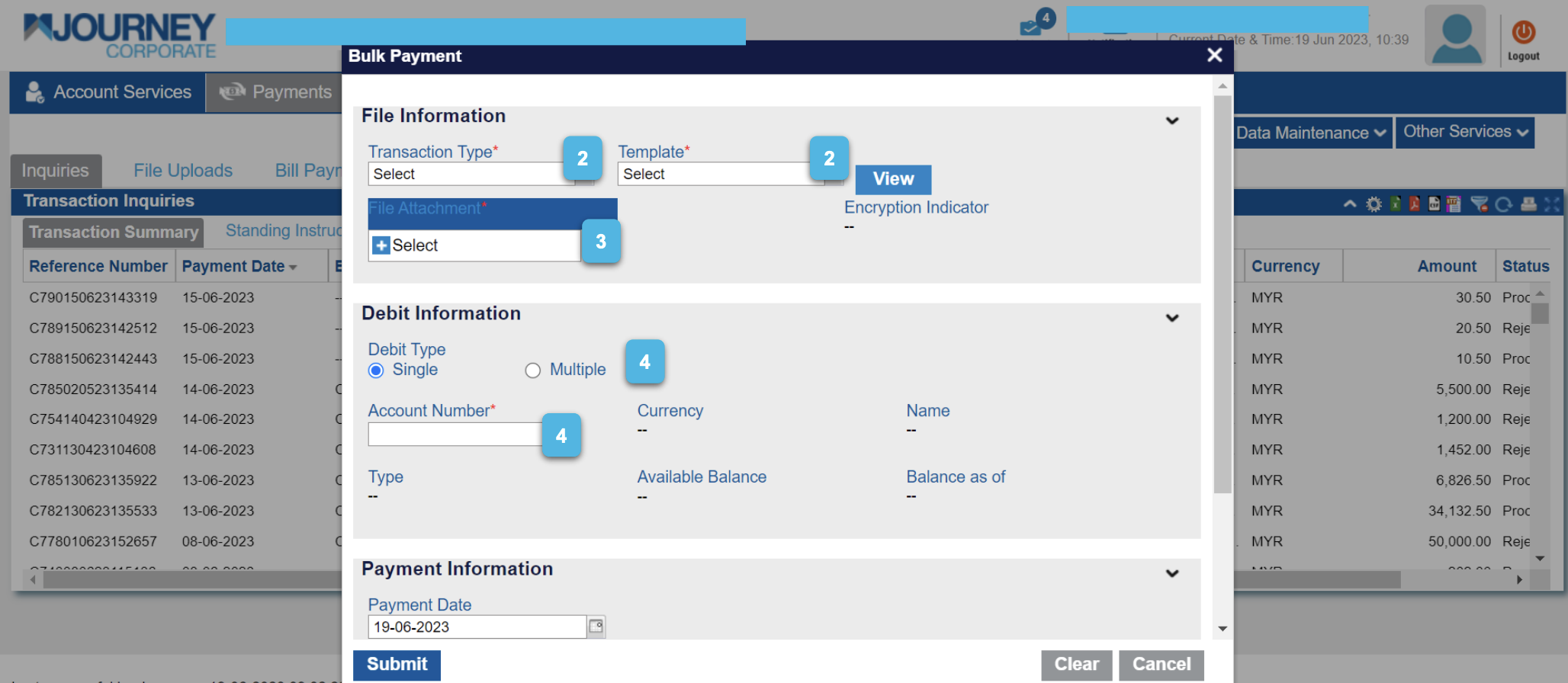
3. Complete the required payment details:
- Select the Transaction Type.
- Select the Template from the dropdown list.
- Click Select to upload the GIRO file.
- Under Debit Information, select the Debit Type and the Account Number.
- Under Payment Information, select the Payment Date.
- Click Submit.
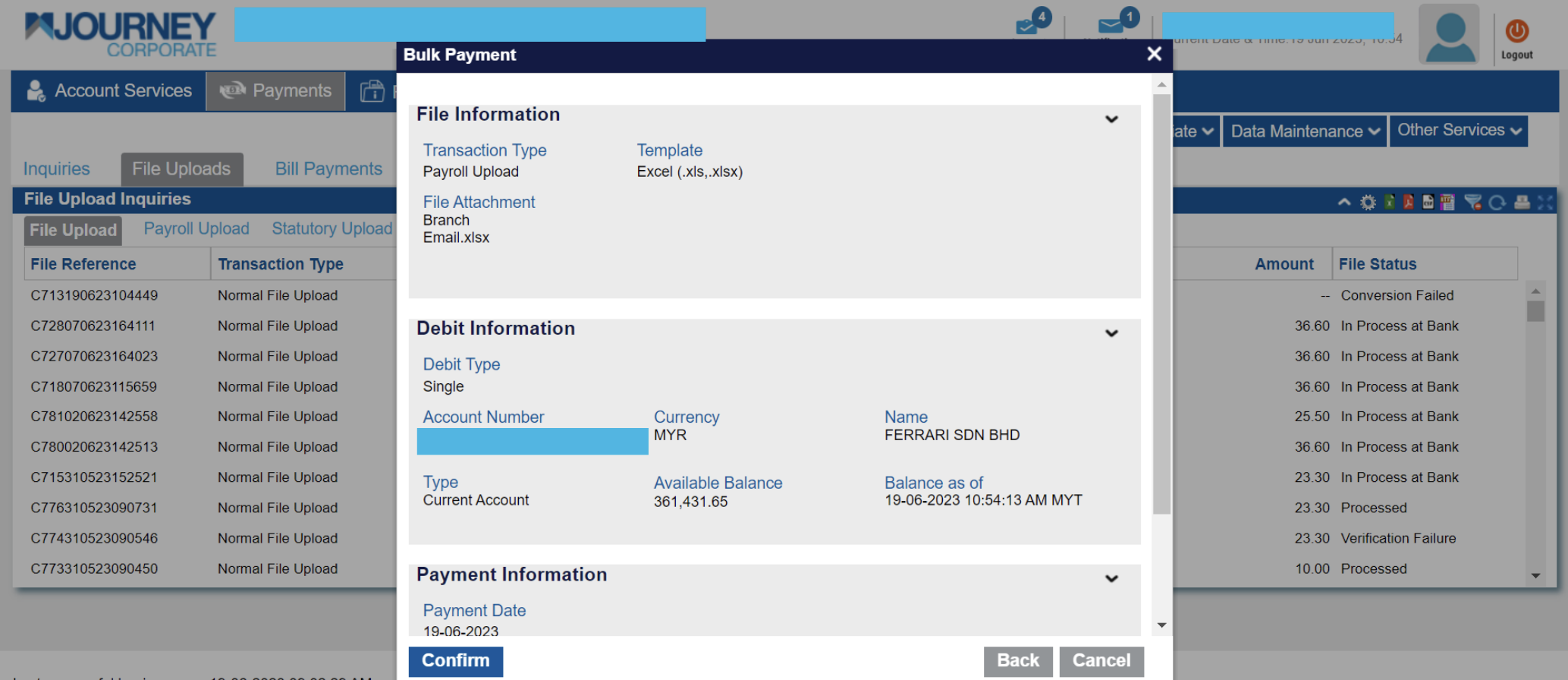
4. Review the payment details to ensure they are correct, then click Confirm.
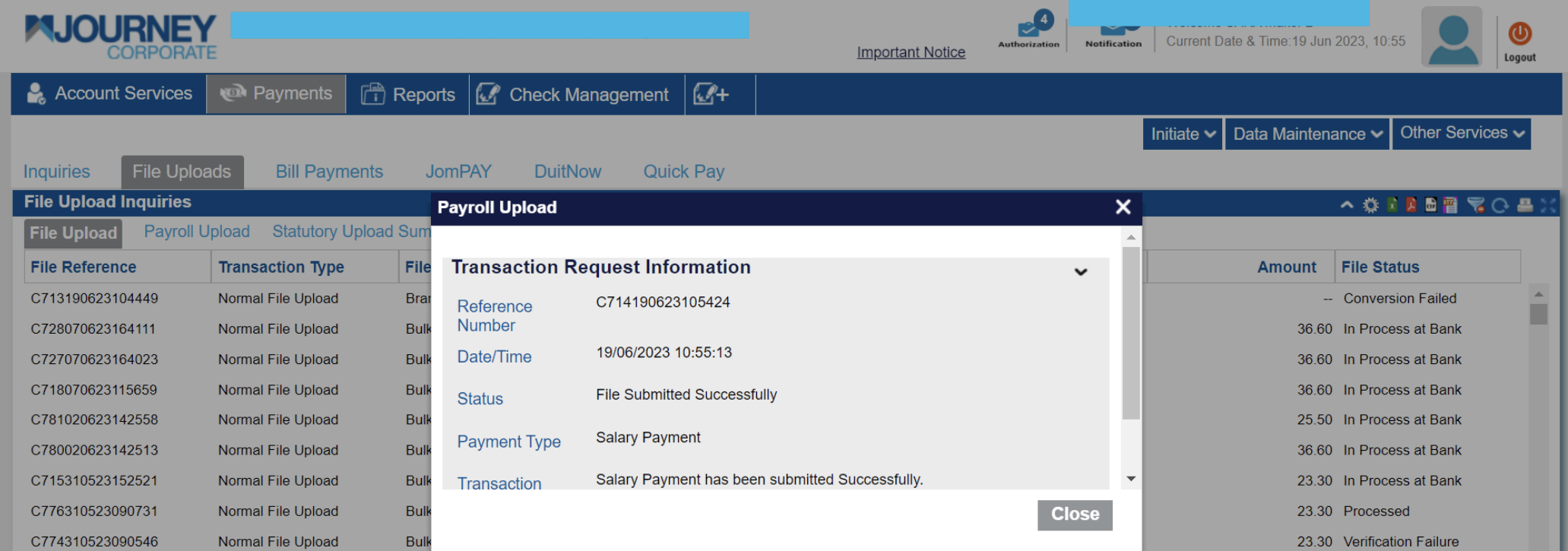
5. A confirmation message will appear, indicating that the transaction request has been submitted successfully.
For more information, refer to the official MBSB Bank user guide.
Was this article helpful?
That’s Great!
Thank you for your feedback
Sorry! We couldn't be helpful
Thank you for your feedback
Feedback sent
We appreciate your effort and will try to fix the article