Follow the steps below to review and take action on an employee's overtime request:
1. Go to Timesheet > My Timesheet > Overtime Request.
2. Click on the employee's overtime request to view the details.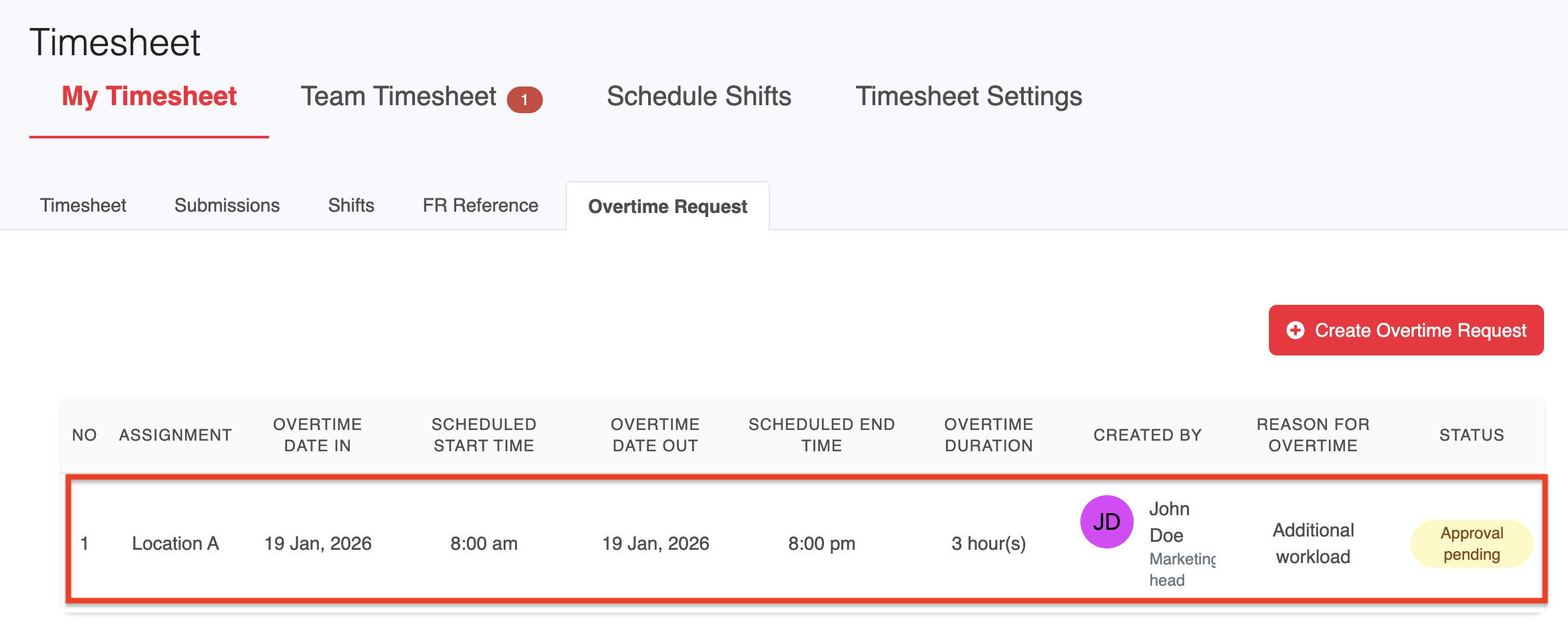
3. Select Approve, Reject, or Reassign the request as appropriate based on your review.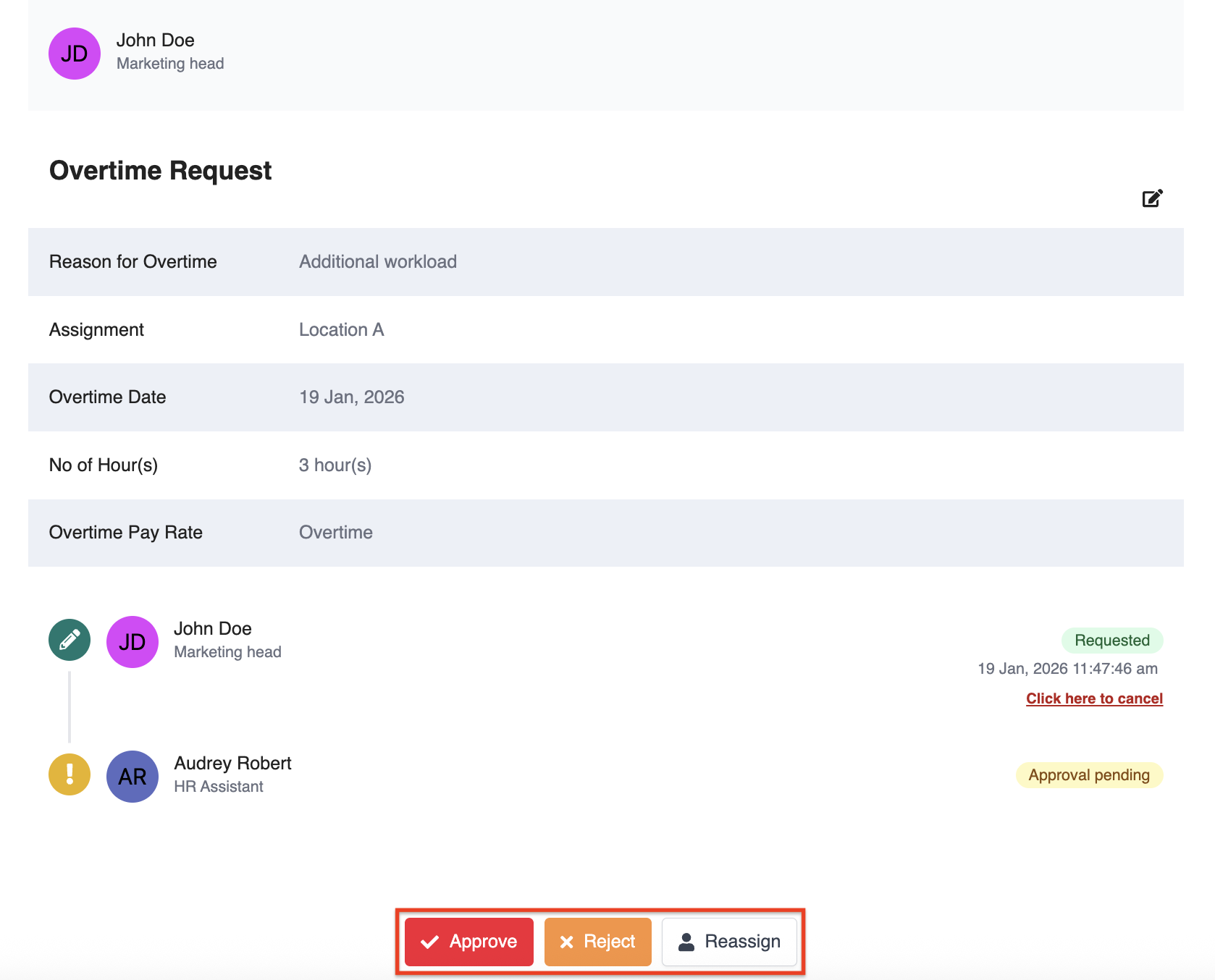
Once approved, the overtime will be added to the timesheet and will be synced to payroll when the timesheet is submitted.
Was this article helpful?
That’s Great!
Thank you for your feedback
Sorry! We couldn't be helpful
Thank you for your feedback
Feedback sent
We appreciate your effort and will try to fix the article