Set up how employees can submit overtime requests and how overtime will be managed and paid. These settings will apply to all employees in the company.
1. Go to Timesheet > Timesheet Settings > Settings > Advance Settings.
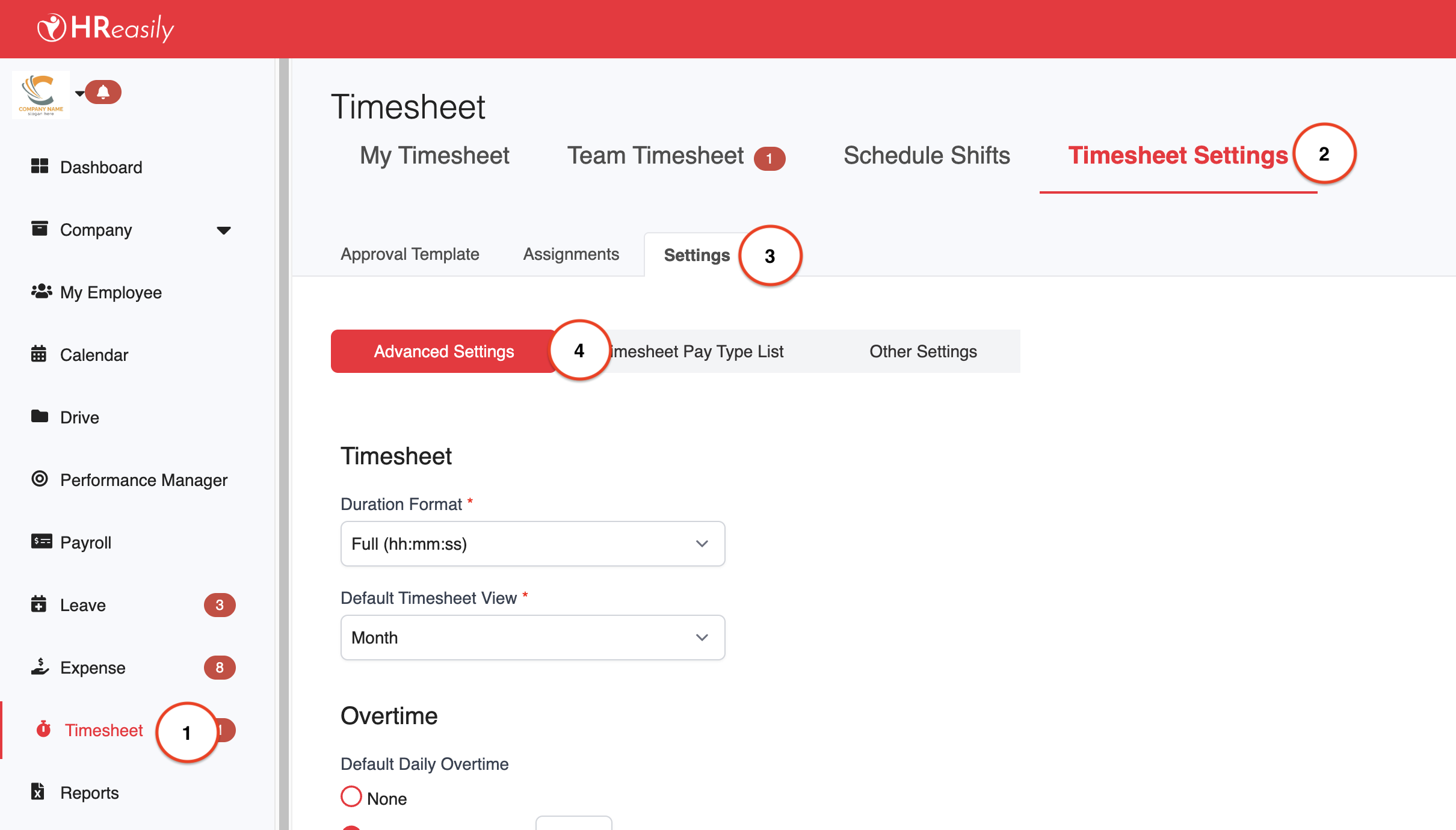
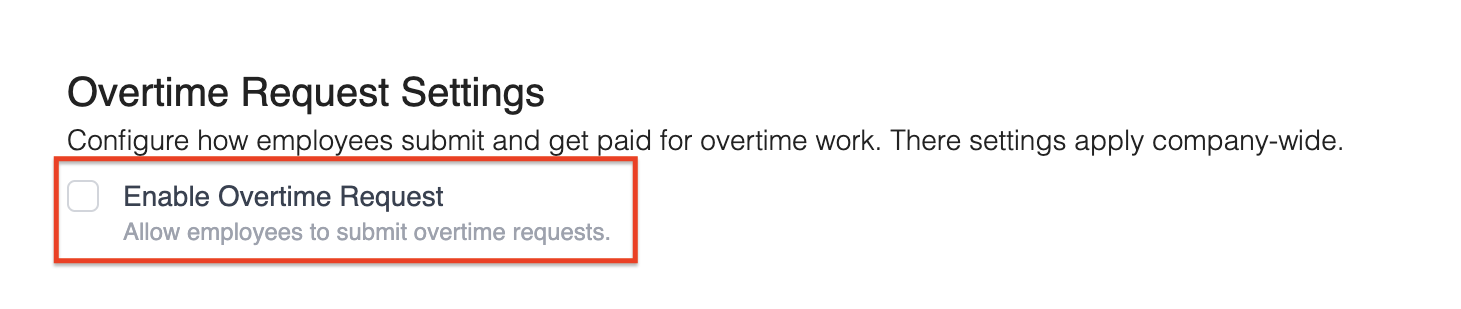
2. Scroll down to the Overtime Request Settings section. Toggle Enable Overtime Request to allow employees to submit overtime requests. Once enabled, employees will be able to view and use the overtime request feature in their accounts.
3. Turn on Allow Employee Rate Selection if you want employees to be able to choose the applicable overtime rate when submitting their request. If this is disabled, the system or admin will determine the rate automatically based on your payroll settings.

4. Click Save to apply and activate your configuration.
Additional References:
Was this article helpful?
That’s Great!
Thank you for your feedback
Sorry! We couldn't be helpful
Thank you for your feedback
Feedback sent
We appreciate your effort and will try to fix the article