This feature allows users to send the WHT Certificate (Withholding Tax Certificate) directly to an employee's email from the system.
Sending WHT Certificates to Employees
Follow these steps to send WHT certificates from the system:
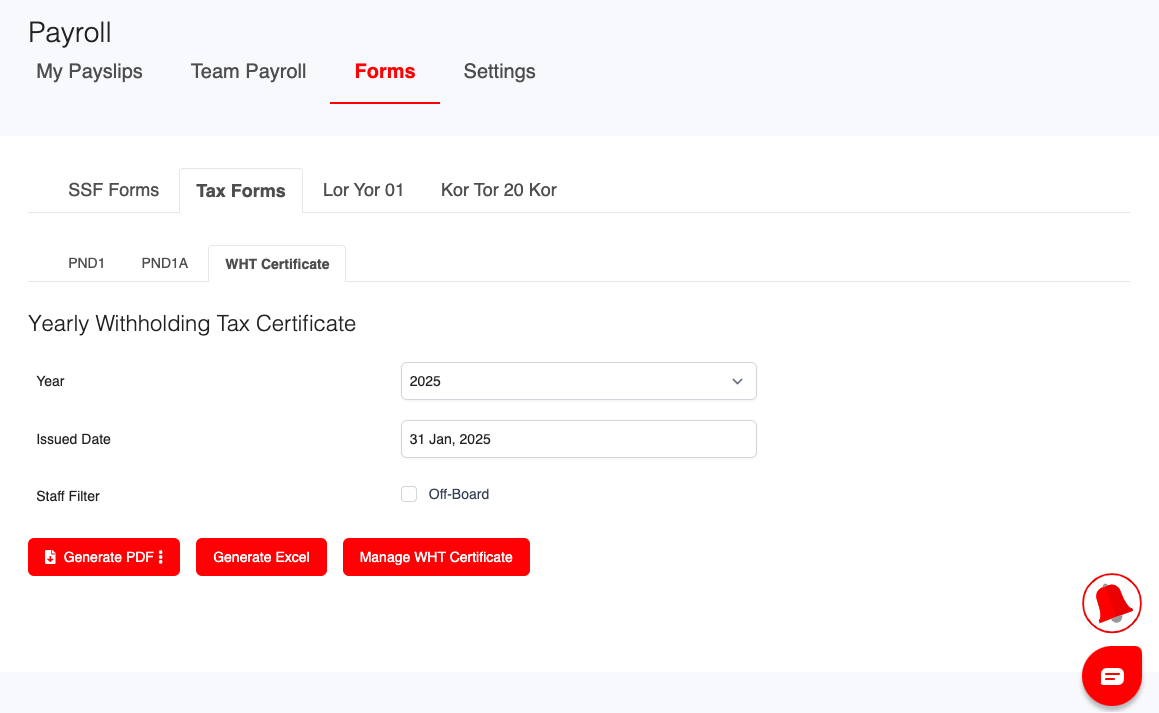
1. Navigate to WHT Certificate from the main menu.
2. Select the relevant details:
- Year
- Issued Date
- Staff Filter (optional)
3. Click Manage WHT Certificate to view available actions.
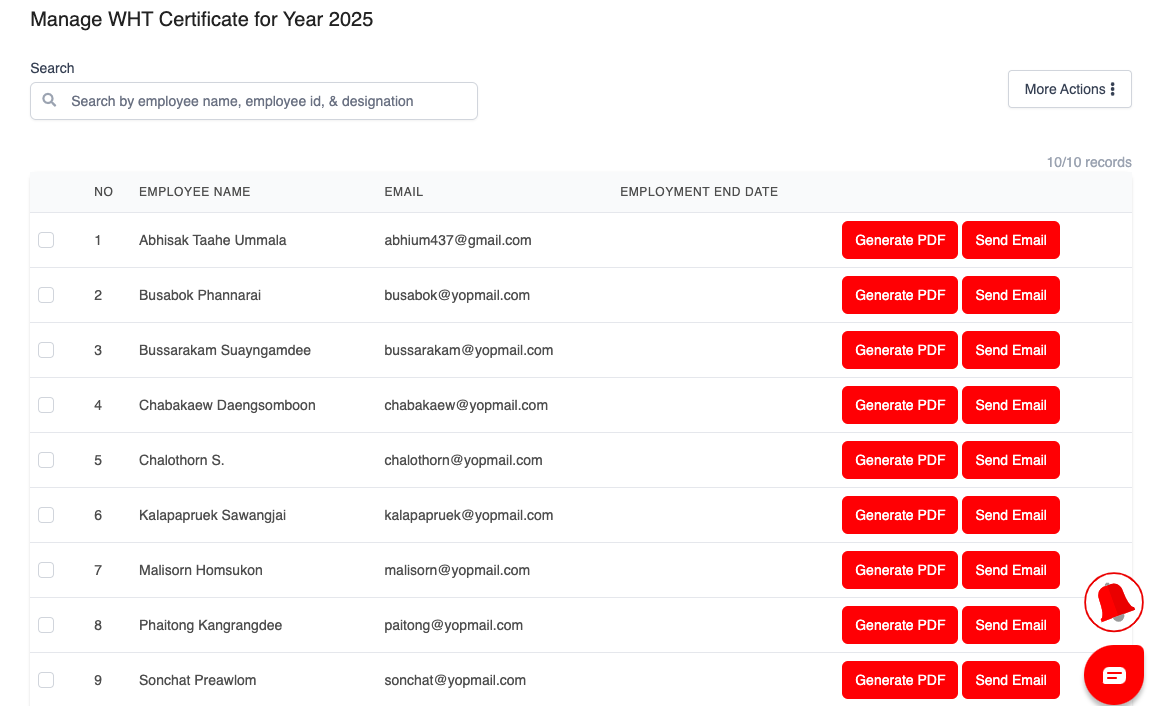
4. Click Send Email next to the employee's name.
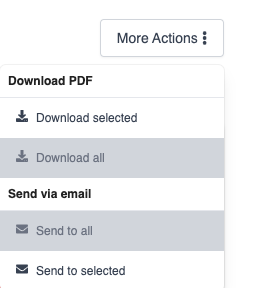
5. Use More Actions for batch operations:
- No employees selected:
- Download All
- Send to All
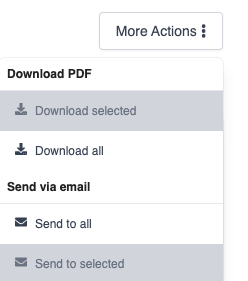
- Selected employees (checkbox ticked):
- Download Selected
- Send to Selected
Password Settings for WHT Certificates
WHT certificate files may be password-protected based on each employee’s payroll settings.
1. Go to: Employee Profile > Payroll > Payslip Notification Settings
Available Options:
- Notification Only: Employee receives a notification without any attachment.
- Default Passworded Payslip: File is protected using a system-generated default password.
- Custom Passworded Payslip: File is protected using a password set for the employee.
The system will automatically apply the correct password setting when sending WHT certificates.
Was this article helpful?
That’s Great!
Thank you for your feedback
Sorry! We couldn't be helpful
Thank you for your feedback
Feedback sent
We appreciate your effort and will try to fix the article