For companies that use both Kiosk Timing and Mobile Timing, you can configure specific groups of employees to use only their designated timing method.
This can be configured through the employees' Work Week settings.
1. Clone the existing Work Week.
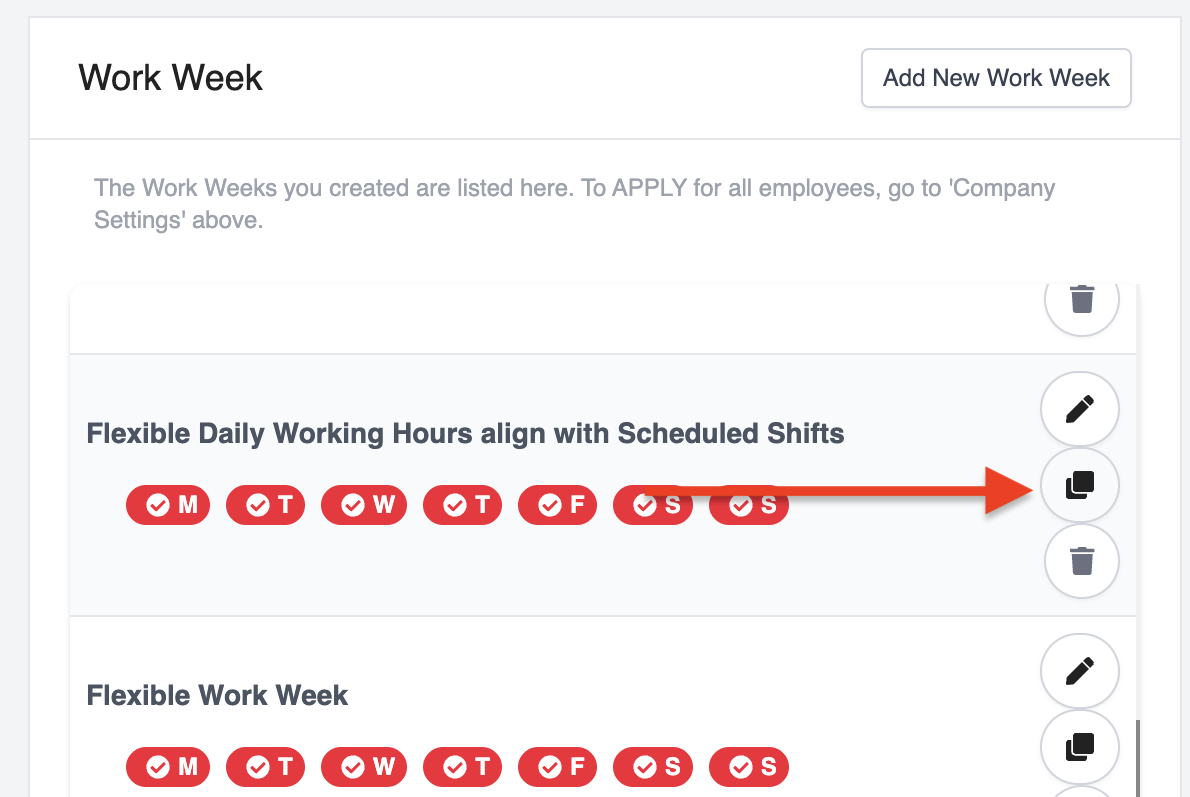
2. Edit the cloned Work Week. Scroll until you see Advance Timesheet Settings and untick Allow employees to start and end shift from mobile app?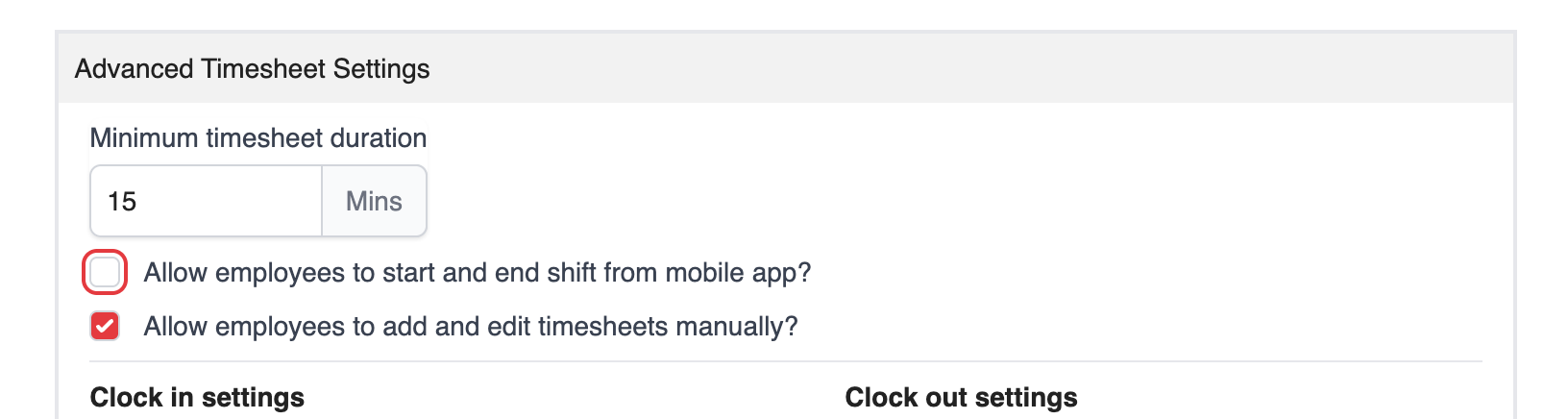
3. Save the changes.
Once this option is disabled, the Start Shift button will no longer be available in the employee's mobile app.
The employee will only be able to record their attendance through the Kiosk (admin device).
Was this article helpful?
That’s Great!
Thank you for your feedback
Sorry! We couldn't be helpful
Thank you for your feedback
Feedback sent
We appreciate your effort and will try to fix the article