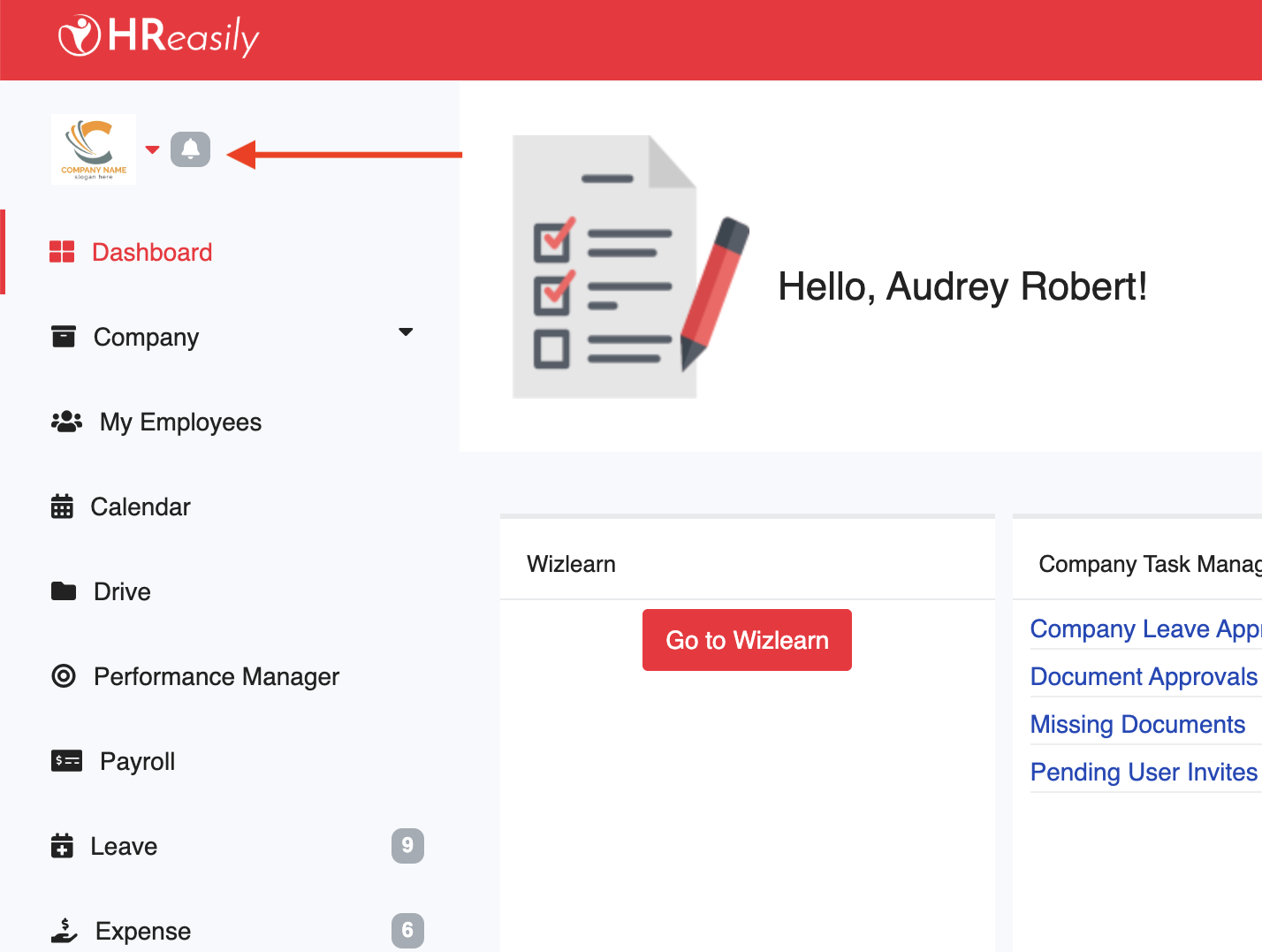
From the dashboard, click the company logo in the top left corner to expand the list of available subsidiaries.
Select the account you want to switch to.
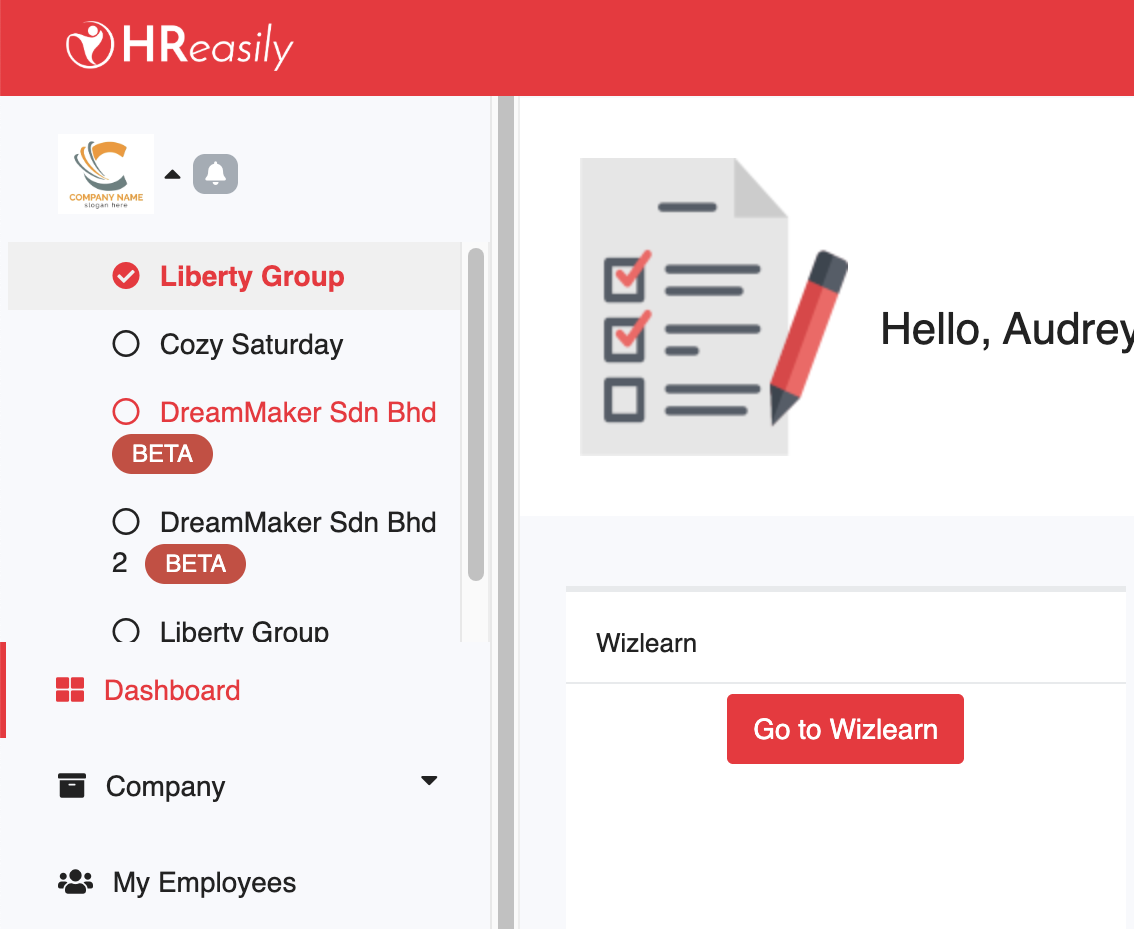
The system will automatically switch you to the selected account.
Was this article helpful?
That’s Great!
Thank you for your feedback
Sorry! We couldn't be helpful
Thank you for your feedback
Feedback sent
We appreciate your effort and will try to fix the article