Shared expense limits allow multiple expense types to draw from the same maximum limit. Instead of assigning separate limits to each expense type, you can configure them to share a single combined limit, helping you better control employees' claim entitlements across related expenses.
Follow the steps below to set up a shared expense limit:
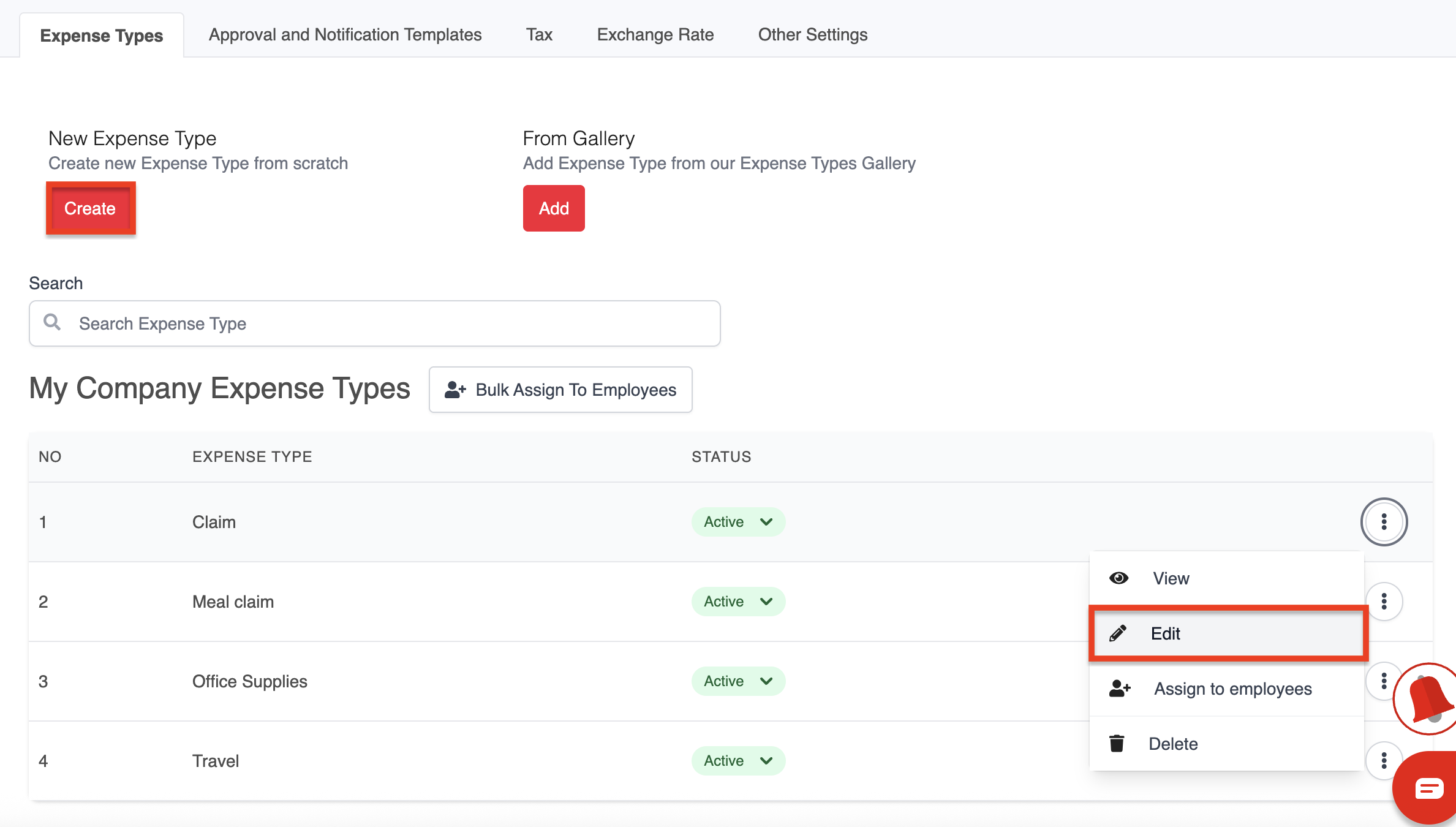
1. Go to Expense > Expense Settings > Expense Type.
2. Click Create to create a new expense type, or edit an existing expense type.
3. Tick Allow Shared Expense Limit.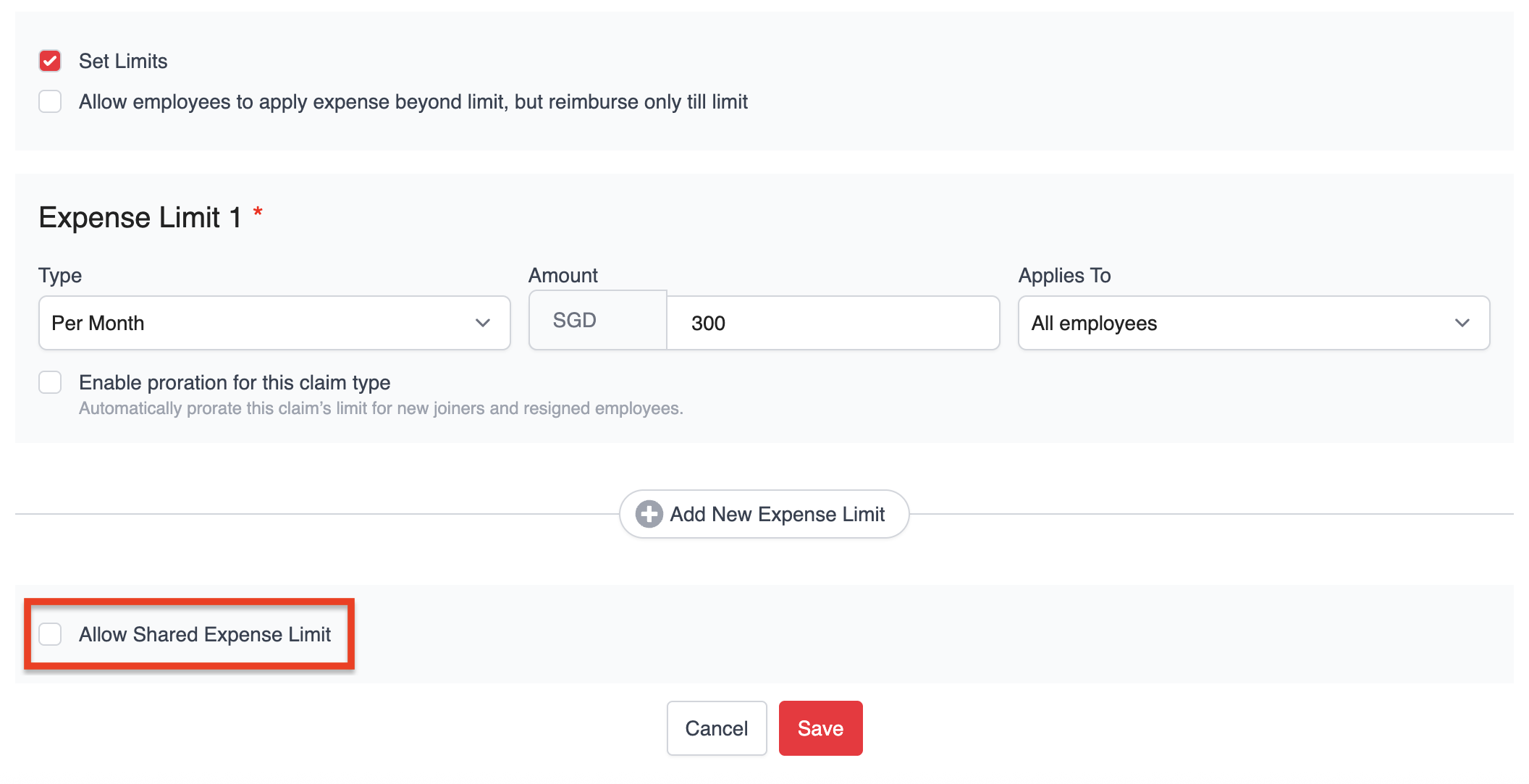
4. Under Shared Limit Configuration:
- Select the expense type that you want to share the limit with.
- Enter the maximum total shared limit that can be claimed across both expense types.
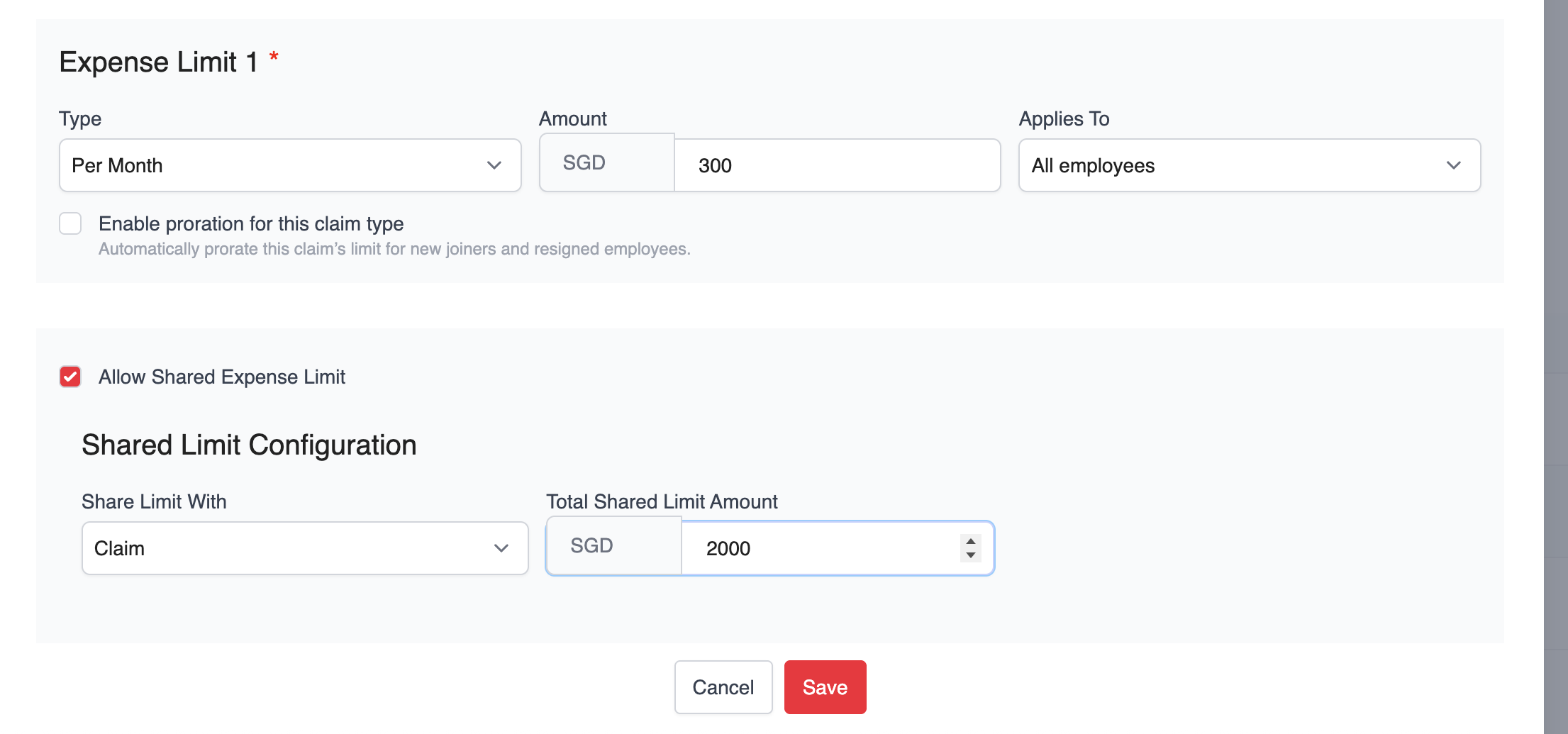
5. Click Save to apply the changes.
Was this article helpful?
That’s Great!
Thank you for your feedback
Sorry! We couldn't be helpful
Thank you for your feedback
Feedback sent
We appreciate your effort and will try to fix the article