If your company processes payroll in multiple currencies, you can configure exchange rates to ensure payroll calculations use the appropriate conversion rate. You can either use automatically updated exchange rates or set a custom rate manually.
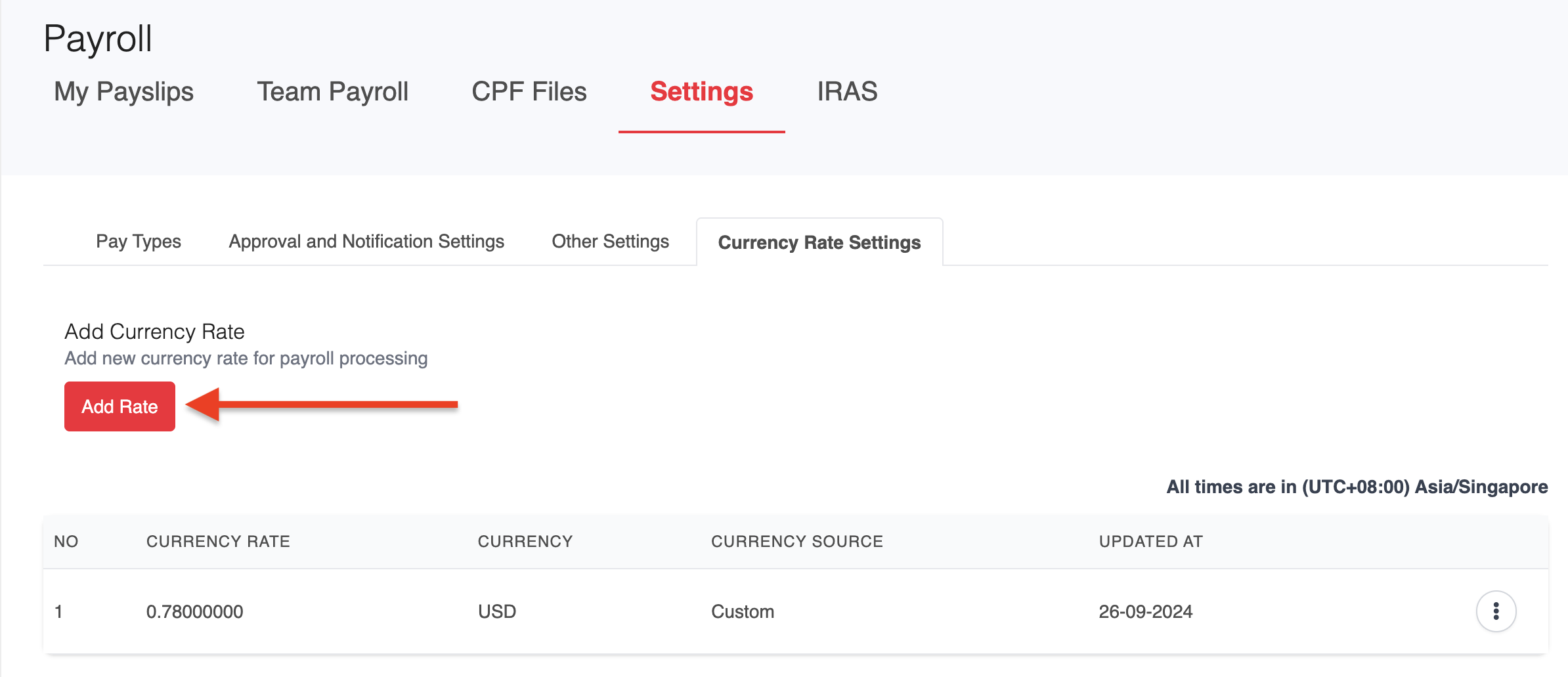
1. Navigate to Payroll > Settings > Currency Rate Settings.
2. Click Add Rate.
3. Select your preferred Currency and choose the Currency Source:
- Automatic: Uses the latest available exchange rate.
- Custom: Enter your own exchange rate manually.
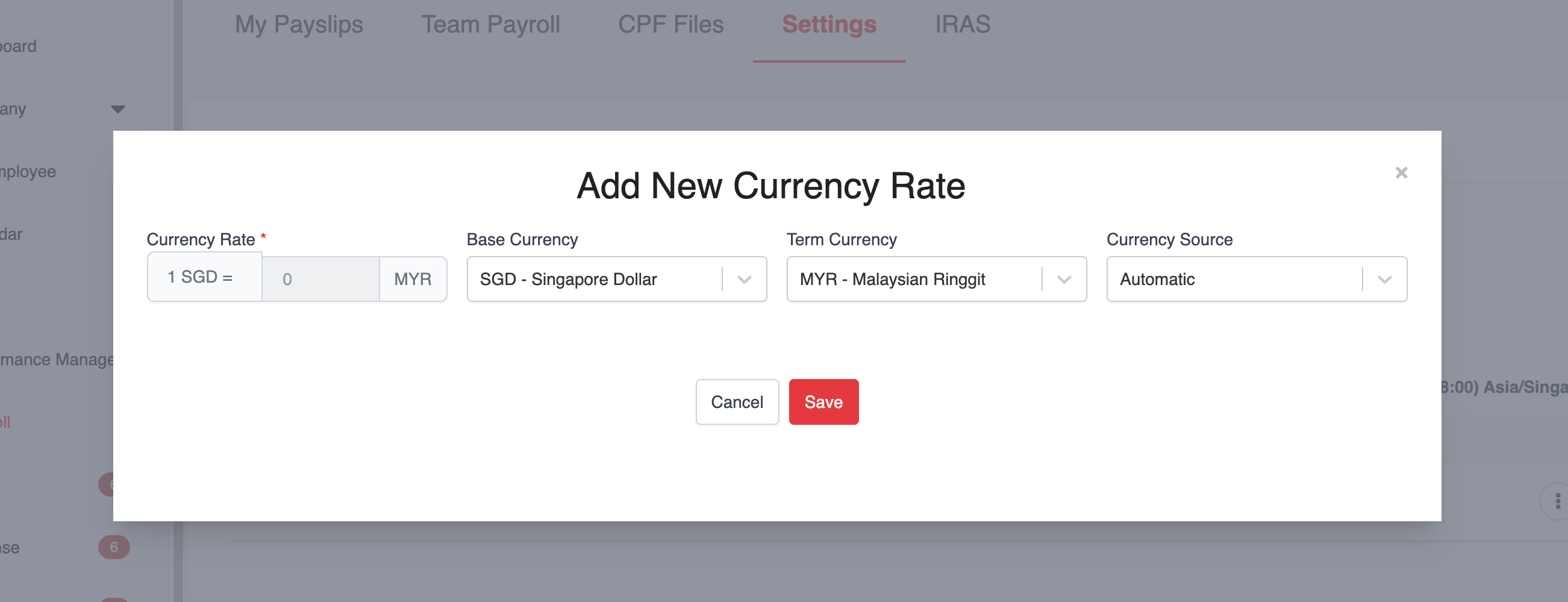
4. Once done, save your changes.
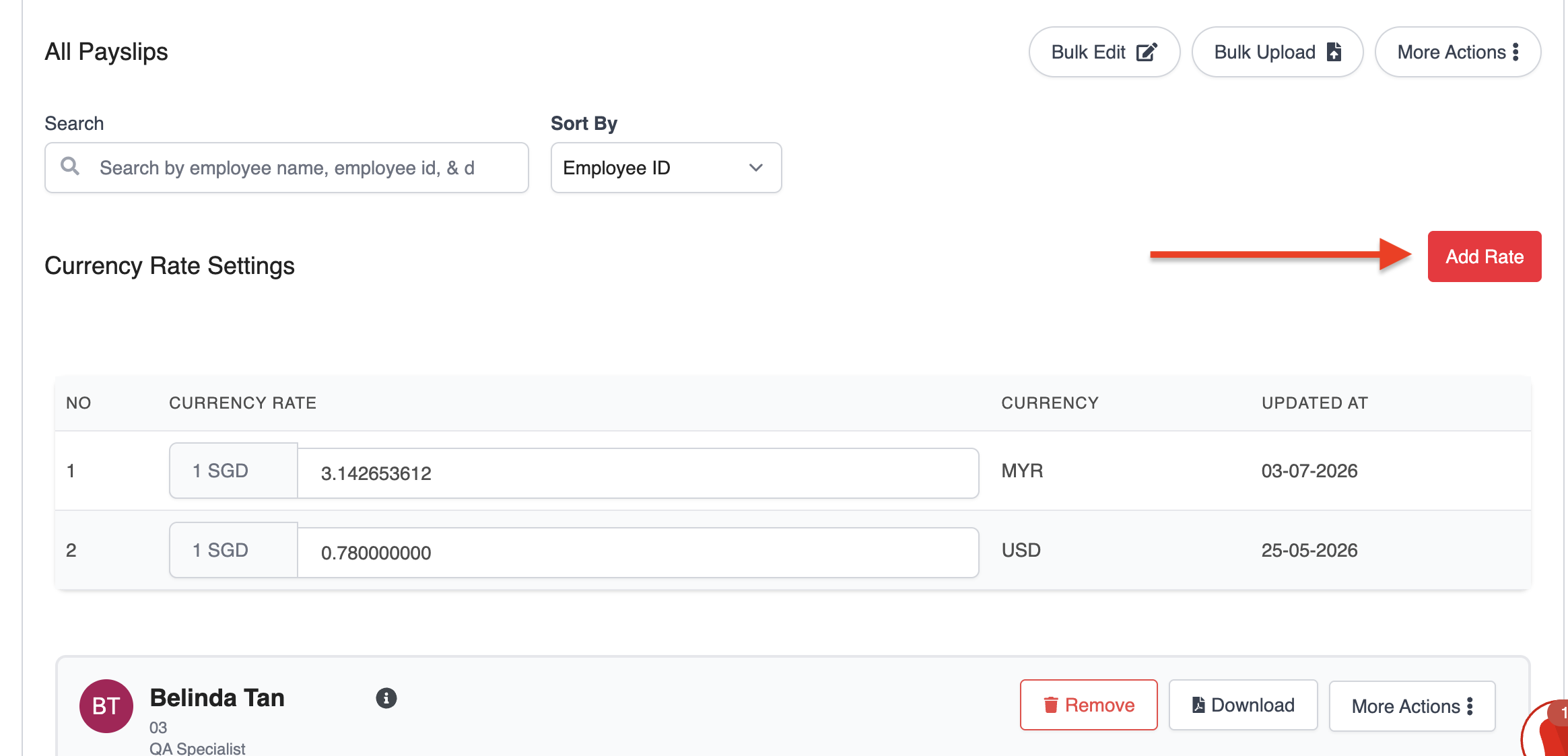
You can also add a currency directly while processing payroll.
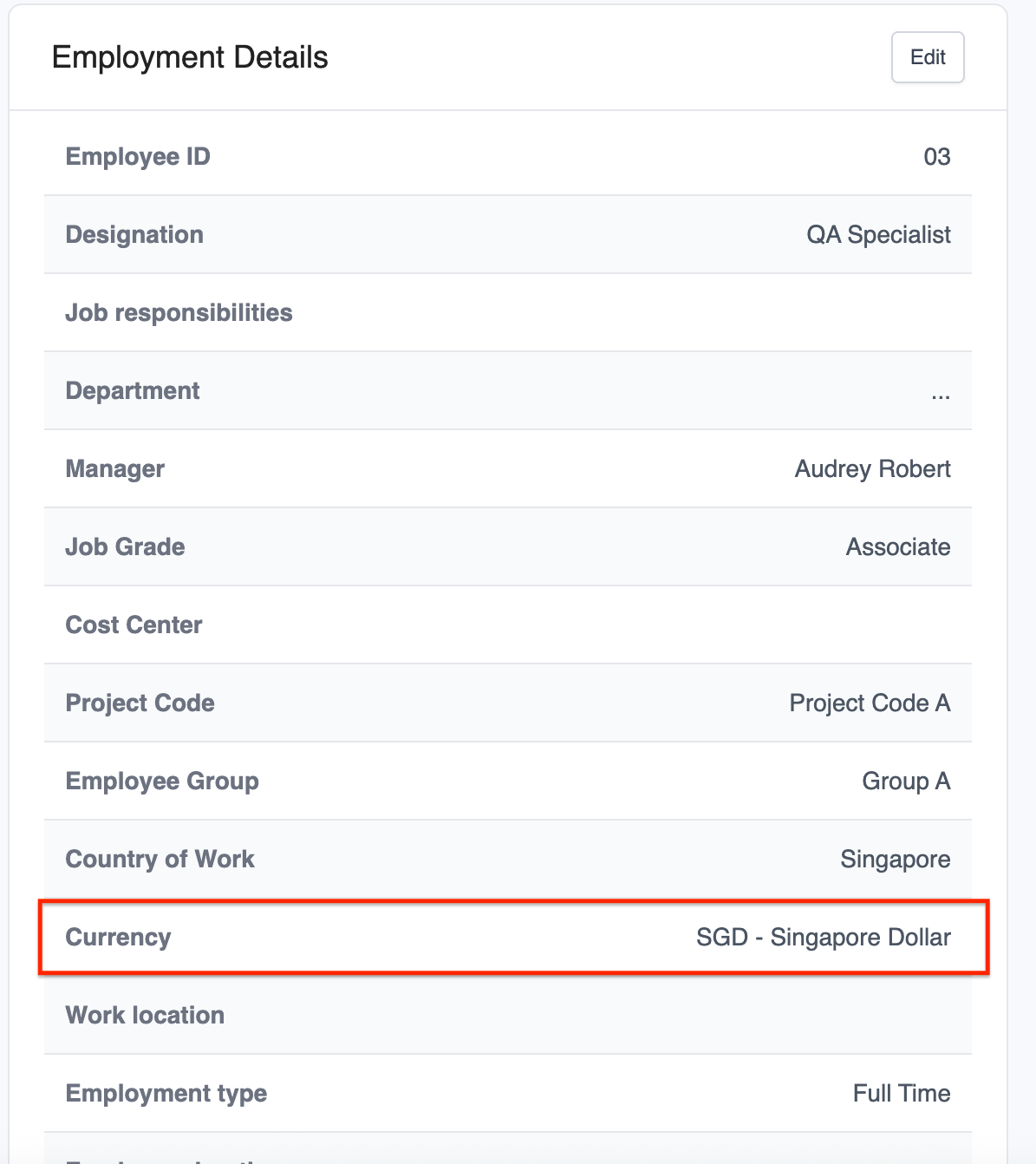
To assign a currency to an employee, go to Staff > Employment and select the desired currency.
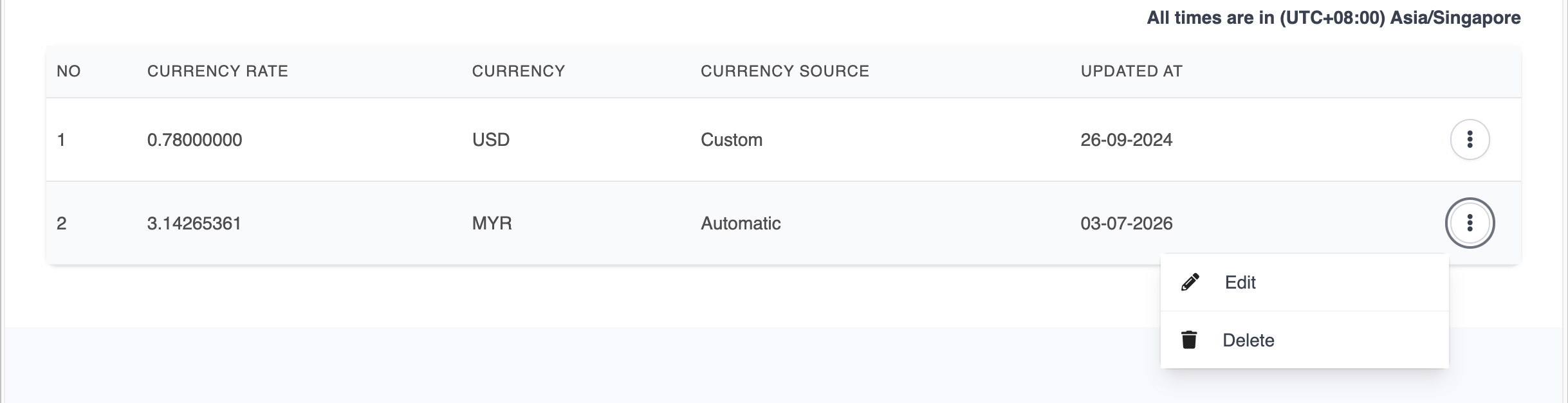
To edit or delete an existing currency rate, click the three-dot (⋮) menu next to the currency and choose the appropriate action.
Was this article helpful?
That’s Great!
Thank you for your feedback
Sorry! We couldn't be helpful
Thank you for your feedback
Feedback sent
We appreciate your effort and will try to fix the article