Provident Fund (PVF) rounding is disabled by default. If you need this feature for your payroll, please contact our support team to activate it.
Once enabled, follow these steps:
1. Go to Payroll > Settings > PVF Calculation Settings.
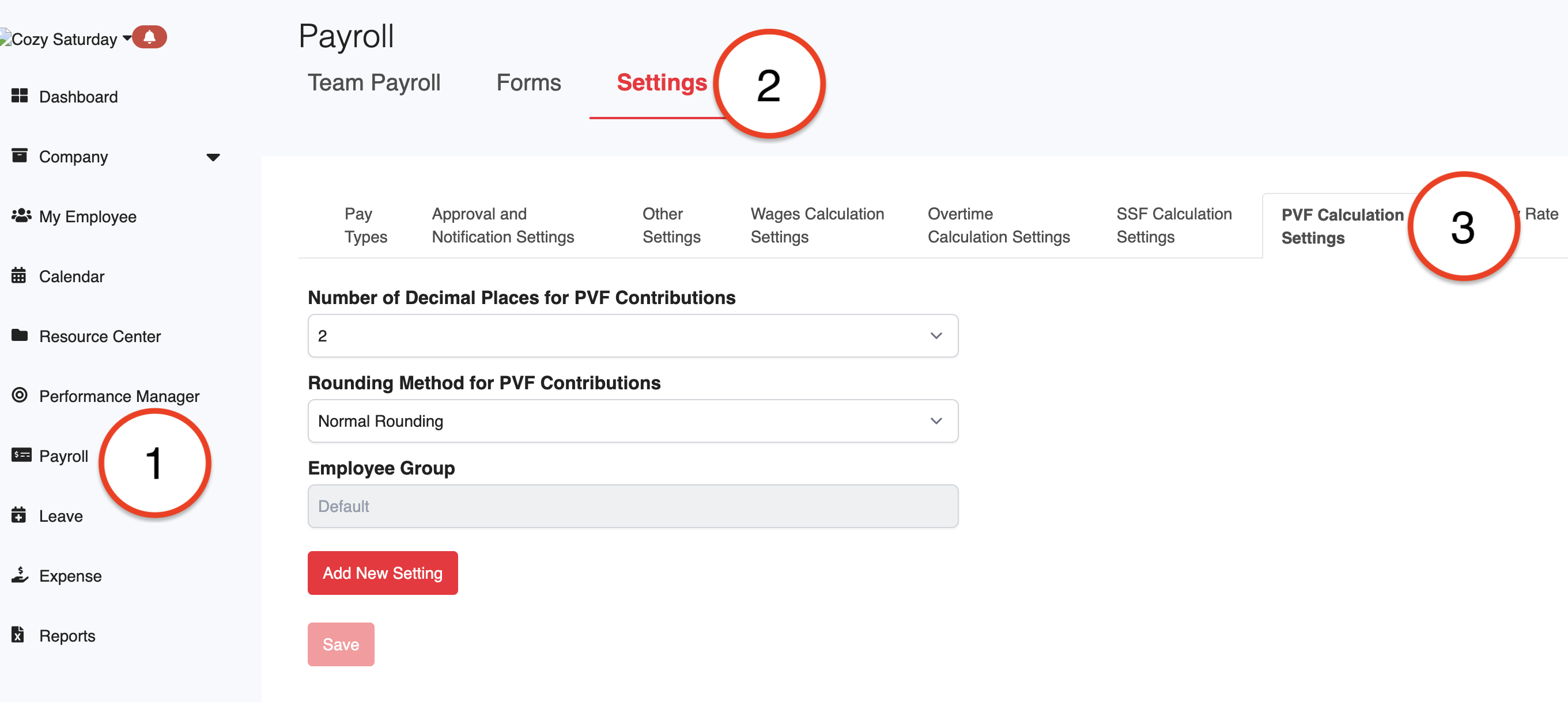
2. Enter the following details based on your reporting requirements:
Number of Decimal Places: Choose 0, 1, or 2 from the dropdown menu.
Rounding Method: Select how to handle decimals:
Normal Rounding: Rounds to the nearest whole number.
Rounding Up: Always rounds up.
Rounding Down: Always rounds down.
3. Click Save to apply the settings.
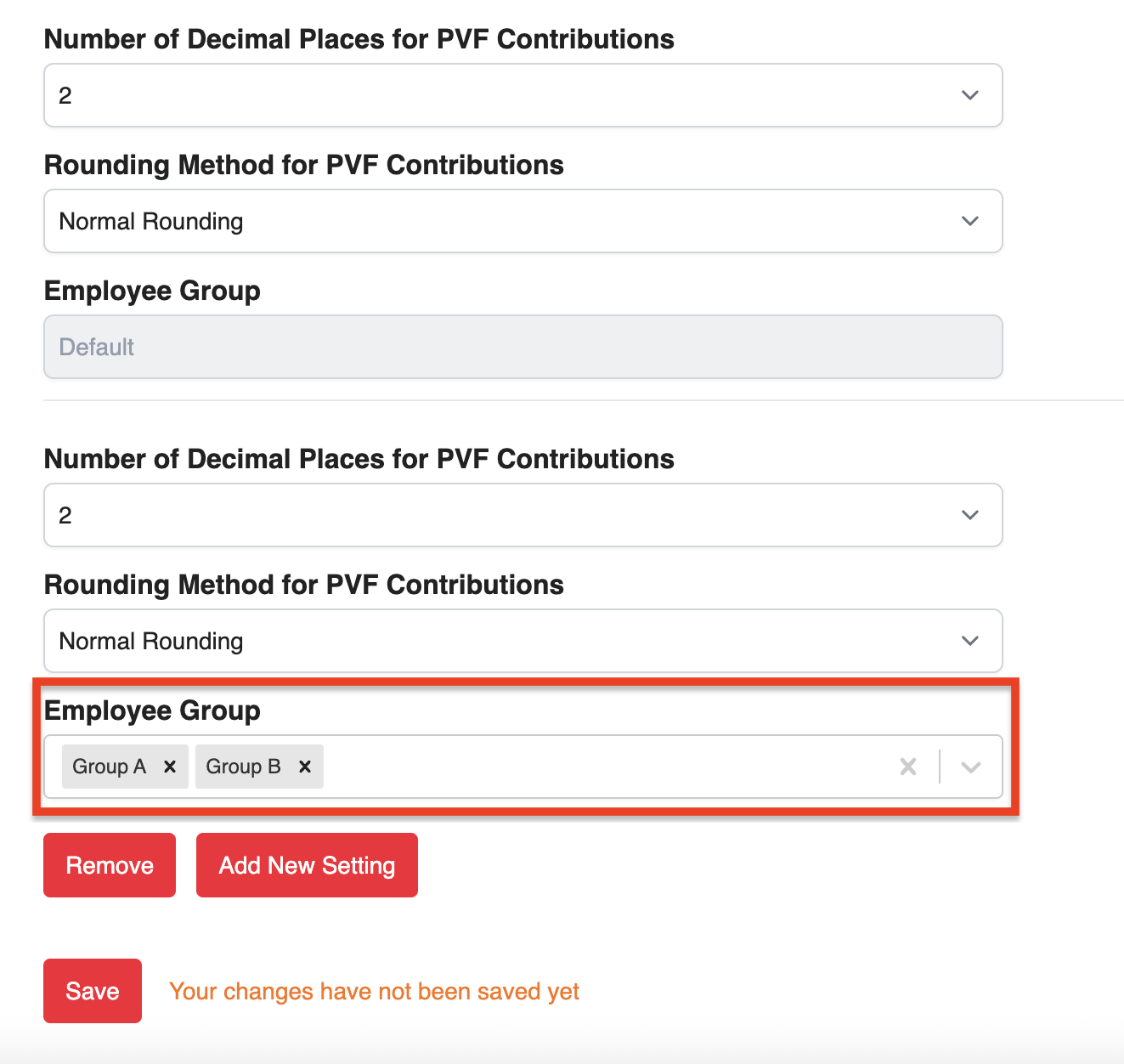
4. If you need specific rules for certain employee groups, click Add New Setting and select the appropriate Employee Group.
Was this article helpful?
That’s Great!
Thank you for your feedback
Sorry! We couldn't be helpful
Thank you for your feedback
Feedback sent
We appreciate your effort and will try to fix the article