Social Security Fund (SSF) rounding is a specialized feature typically used for specific statutory submission requirements. By default, this function is disabled. If your organization requires SSF rounding, please contact our support team to activate the feature for your account.
Once activated, follow these steps to configure your settings:
1. Go to Payroll > Settings > SSF Calculation Settings.
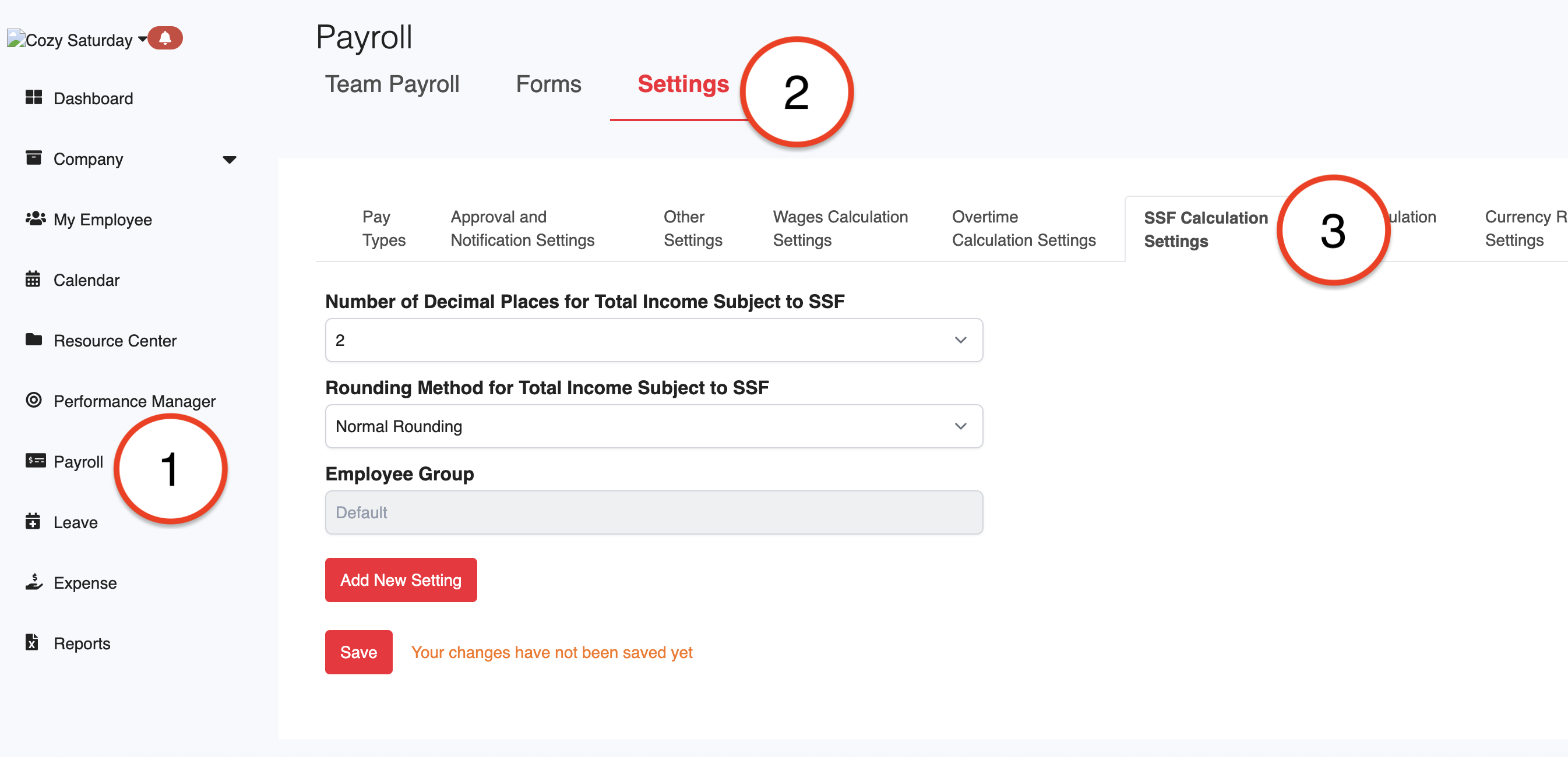
2. Enter the following details based on your reporting requirements:
Number of Decimal Places: Choose 0, 1, or 2 from the dropdown menu.
Rounding Method: Select how to handle decimals:
Normal Rounding: Rounds to the nearest whole number.
Rounding Up: Always rounds up.
Rounding Down: Always rounds down.
3. Click Save to apply the configuration.
4. If your organization requires different rounding rules for specific employee groups, click Add New Setting and assign the rules to the relevant Employee Group.
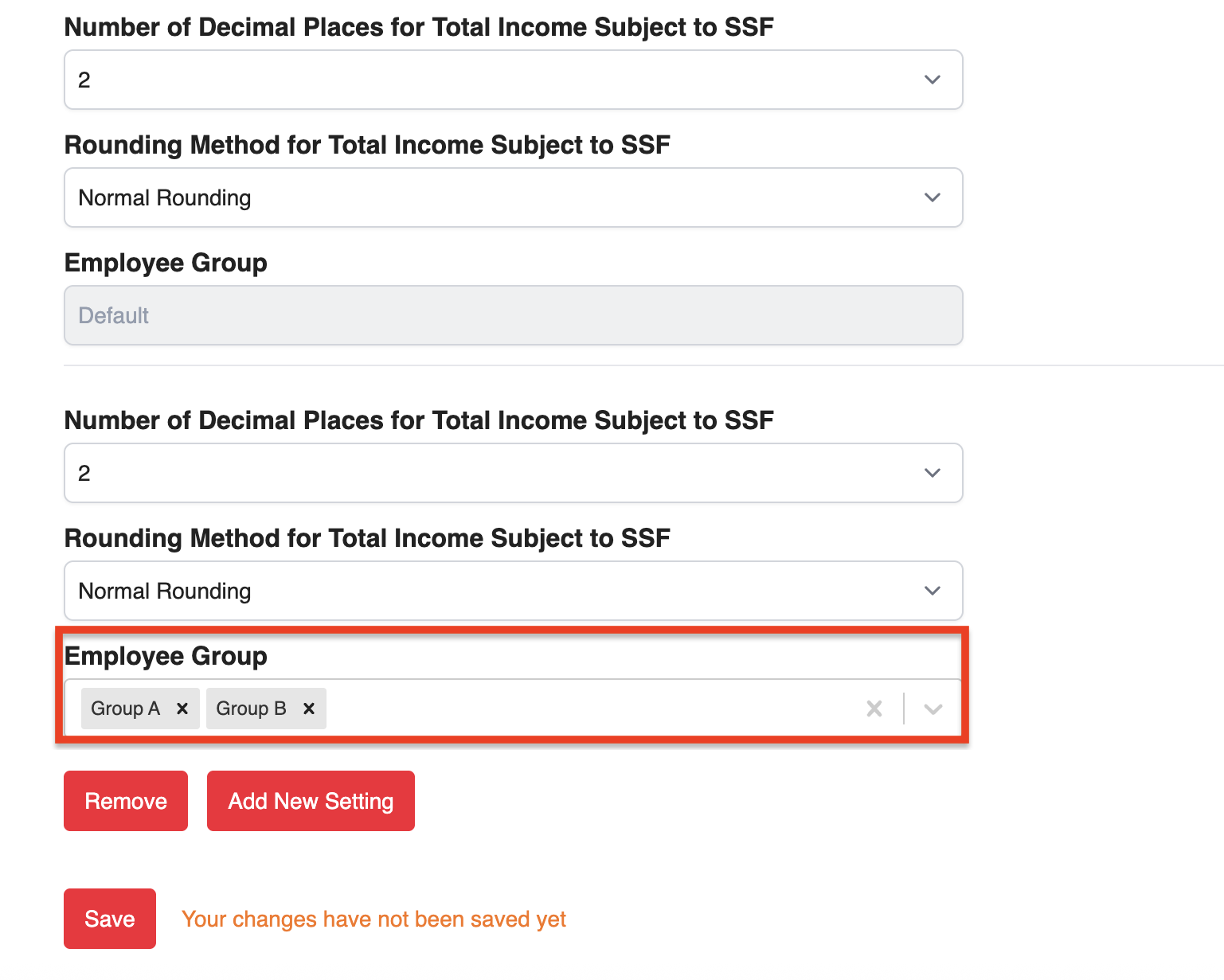
Note: Total Income Subject to SSF refers to the sum of the employee's basic salary and all other pay items that are marked as SSF-applicable. Any rounding settings will be applied to this combined amount.
Was this article helpful?
That’s Great!
Thank you for your feedback
Sorry! We couldn't be helpful
Thank you for your feedback
Feedback sent
We appreciate your effort and will try to fix the article