You can configure your company's timezone to ensure that all time-related records in the system are accurately reflected according to your organization's location. The selected timezone will apply across all modules and determine how time is displayed, including records such as employee clock-in and clock-out.
Follow the steps below to update your company timezone:
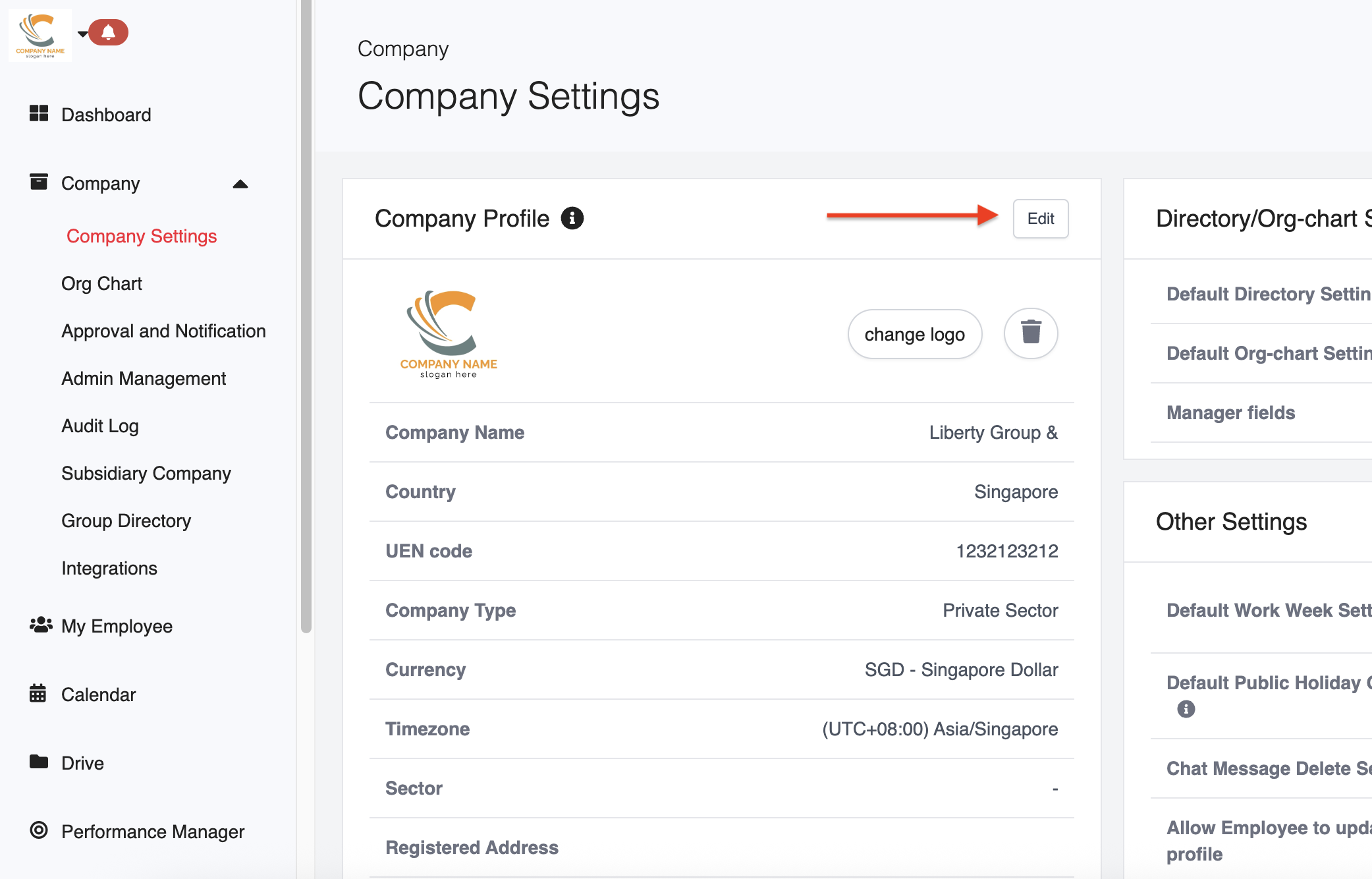
1. Go to Company > Company Settings.
2. Under Company Profile, click Edit.
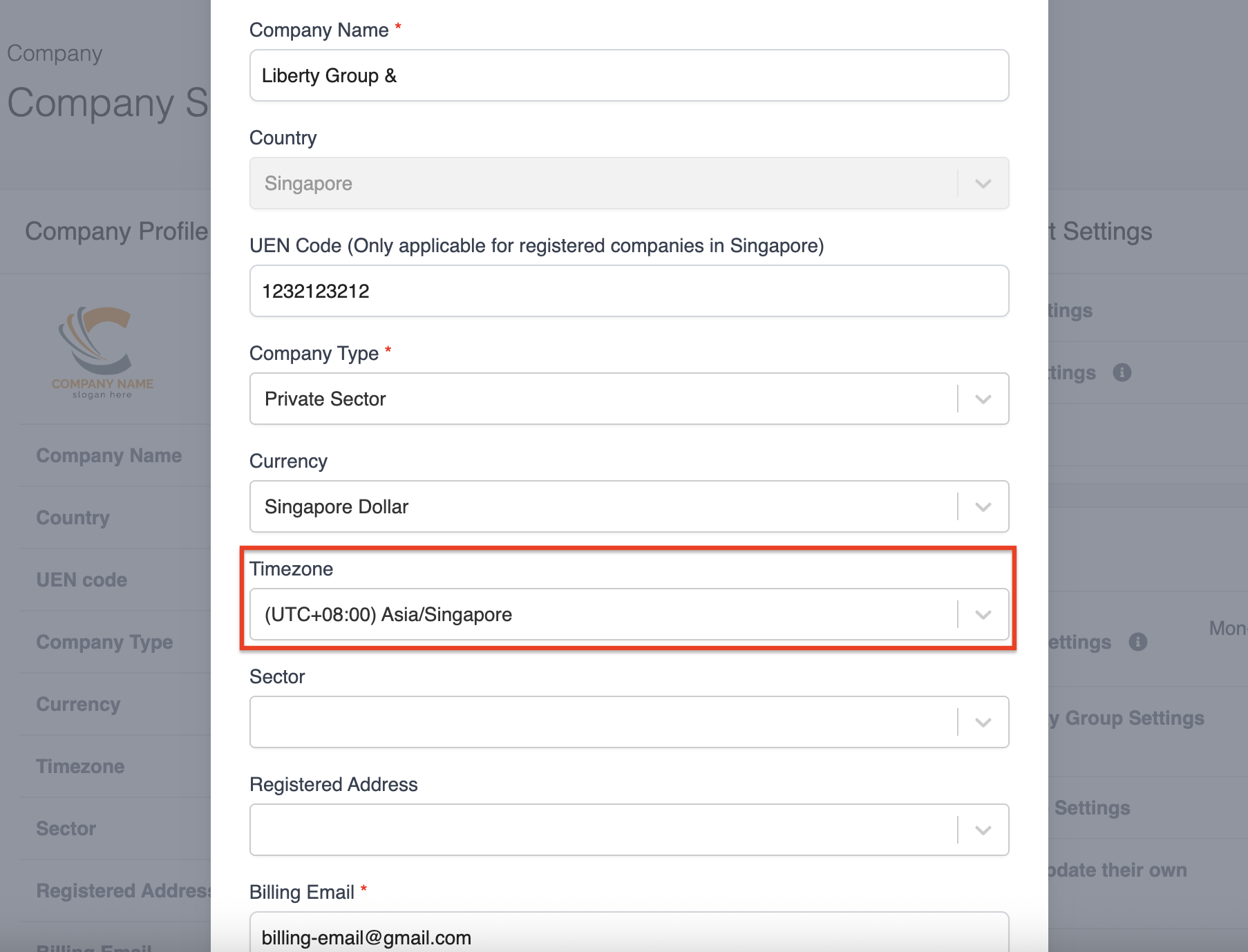
3. Locate the Timezone field and select the appropriate timezone for your company.
4. Click Save to apply the changes.
Was this article helpful?
That’s Great!
Thank you for your feedback
Sorry! We couldn't be helpful
Thank you for your feedback
Feedback sent
We appreciate your effort and will try to fix the article