This guide explains how to enable expense tracking by allowing Project Code and Cost Center to be selected when employees submit expense claims.
1. Navigate to Expense > Expense Settings > Expense Type.
2. Create a new expense type or select an existing expense type to update.
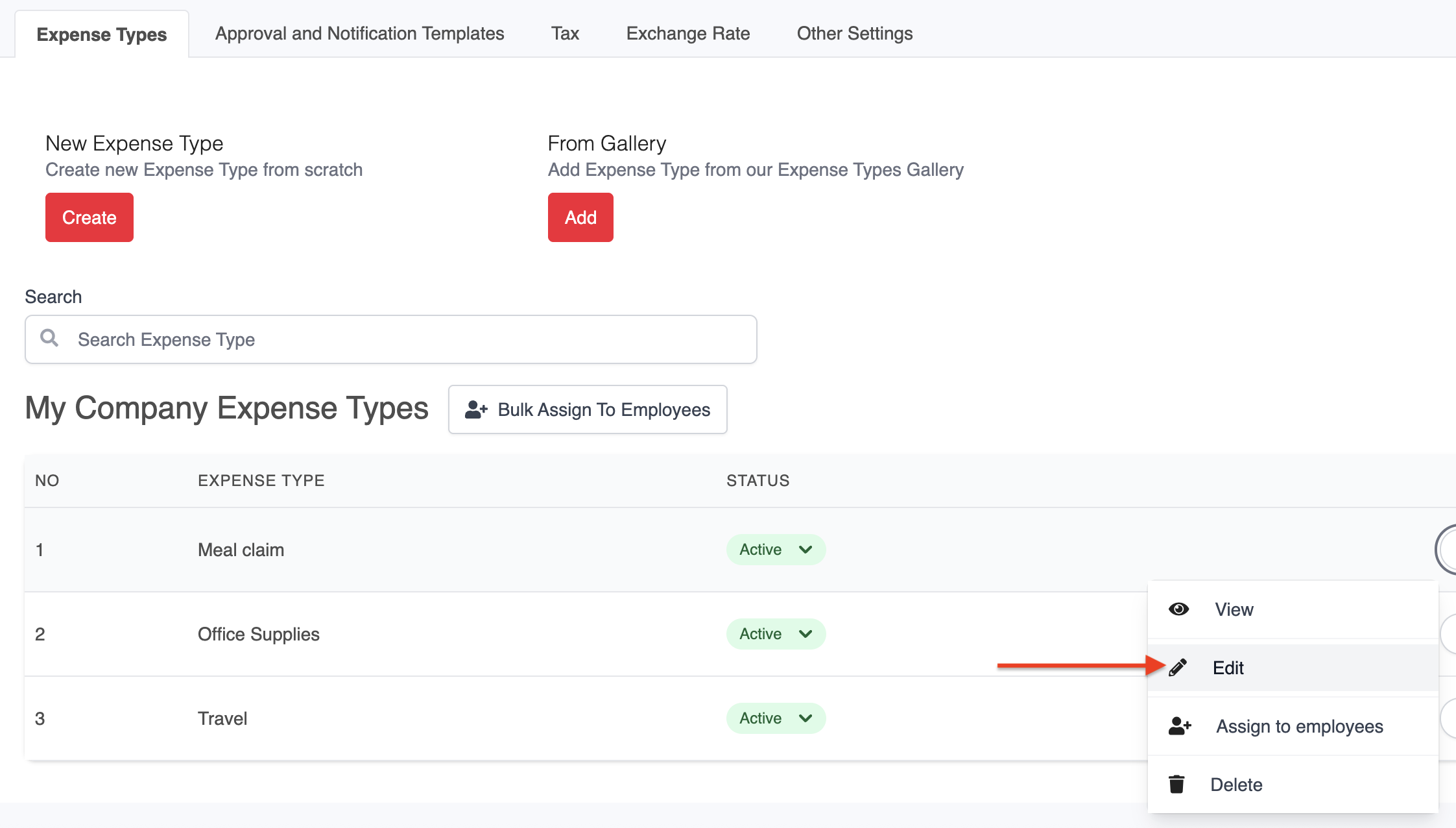
3. Under the Tracking section, enable and select the relevant options (e.g. Project Code and Cost Center) to be captured for this expense type.

4. Click Save to apply the changes.
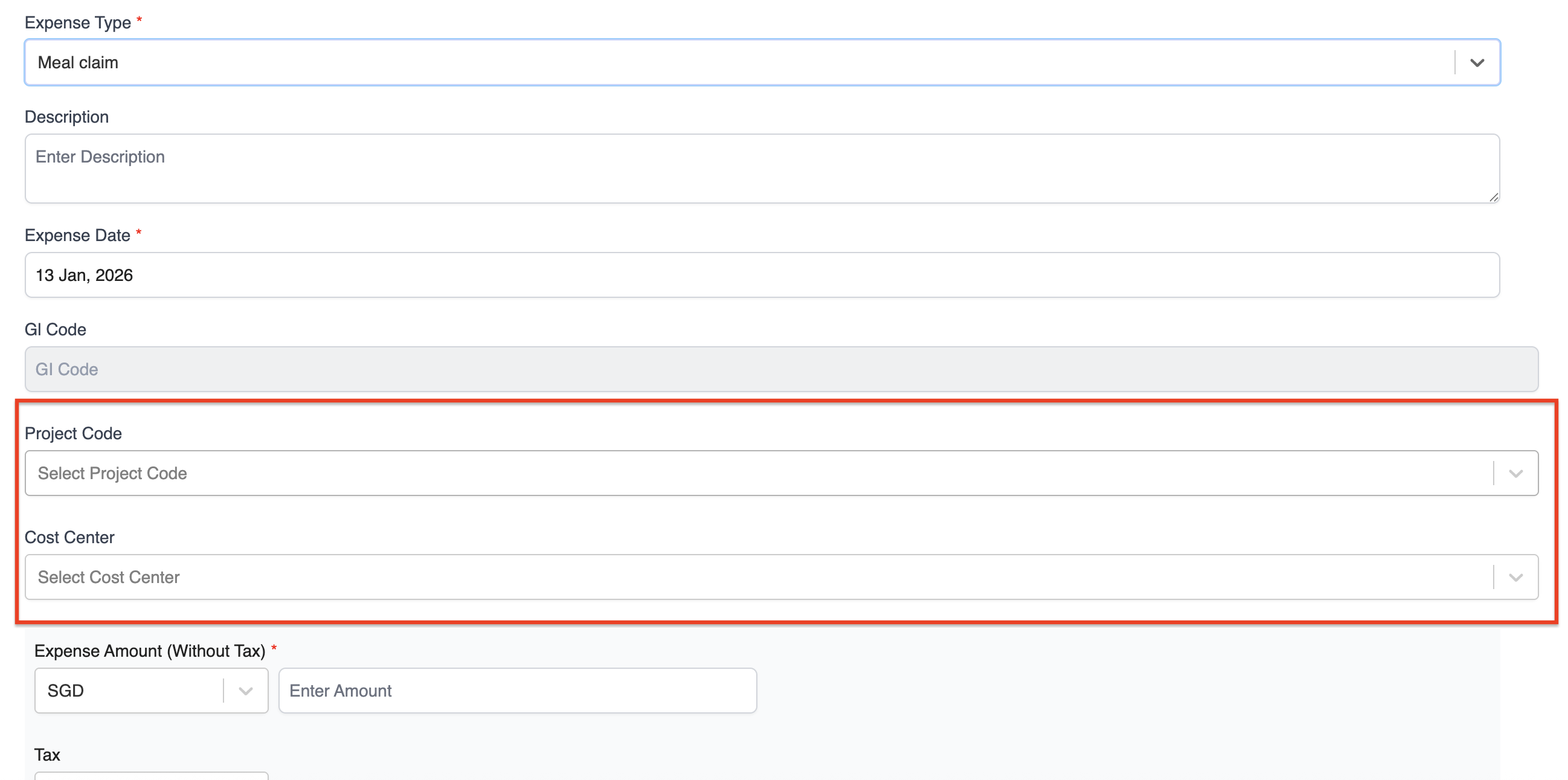
Once configured, employees will be able to select the Project Code and Cost Center when submitting an expense claim, allowing for more accurate expense tracking and reporting.
Was this article helpful?
That’s Great!
Thank you for your feedback
Sorry! We couldn't be helpful
Thank you for your feedback
Feedback sent
We appreciate your effort and will try to fix the article