This setting allows you to control whether employees can submit requests to change their assigned work shifts. You can also define the conditions under which shift change requests are allowed, such as for the same day, future dates, or past schedules.
1. Go to Timesheet > Timesheet Settings > Settings > Other Settings.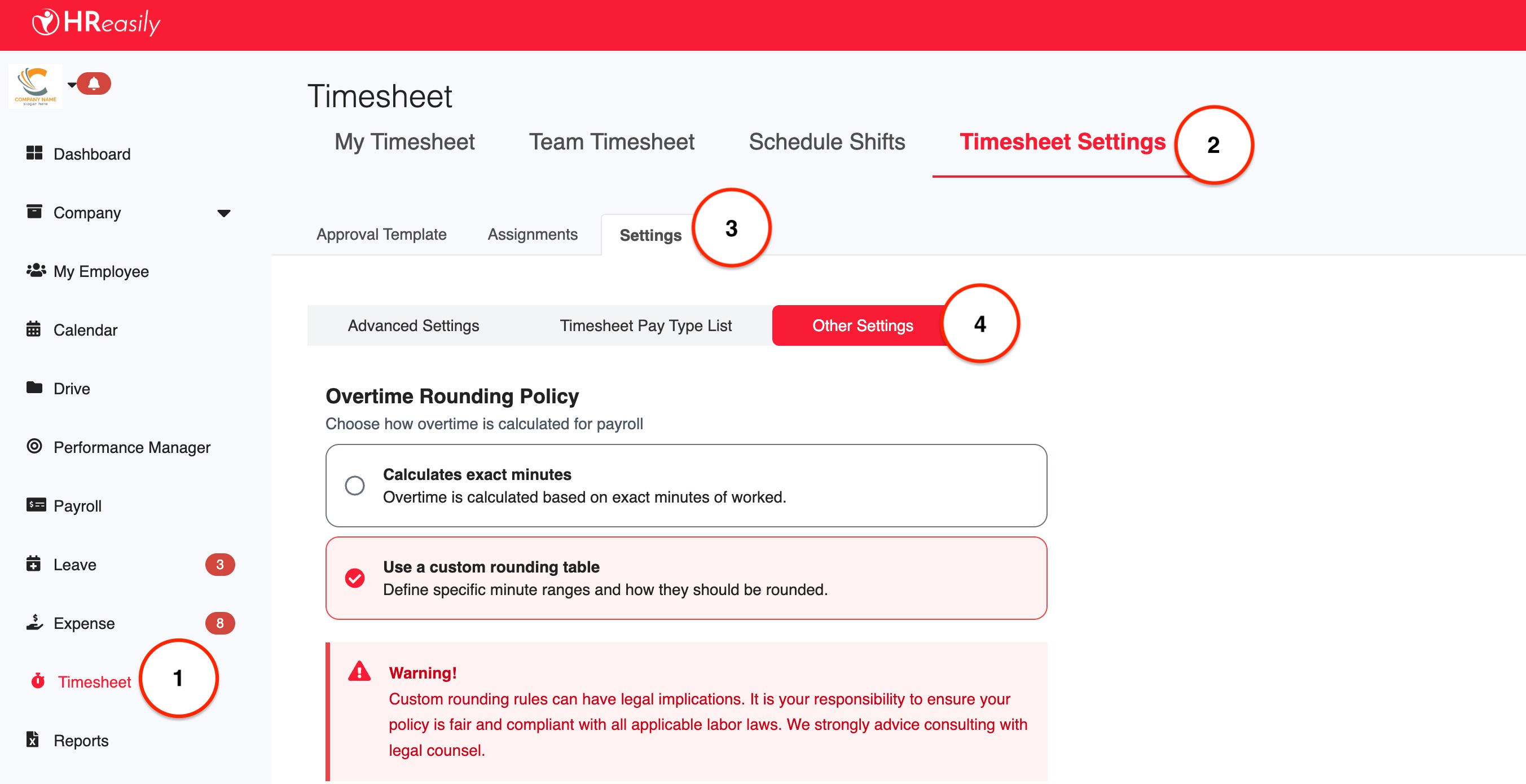
2. Scroll down to the Shift Change Request Setting section, then turn on the Allow employees to request change shift toggle. Once enabled, employees will be able to submit shift change requests based on the options you select below.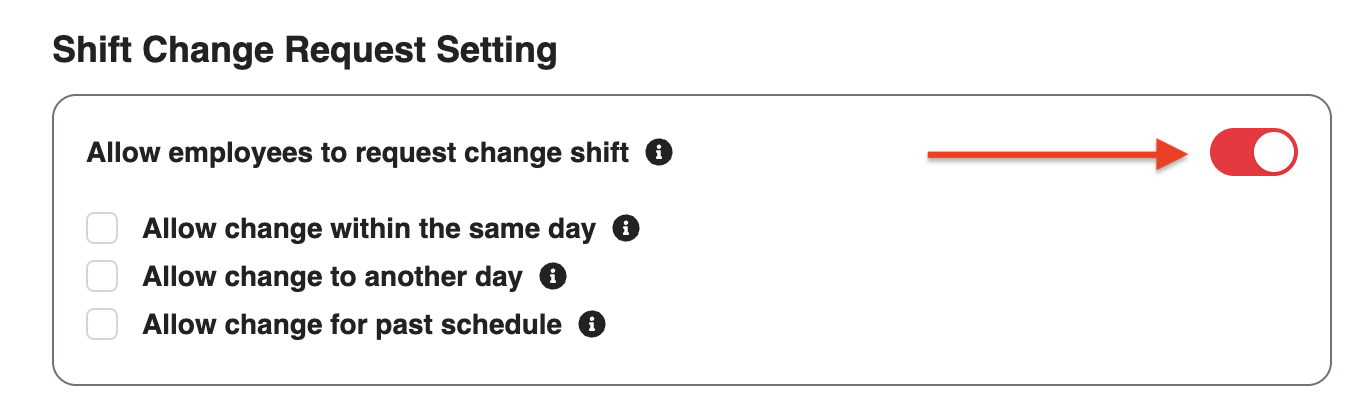
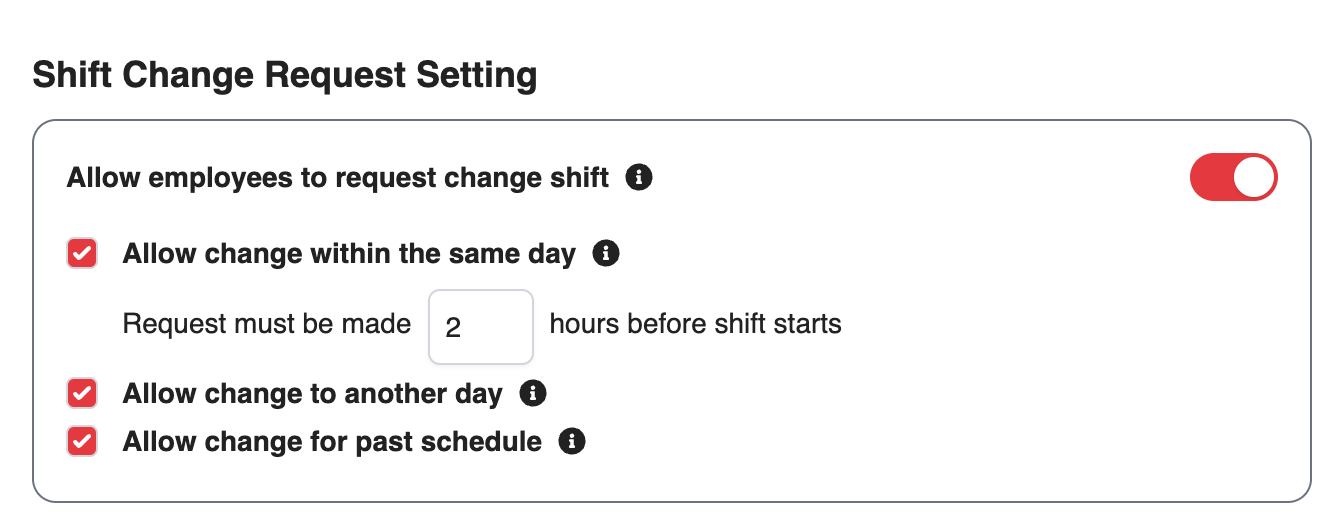
3. Select one or more of the following options to define when shift changes are permitted:
Allow change within the same day: Enable this option to allow employees to request changes to their assigned shifts on the current date.
Allow change to another day: Enable this option to allow employees to request changes to a different date or a new shift schedule in the future.
Allow change for past schedule: Enable this option to allow employees to request changes to shifts on past dates. ⚠️ This setting will override the same-day shift change restriction, allowing requests for previous schedules.
4. After selecting the appropriate option, click Save to apply the changes.

Was this article helpful?
That’s Great!
Thank you for your feedback
Sorry! We couldn't be helpful
Thank you for your feedback
Feedback sent
We appreciate your effort and will try to fix the article