This setting allows you to define the default timesheet approval workflow for your entire company. Choose how submitted timesheets should be reviewed and approved before they are finalized.
1. Go to Timesheet > Timesheet Settings > Settings > Other Settings.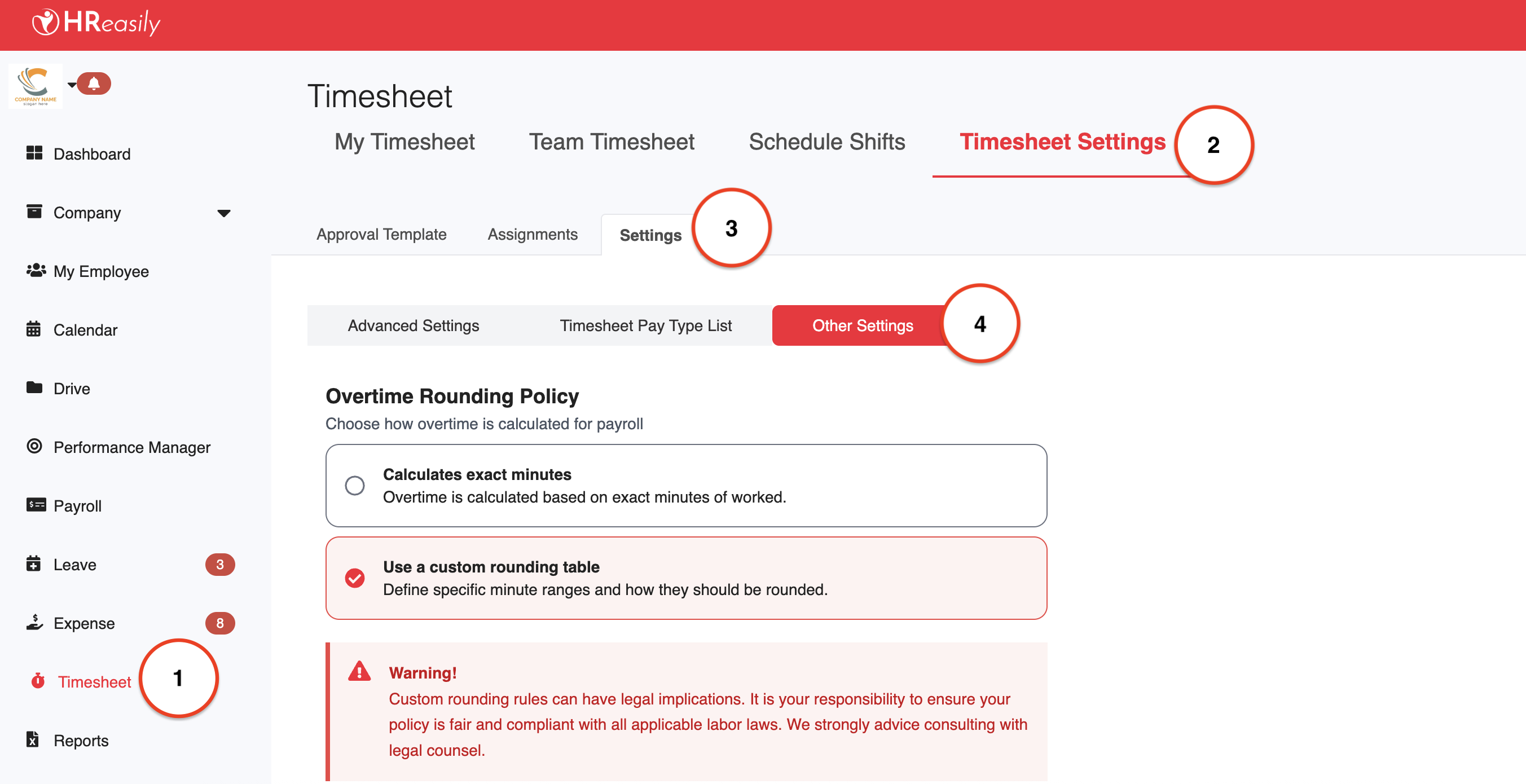
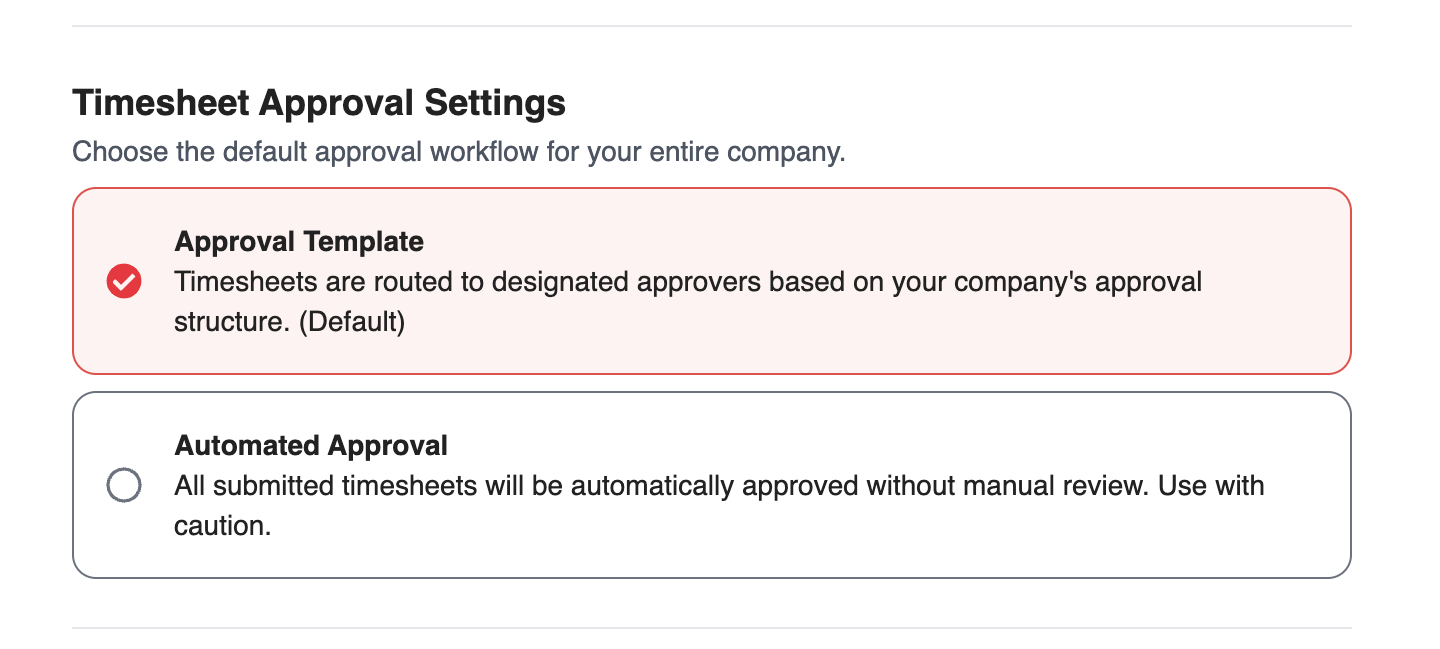
2. Scroll down to Timesheet Approval Settings, then choose one of the following options:
Approval Template (Default): Submitted timesheets will be routed to the assigned approvers based on your company’s approval structure. This option ensures timesheets are reviewed and approved manually before being finalized.
Automated Approval: All submitted timesheets will be approved automatically without any manual review.
⚠️ Use this option with caution, as it bypasses the approval process entirely and finalizes timesheets immediately upon submission.
3. After selecting the appropriate option, click Save to apply the changes.

Was this article helpful?
That’s Great!
Thank you for your feedback
Sorry! We couldn't be helpful
Thank you for your feedback
Feedback sent
We appreciate your effort and will try to fix the article