1. Go to Payroll > Team Payroll > select any payroll, whether draft or complete > select Download Bank file.
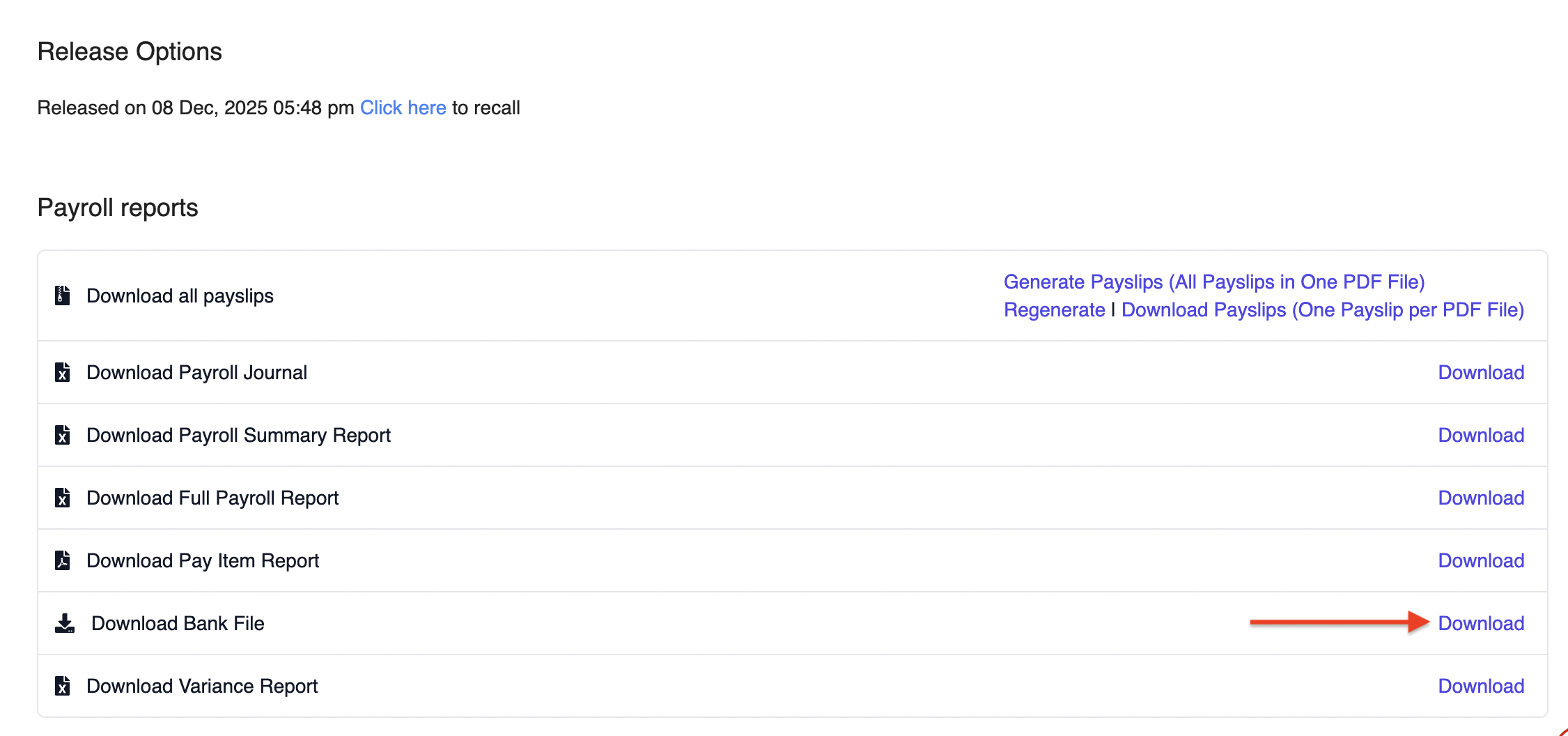
2. Thereafter, there will be a pop up and you would need to complete the necessary fields:
- Bank: UNITED OVERSEAS BANK MALAYSIA
- File Type: Select the appropriate file type based on what you need to generate:
- BIB Plus GIRO File
- SOCSO File
- EIS File
- EPF File
- MTD File
- BIB Plus GIRO File
- Account Holder Name: Your company name
- Account Number: 10-digit bank account number
- Value Date: The date the bank should process the salary payment
- Sequence Number: Default is 01
- Company ID: Uppercase letters only
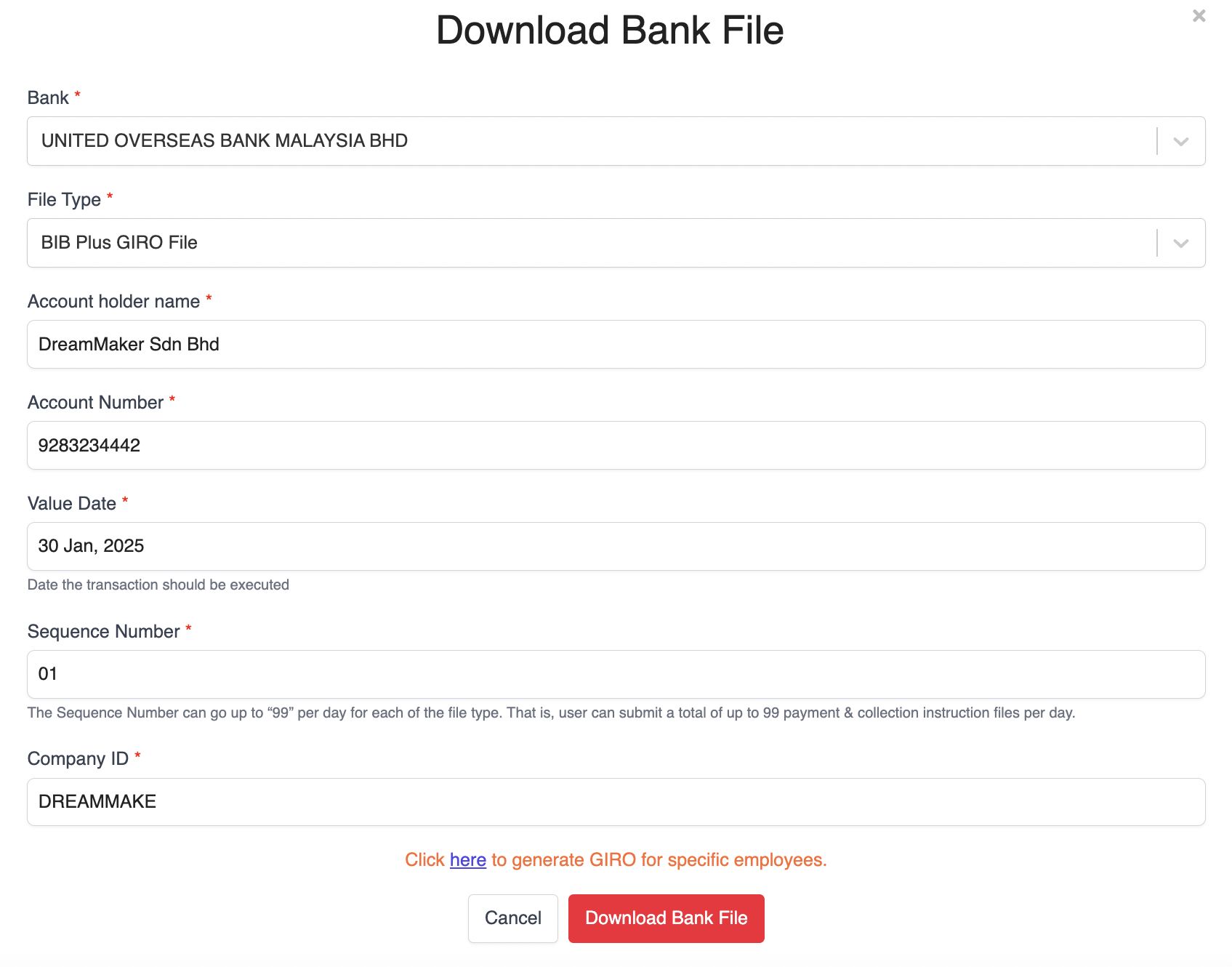
3. Once all details are filled in, click Download Bank File.
⚠️ Important Note: Do not rename the generated GIRO File. Renaming the file may lead to errors when uploading to the bank portals.
Submitting the GIRO File to UOB
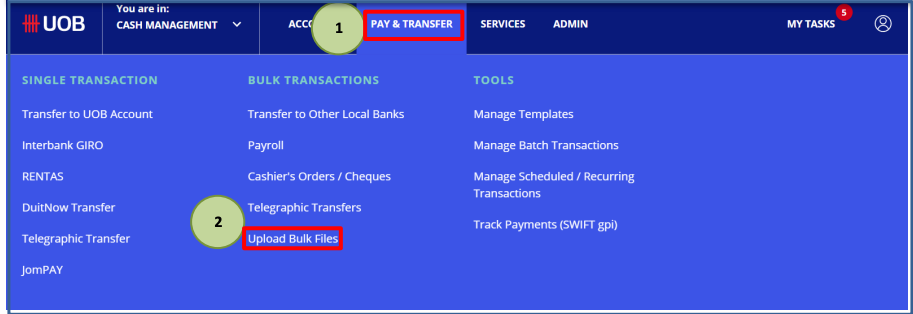
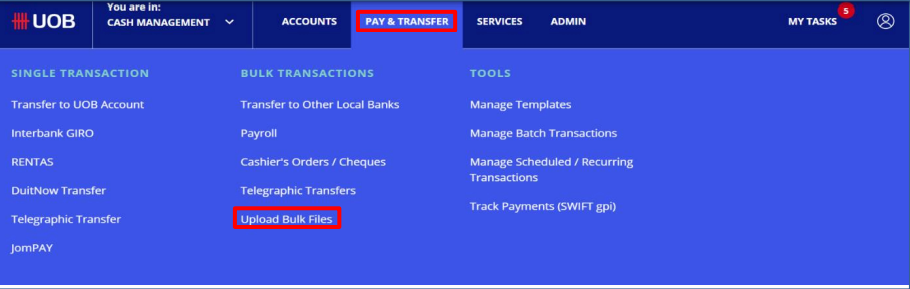
1. Log in to UOB Business Internet Banking. Go to PAY & TRANSFER and select Upload Bulk Files.
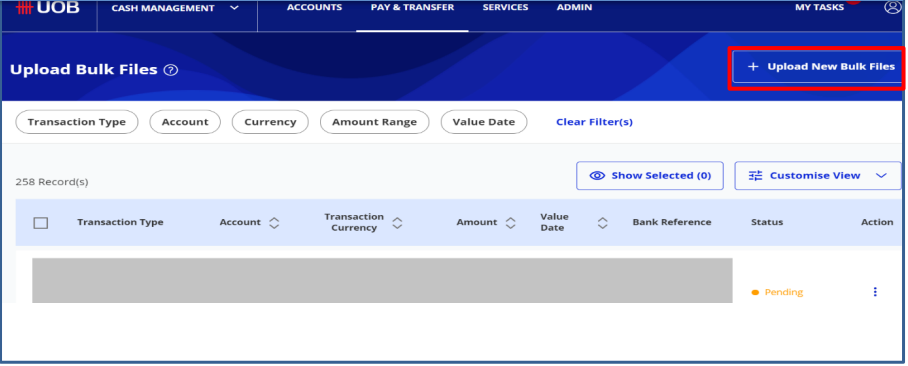
2. Click + Upload New Bulk Files.
3. In the File Type dropdown, choose IBG Payroll with Payment Advice (Employee).
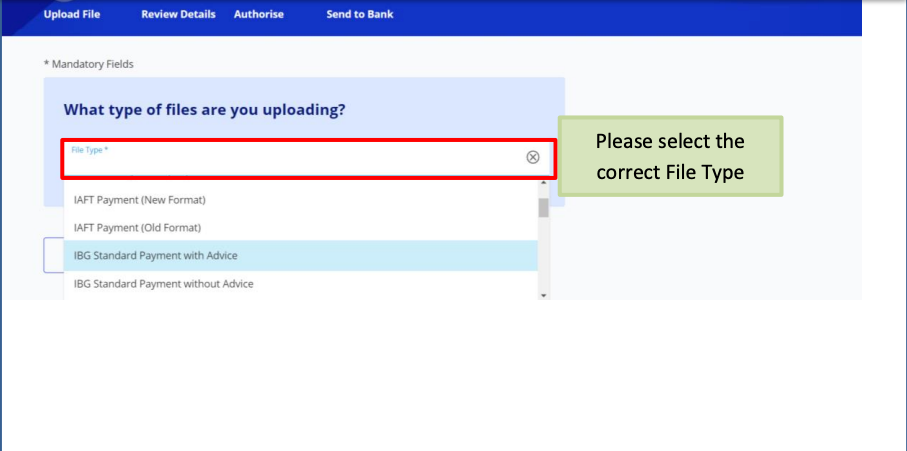
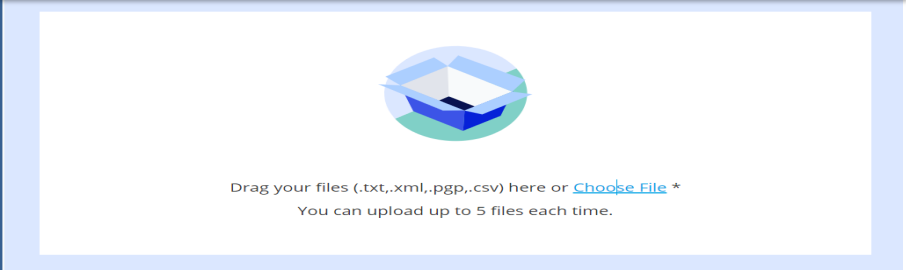
4. Click Choose File and select the BIB Plus file to upload.
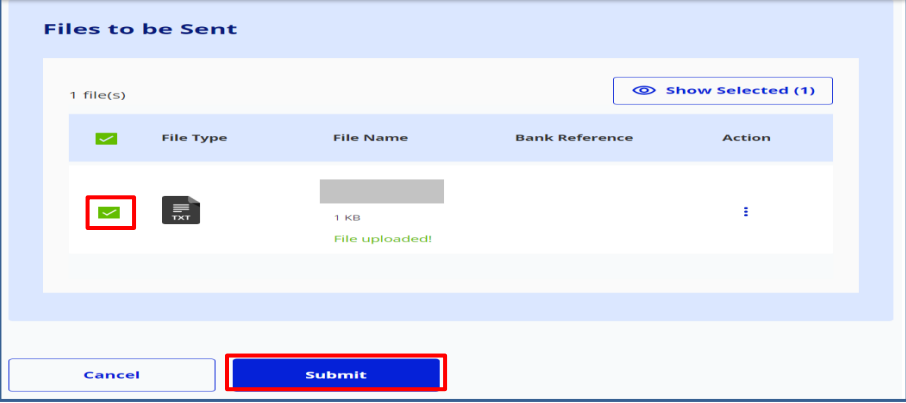
5. Once the file is uploaded, a confirmation message will appear. Tick the checkbox and click Submit.
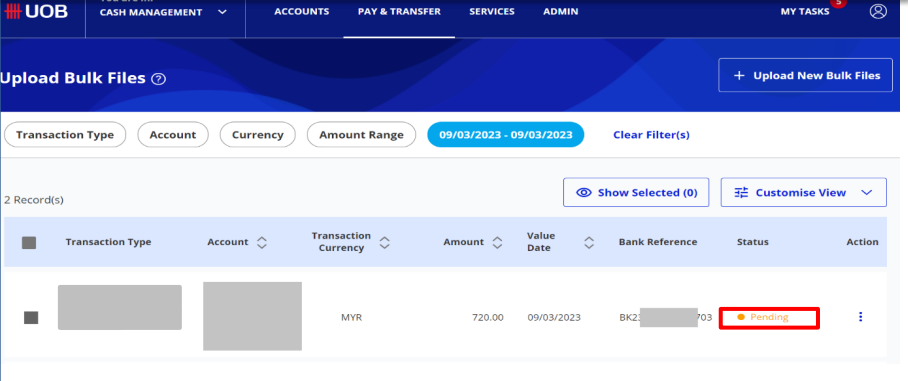
6. The transaction will appear with the status Upload in Progress.
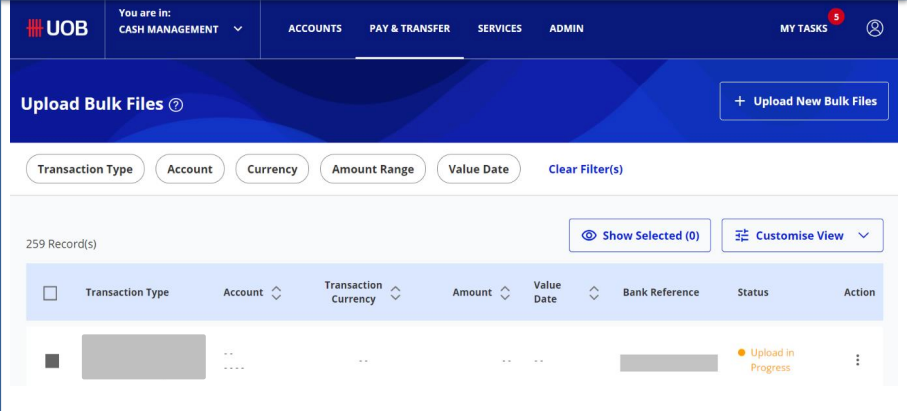
7. To refresh the transaction status, go back to PAY & TRANSFER → Upload Bulk Files.
8. After refreshing, the status will update to Pending. This indicates that the file has been successfully submitted by the Maker and is now awaiting approval from the Authorizer.
⚠️ Important Notes: Please be aware that UOB's IBG service cut-off time is 5:00 PM daily. If you are preparing the GIRO file for processing on the next working day, make sure to update the Value Date in HReasily before downloading the file.
Was this article helpful?
That’s Great!
Thank you for your feedback
Sorry! We couldn't be helpful
Thank you for your feedback
Feedback sent
We appreciate your effort and will try to fix the article